Omuz · Case study · 4 min read
Omuz: designing a social super app that fits 12+ products into one flow
Omuz is a Turkish social super app that brings social media, communities, events, entertainment, shopping and rewarded tasks into one place. I led the design of its mobile app and website: more than 120 screens in four months, built around a single feed and a menu each person can customise.
- Mobile App Design
- User Experience Research
- User Interface Design
- Design System
At a glance
Challenge
Twelve to thirteen products, from social posts to travel and shopping, had to feel like one simple app.
Solution
One shared feed and a customisable menu, on a component system reused by every product.
Outcome
120+ consistent screens for mobile and web, in light and dark mode, delivered in four months.
Deliverables
- 120+ screens
- Mobile app, light and dark
- Responsive website
- Customisable navigation
- Design system and components

Overview
Omuz is a social super app from Türkiye. It presents itself as the first and only social app in Türkiye's super app category, and brings social media, entertainment, events and rewarded tasks such as photo challenges into a single product. [1]
I designed the new Omuz mobile app and website through my studio, Beew, as lead designer: more than 120 screens over four months in 2025, in light and dark mode. The new design is set to go live on omuz.com.tr.
The challenge
Omuz is not one app but twelve or thirteen: a social network, communities, news, events, food, a blog, travel, tasks, shopping, books and films, messaging and an AI assistant. Each could easily have become its own app with its own rules.
- Too much at once: putting every product in front of everyone would overwhelm new users.
- Different shapes of content: a post, a hotel, an event, a product and a book all need different details.
- Navigation: a fixed tab bar can hold four or five products, not thirteen.
- Scale and consistency: 120+ screens across mobile and web, light and dark, had to feel like one product.
Goals
- Present twelve or more products in a way that feels simple from the first day.
- Let people decide which products they see, instead of deciding for them.
- Make every product feel like part of the same social network, not a separate app.
- Build a component system that new products can use without new patterns.
Approach
1. One flow for every product
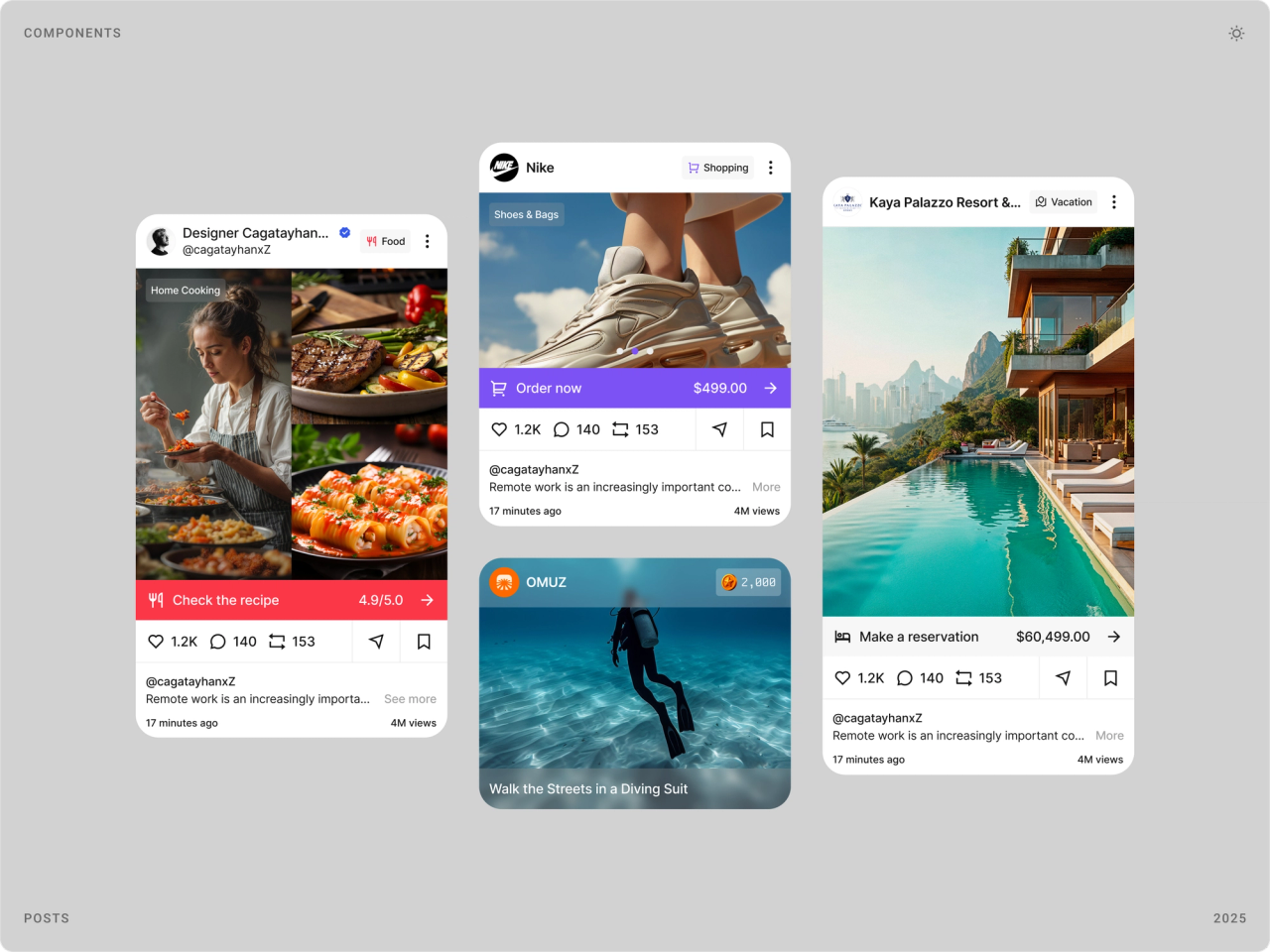
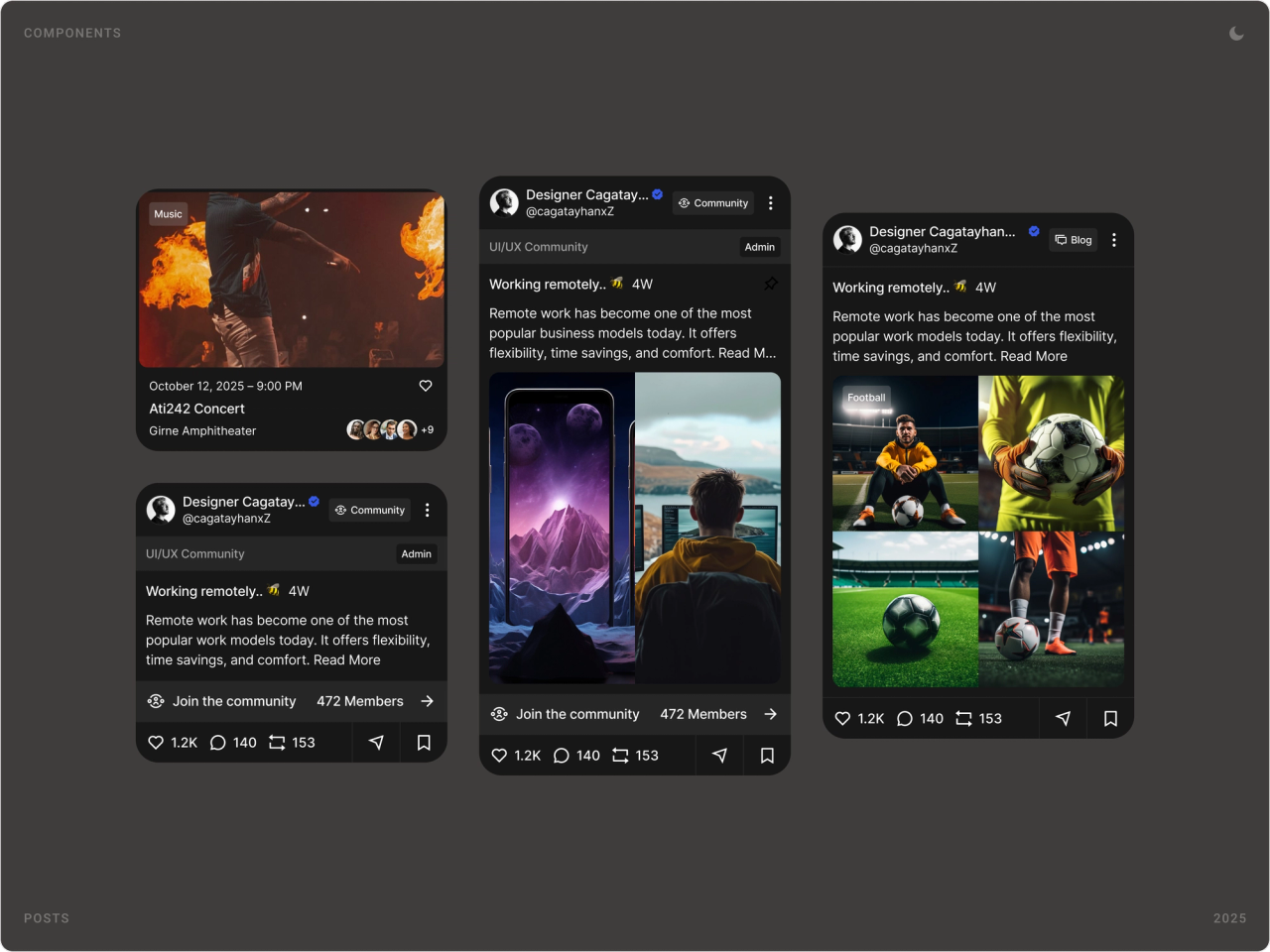
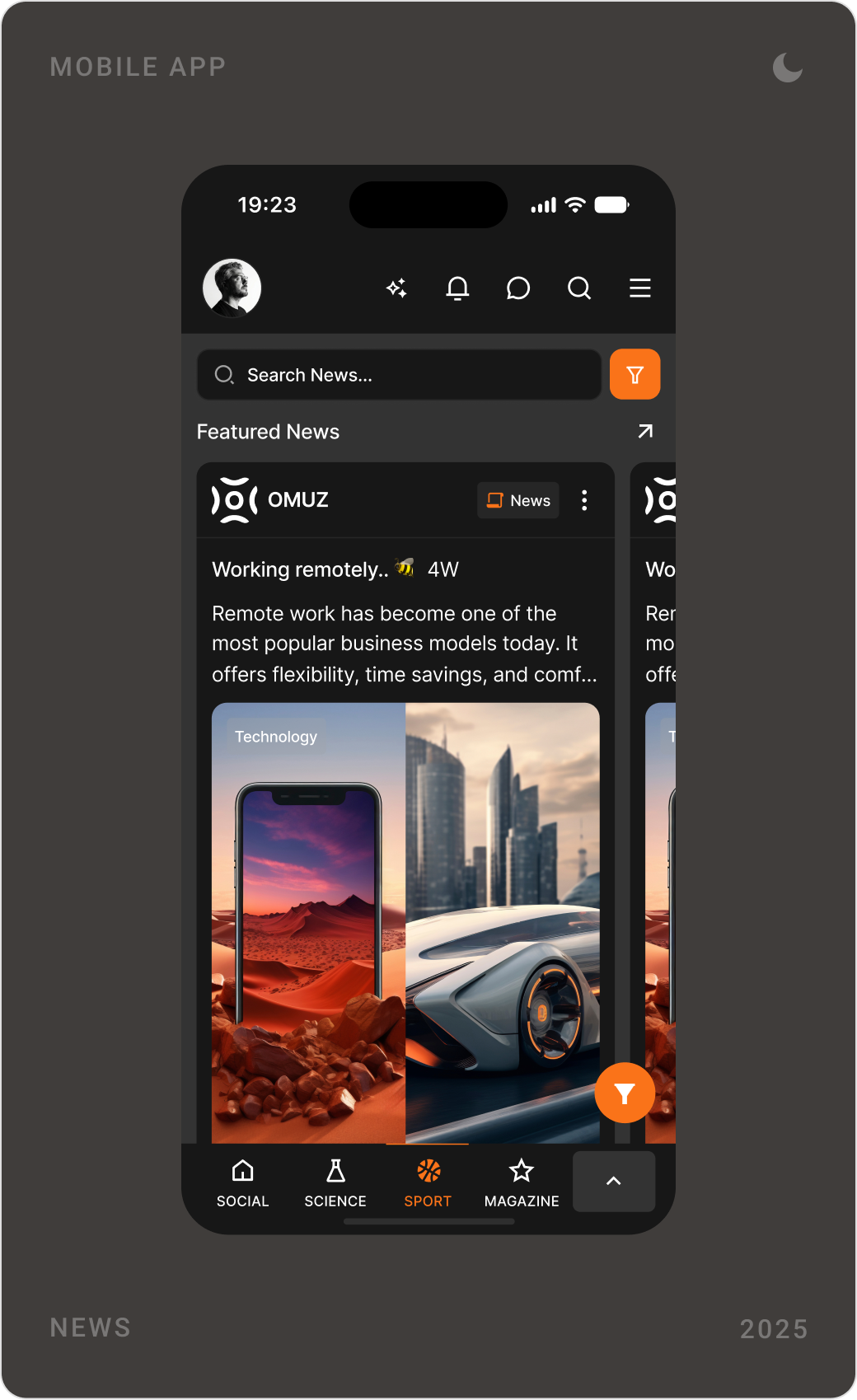
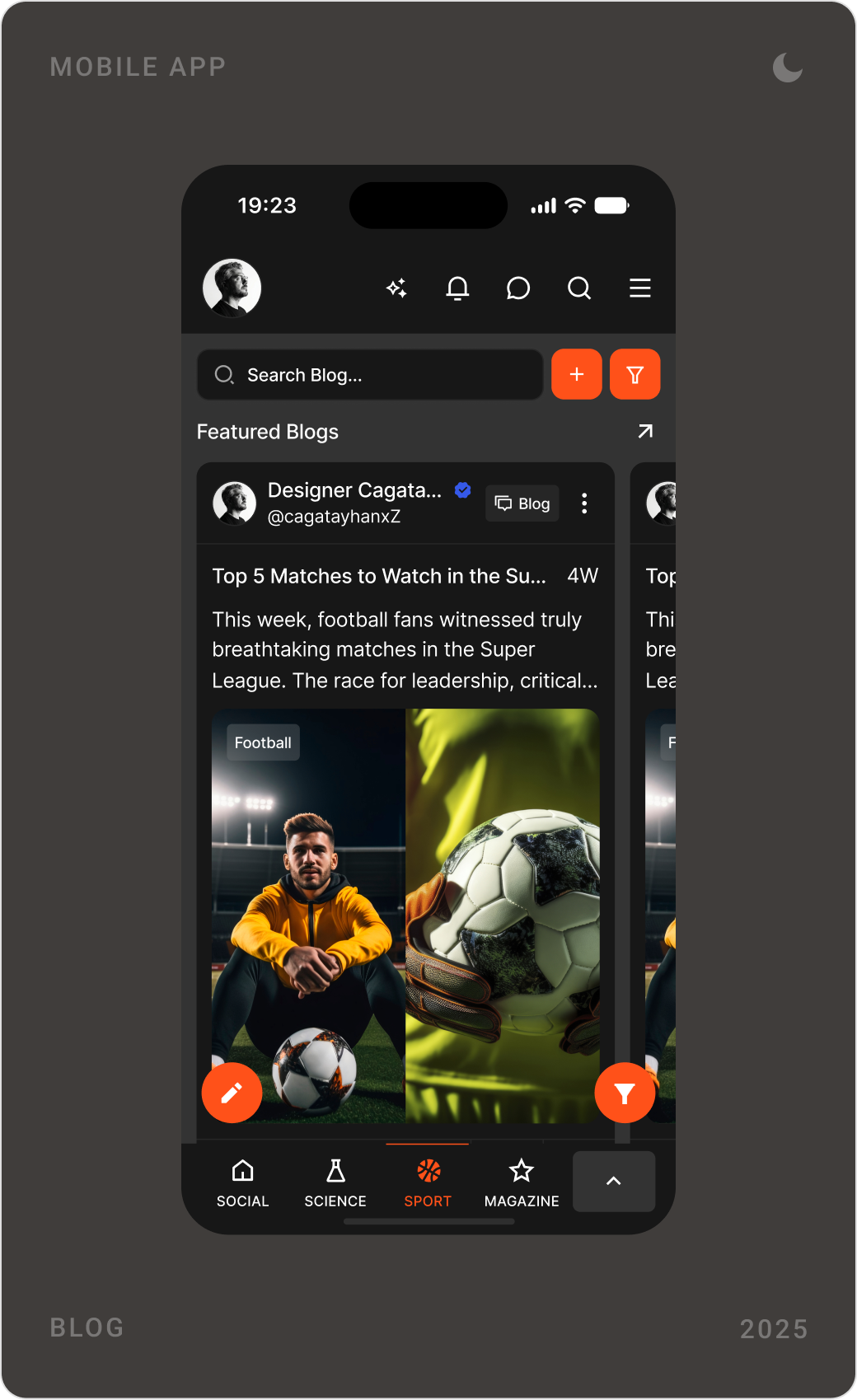
Instead of thirteen homepages, everything publishes into one feed. A post, a hotel, a concert or a product for sale arrives as a card with the same author line, the same actions and a category tag, so the feed reads like one social network.
2. A menu people build themselves
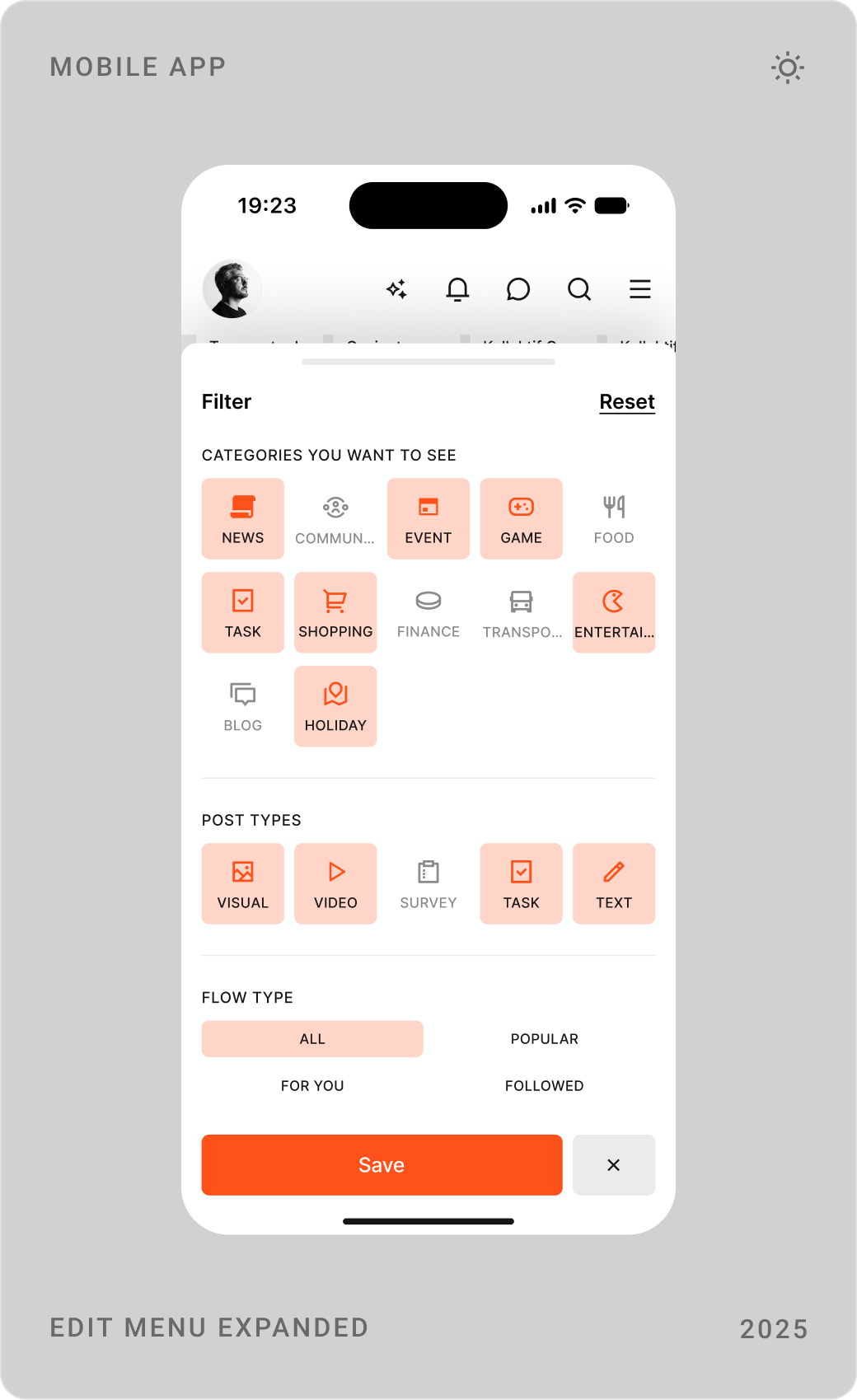
The bottom bar holds a few products, and people choose which ones. An edit menu lists every category, so someone who uses Omuz for events and food never has to scroll past travel and shopping.
3. Same building blocks everywhere
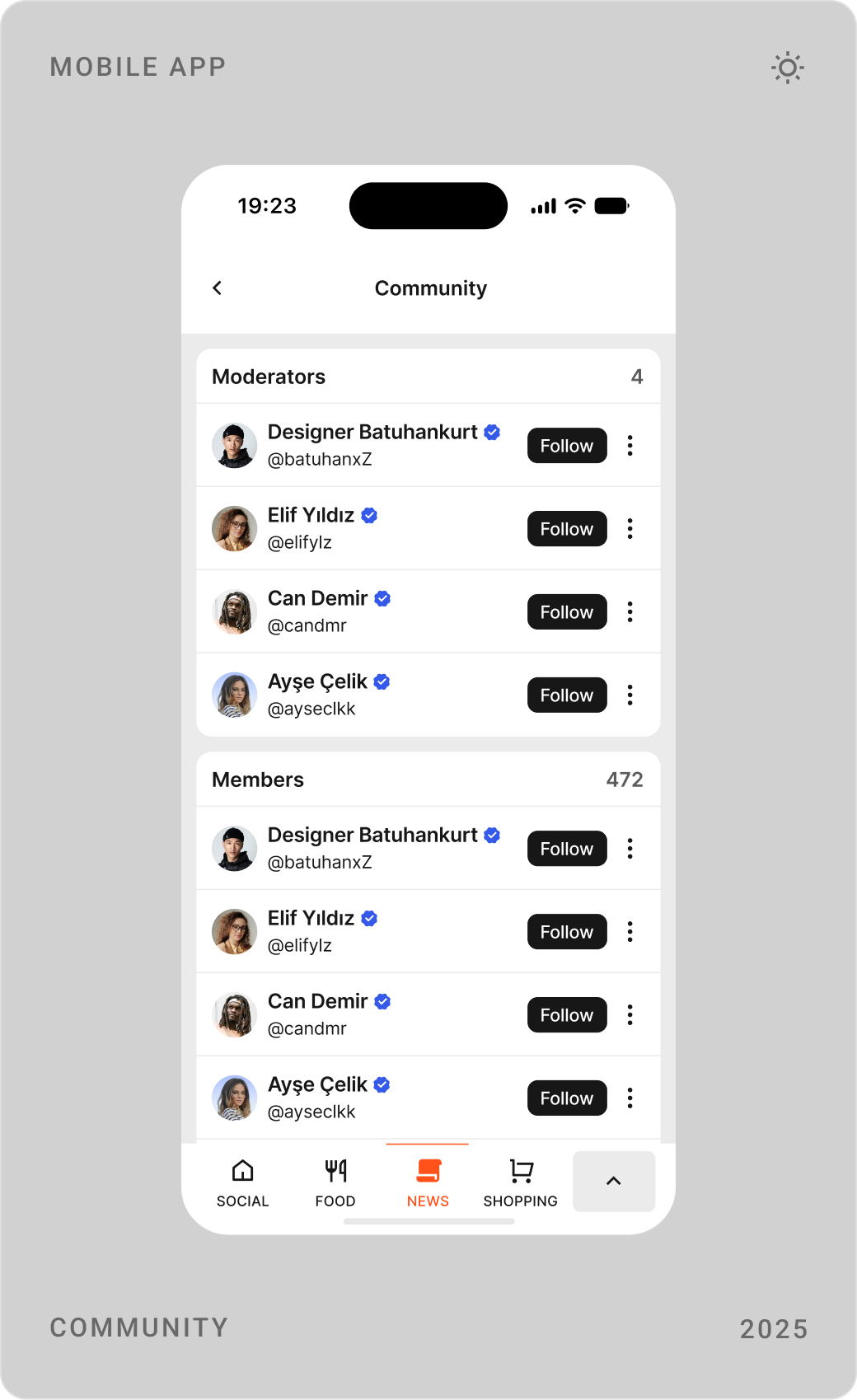
Search with filters, cards, detail pages, comments and follow buttons are shared by every product. A new product reuses these pieces, which kept 120+ screens consistent and made each new section quicker to design.
4. Mobile first, web alongside
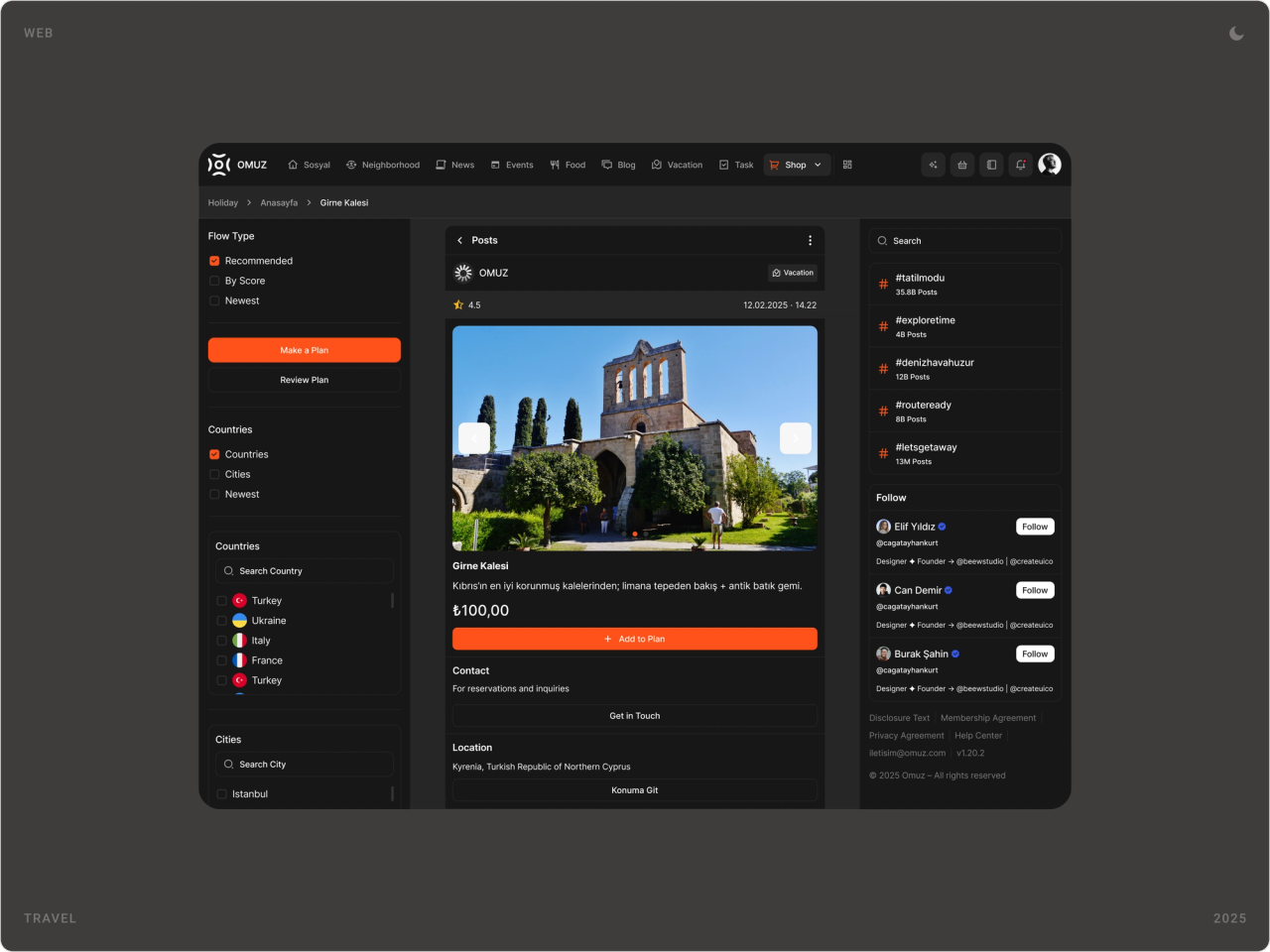
Every flow was designed for the phone first, in light and dark mode, then laid out for the web with the menu as a sidebar and filters in a side column.
The solution
Customisable menu
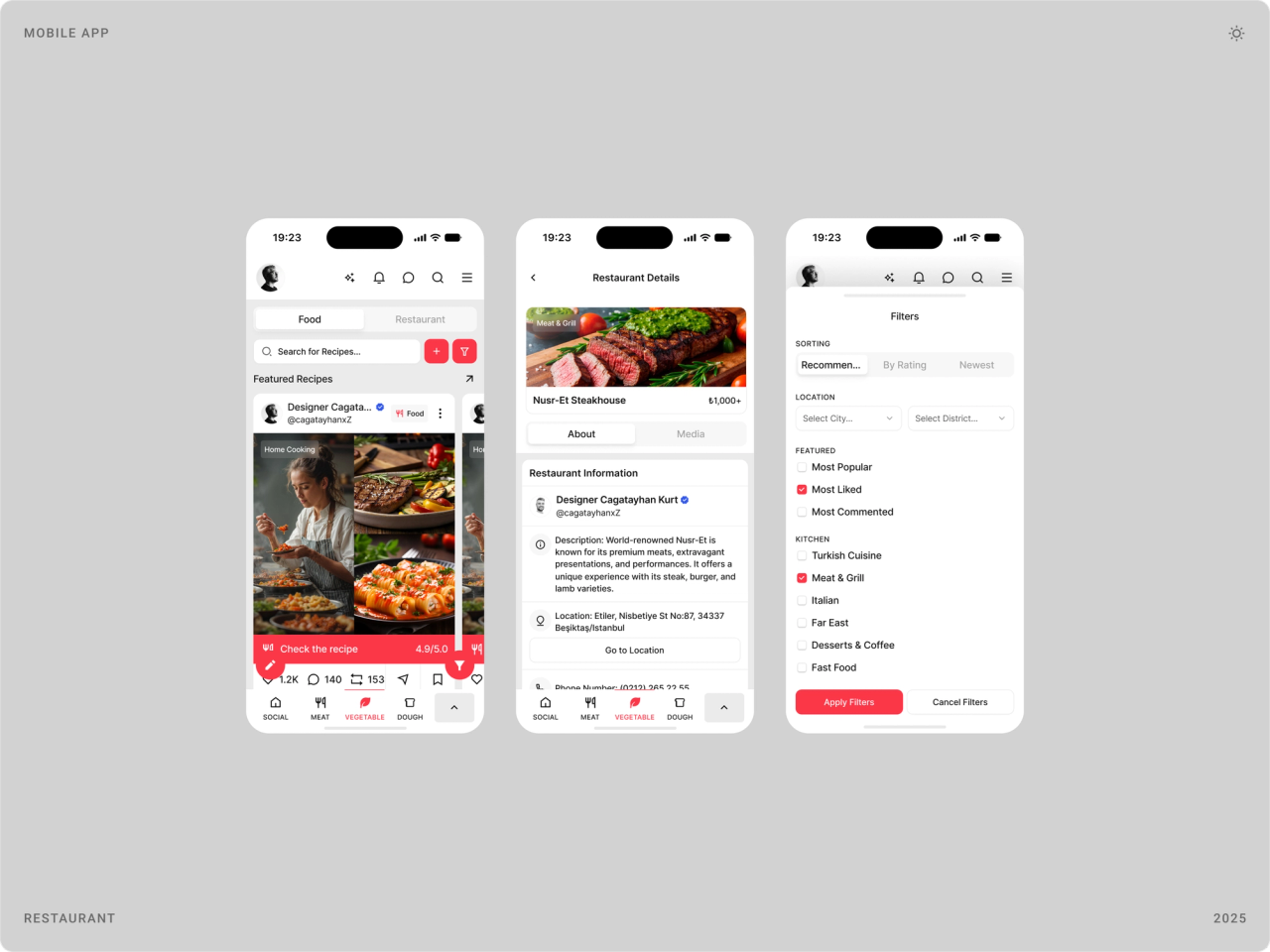
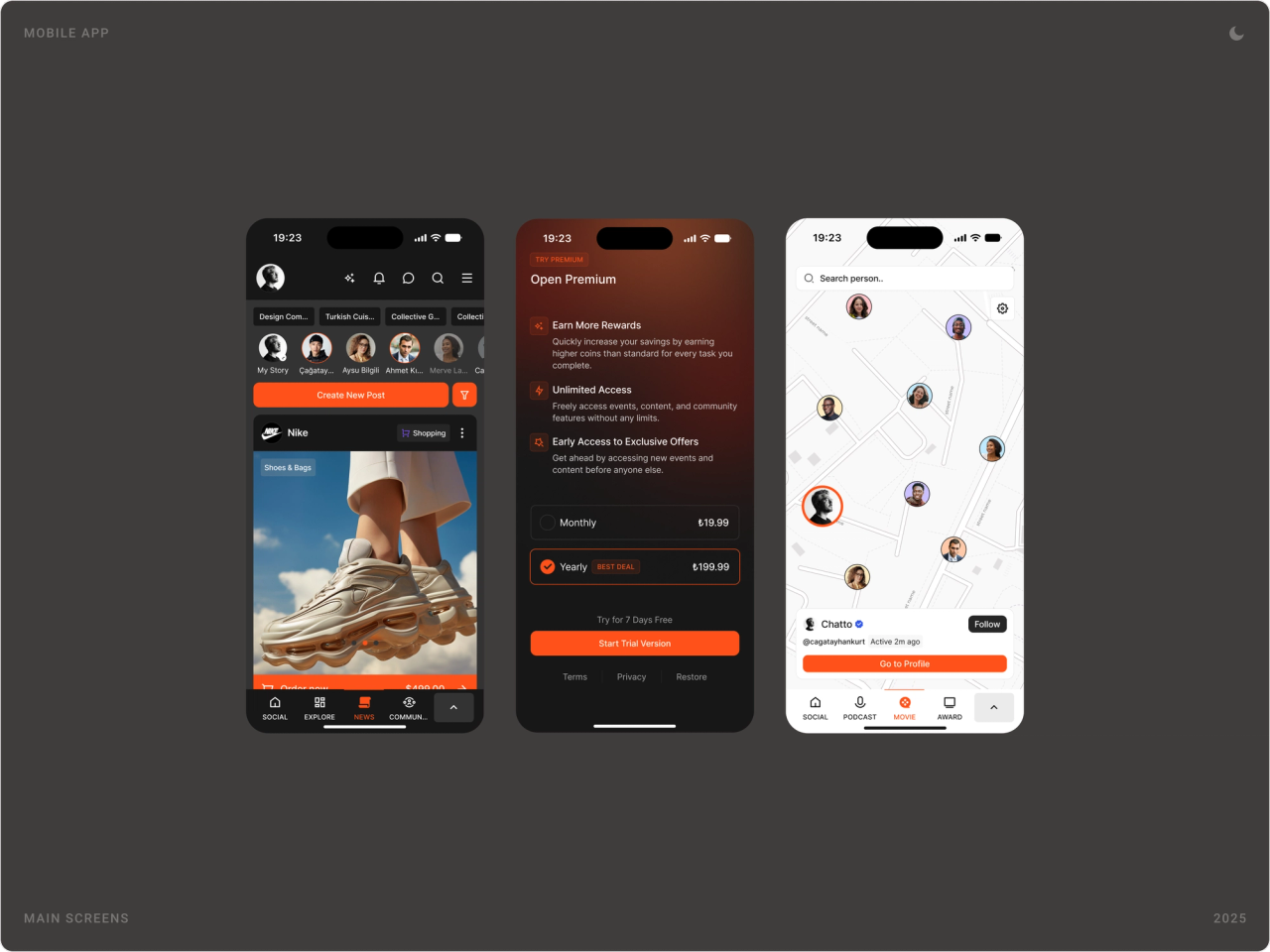
The menu drawer and the edit menu let people pick the products that live in their bottom bar. Filters work the same way: choose categories, post types and whether to see popular, followed or recommended content.


One feed for every product
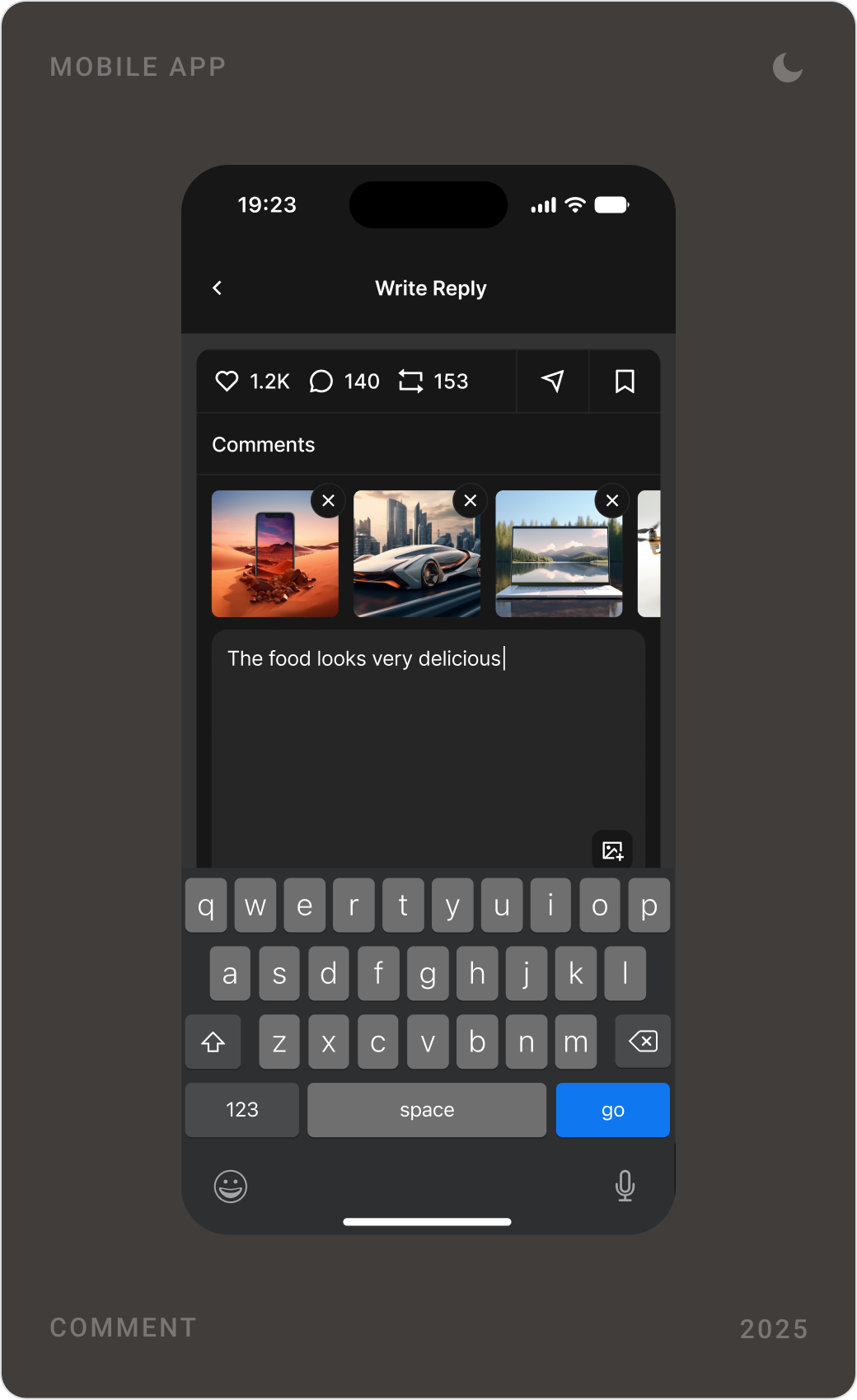
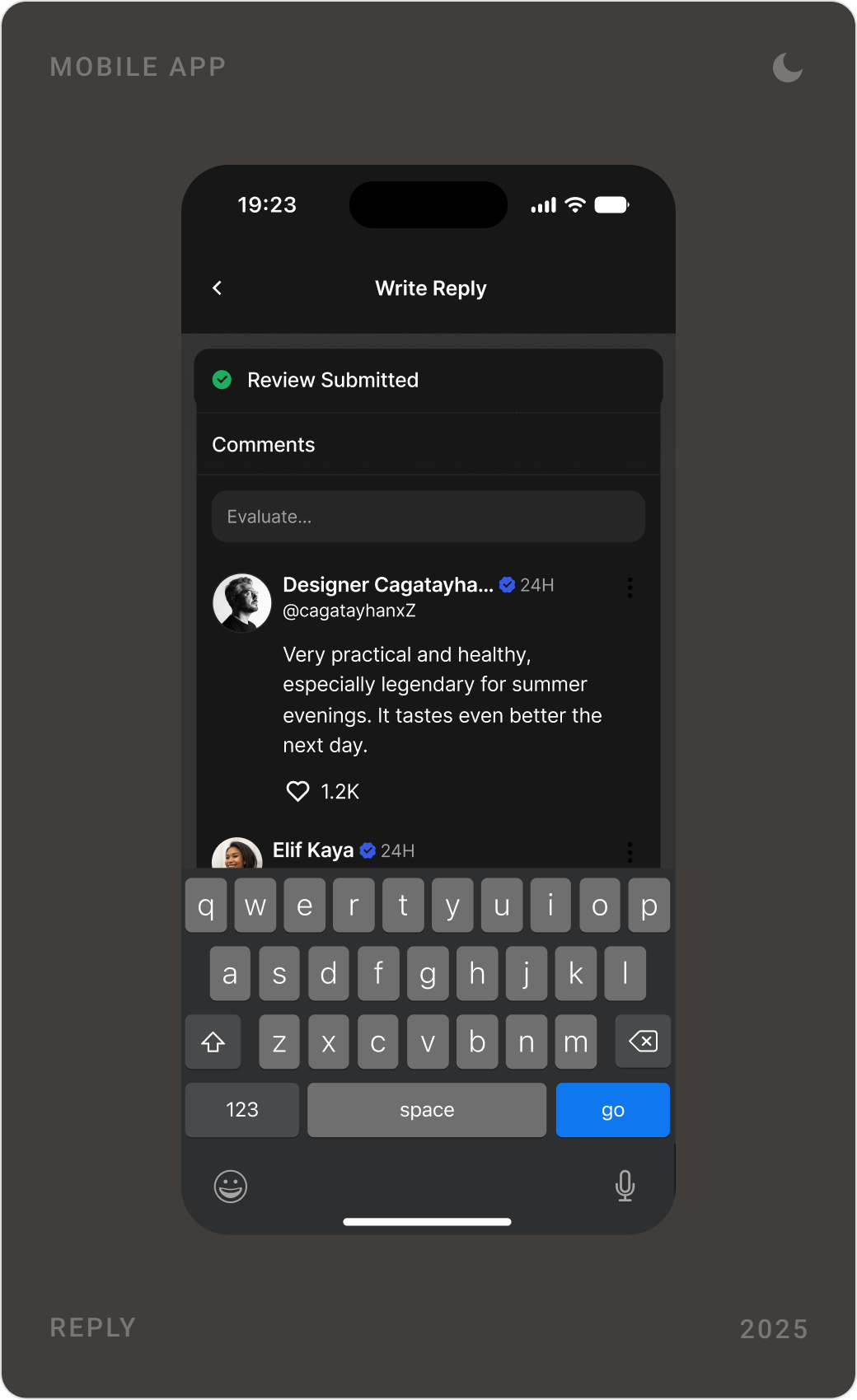
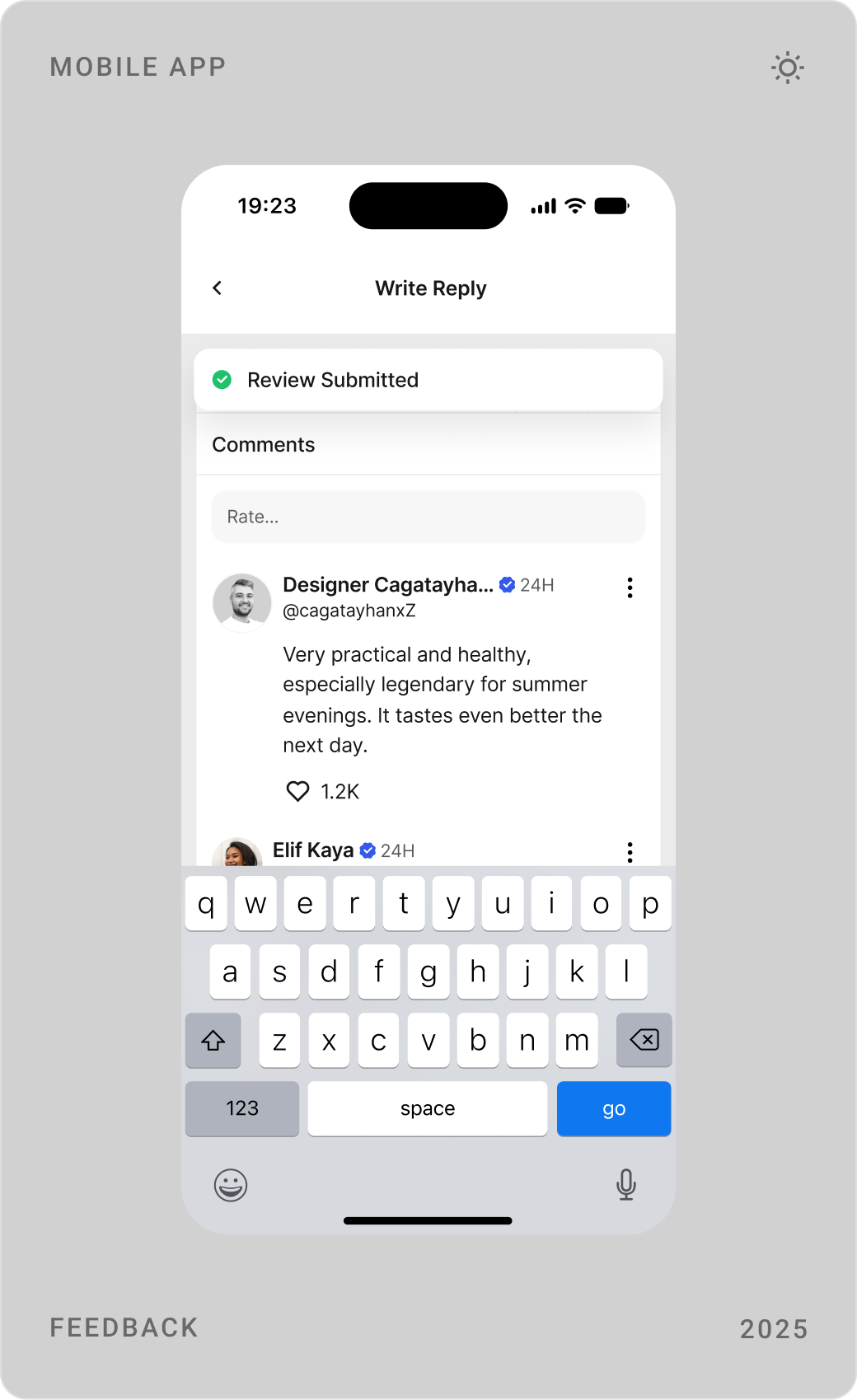
Posts, restaurants, hotels, shop items and community updates share one card layout with a category tag. Creating a post works the same for a photo, a written post or a survey, and comments, replies and feedback follow one pattern.


Search and map
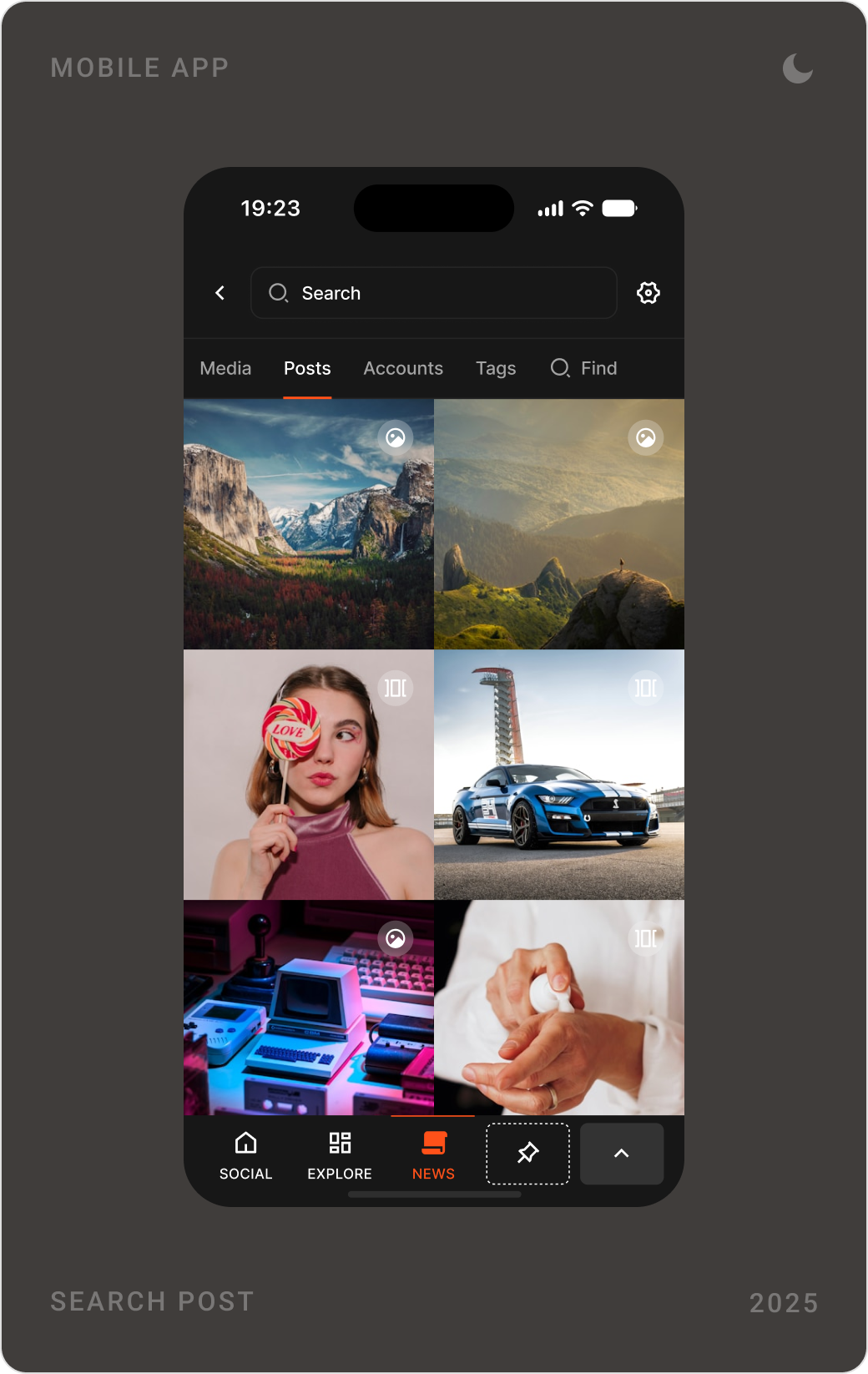
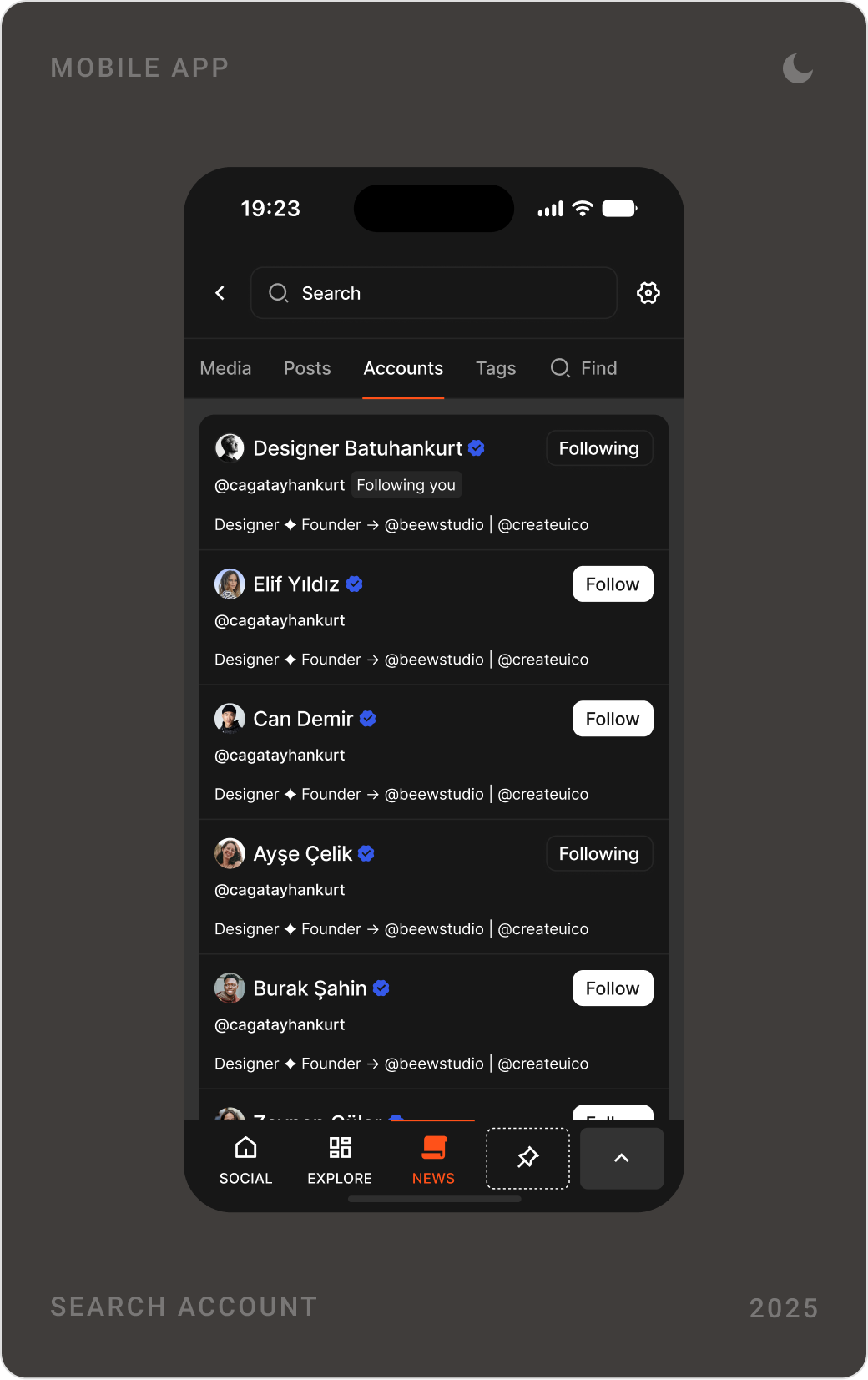
Search covers media, posts, accounts and tags in one place, and a map shows people nearby with a direct path to their profile.

Events, agenda and entertainment
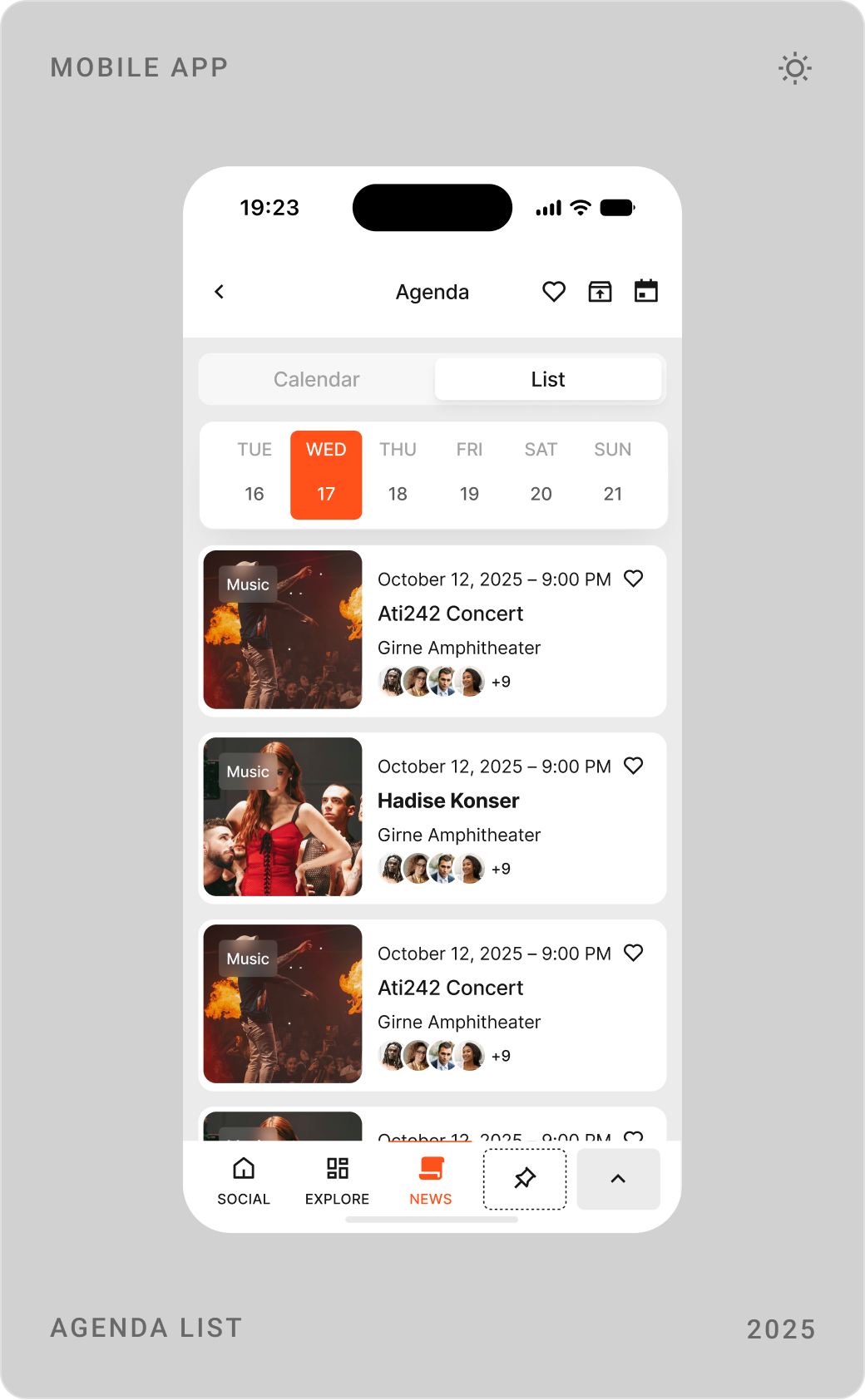
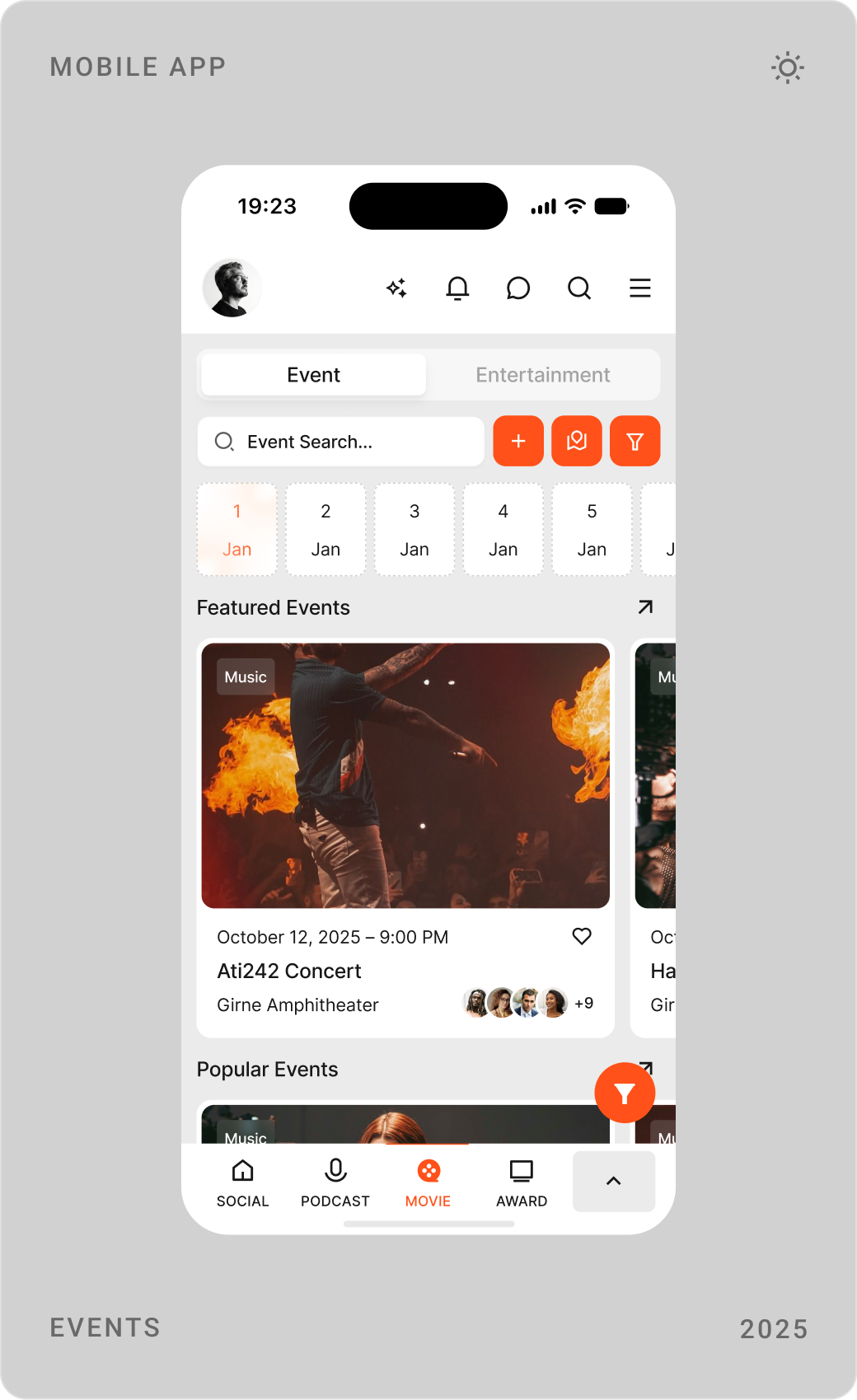
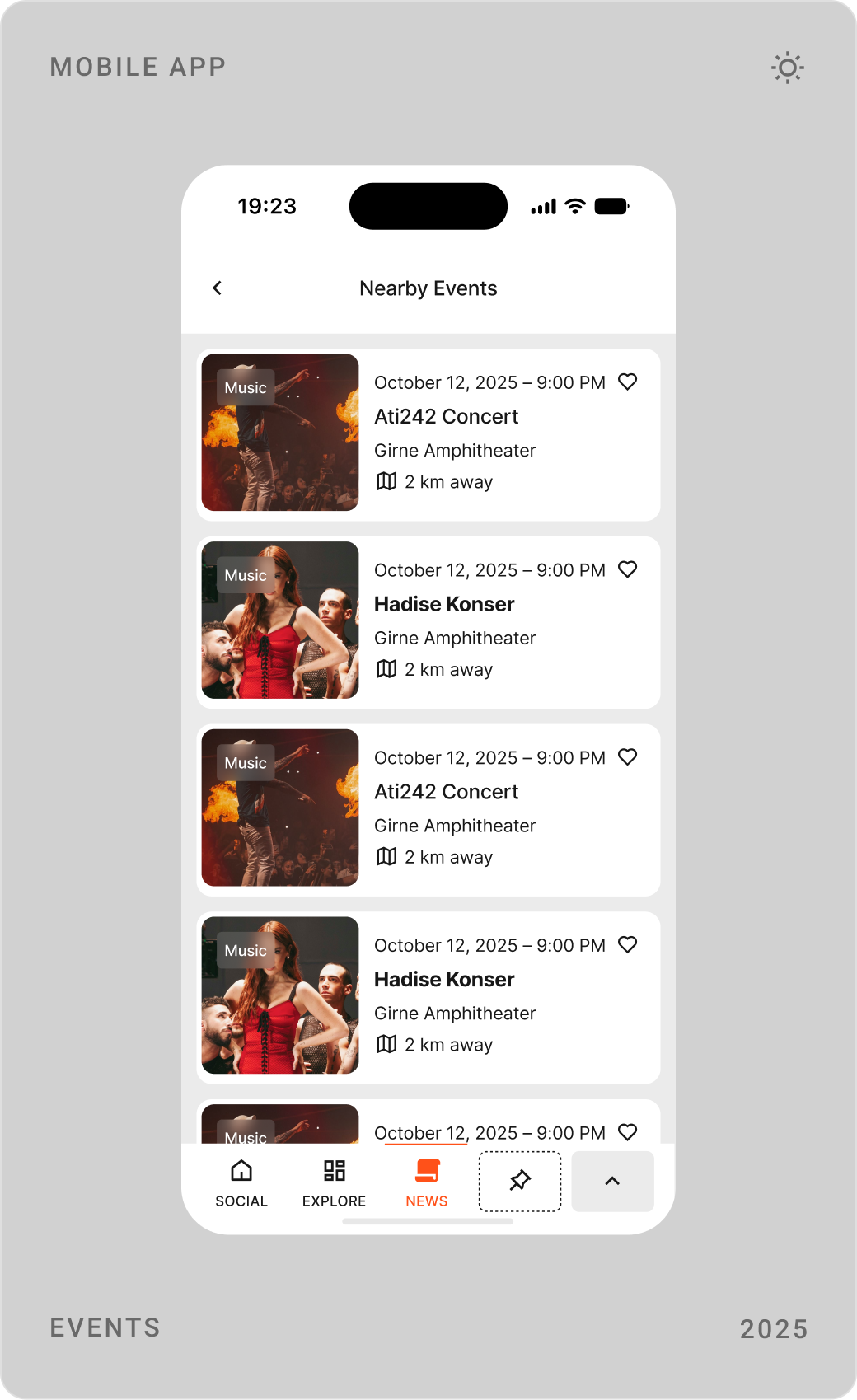
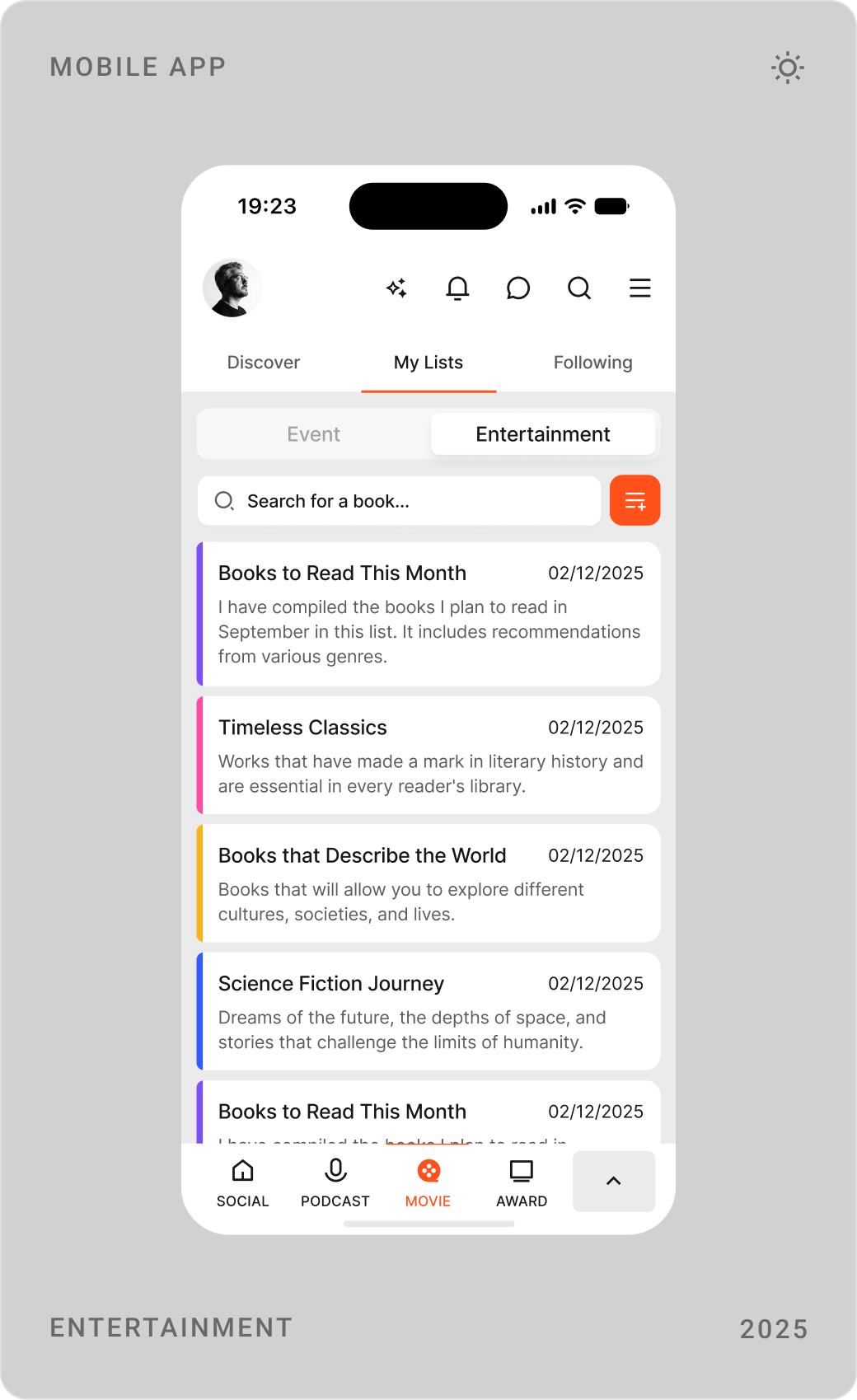
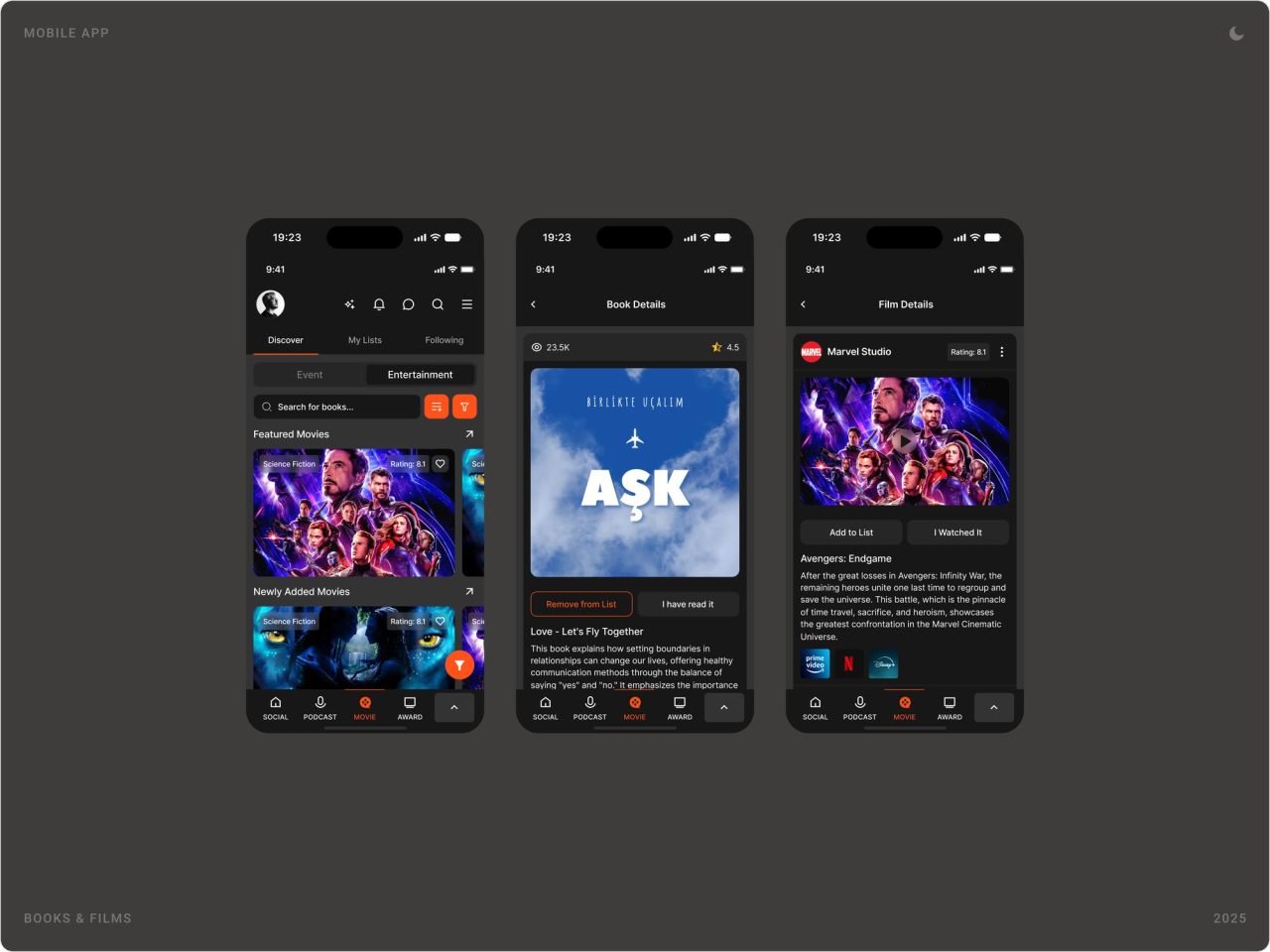
Events can be browsed, found nearby and saved to a personal agenda shown as a list or a calendar. Books and films get reading and watch lists with details, ratings and where to watch.

Food, travel and shopping
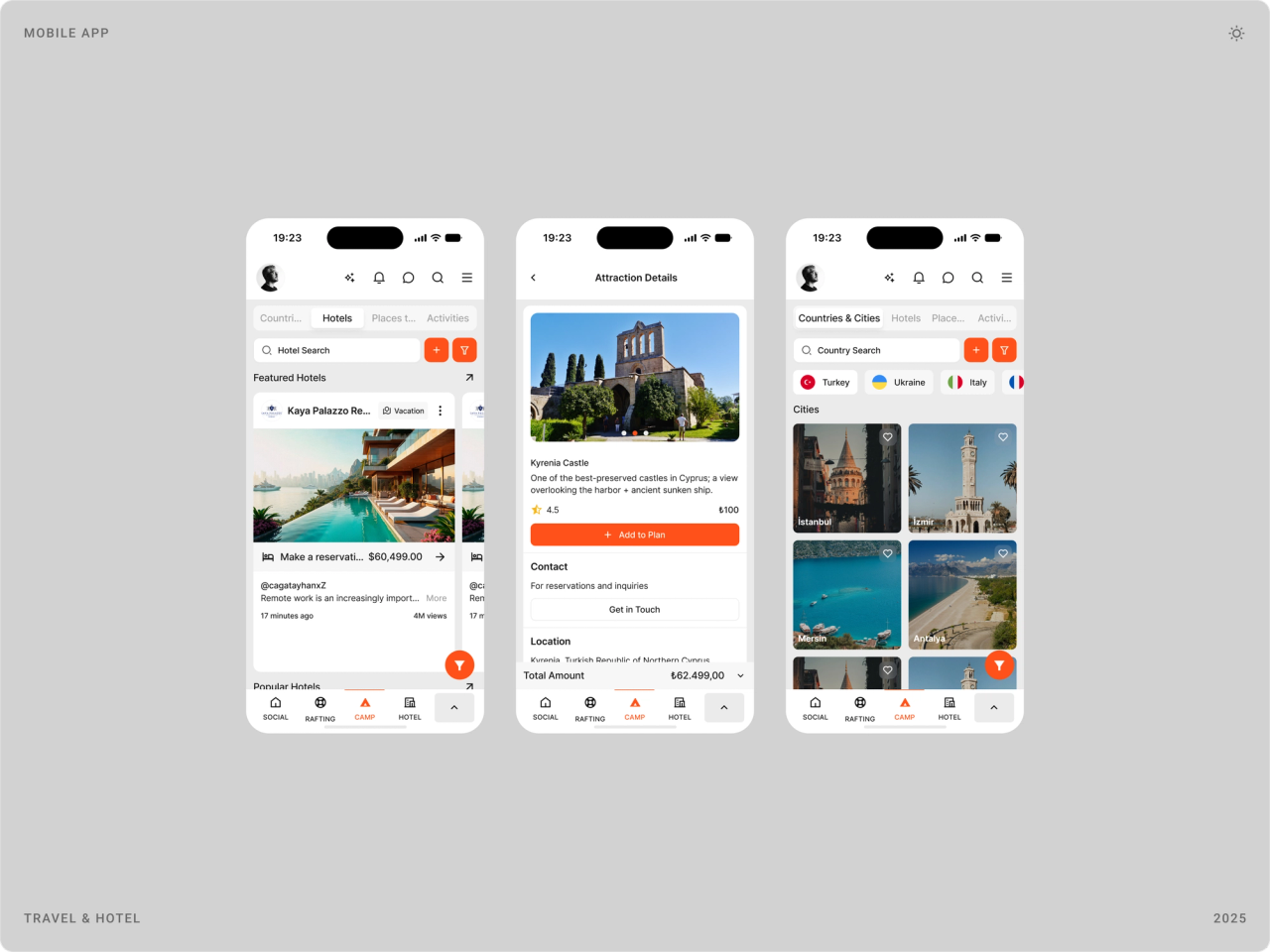
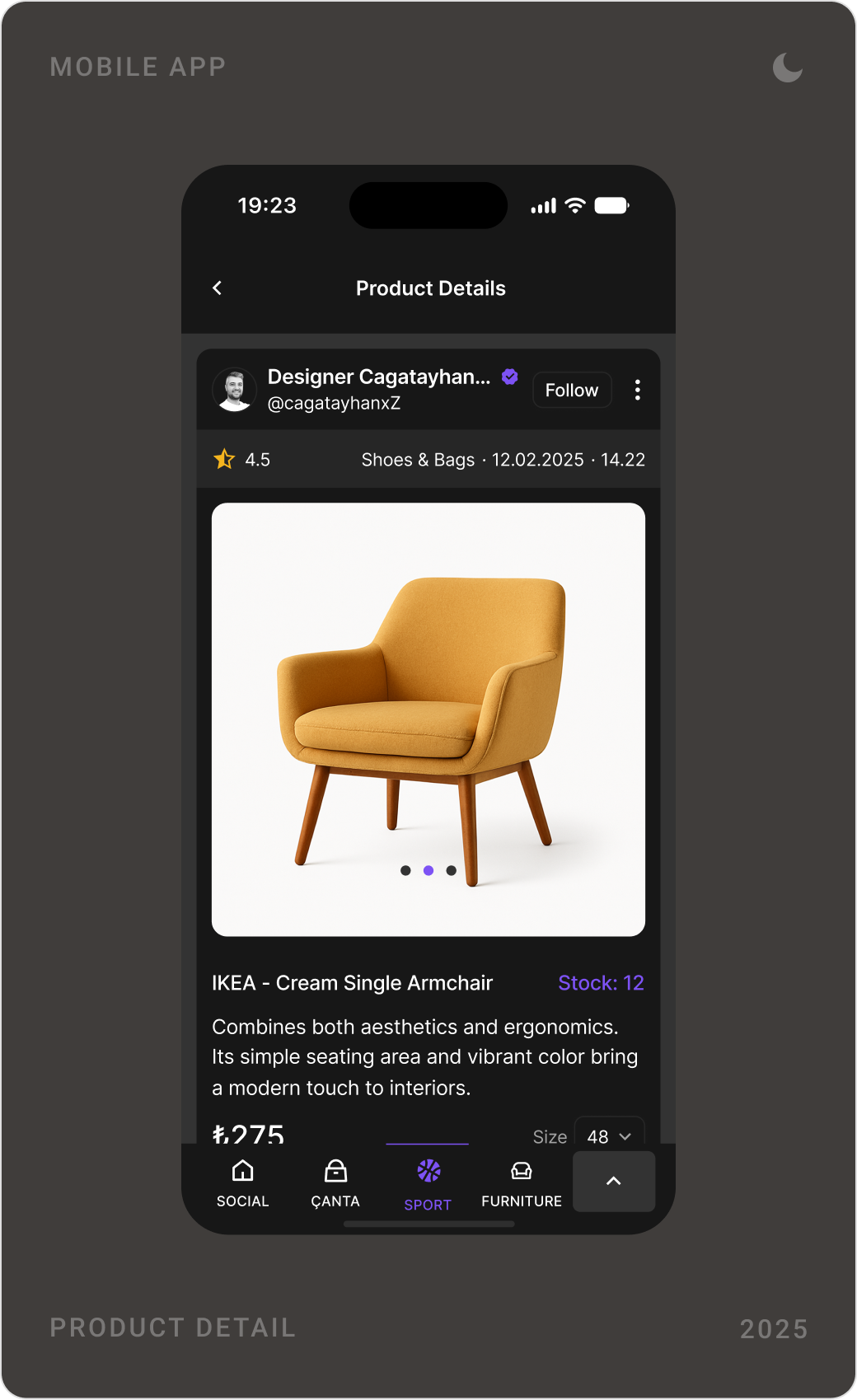
Restaurants, hotels, attractions and shop items use the same detail template: a gallery, key information, a primary action such as add to cart or make a reservation, and the social layer of likes and comments.

Profiles, messaging and Omu.ai
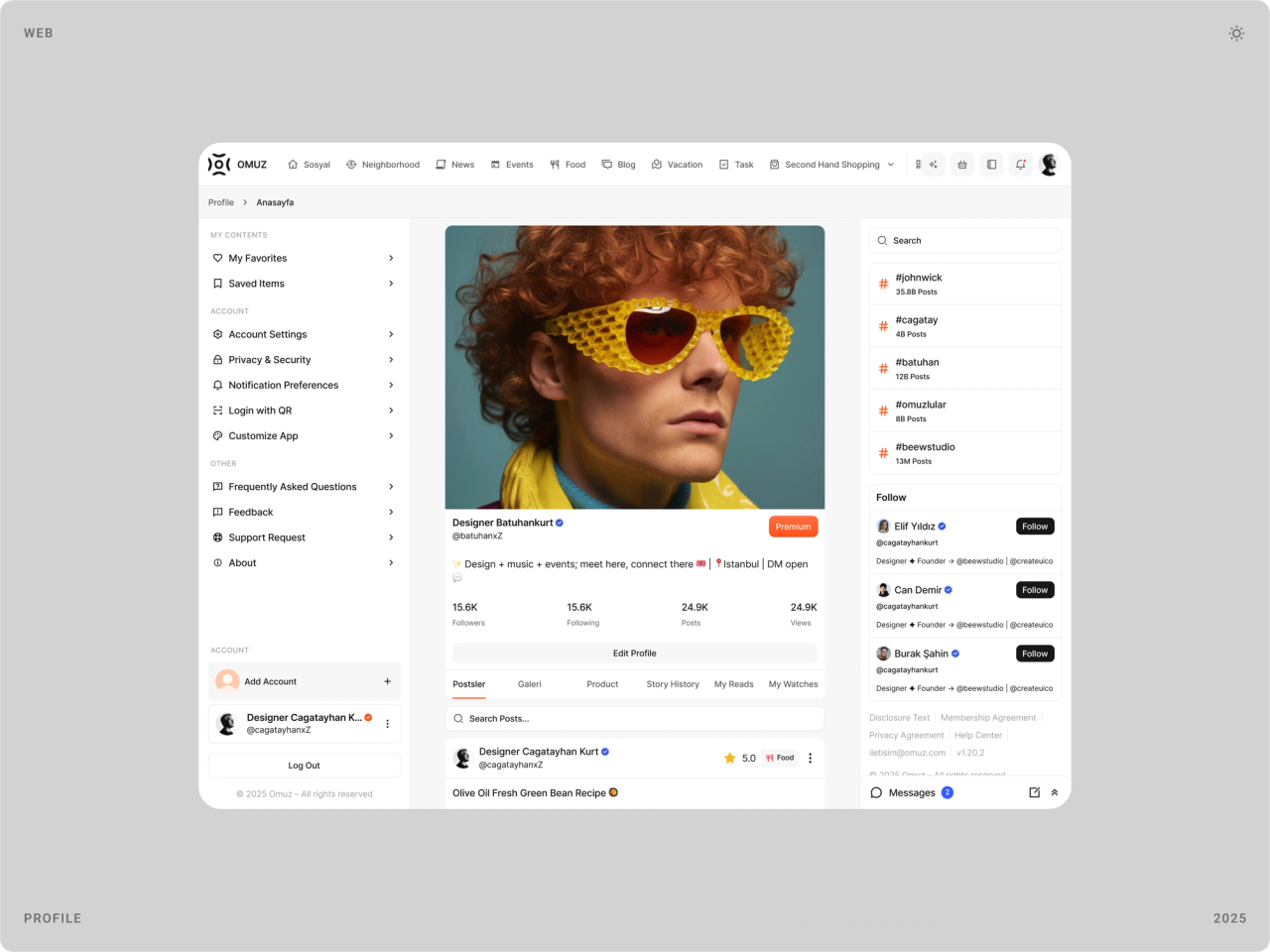
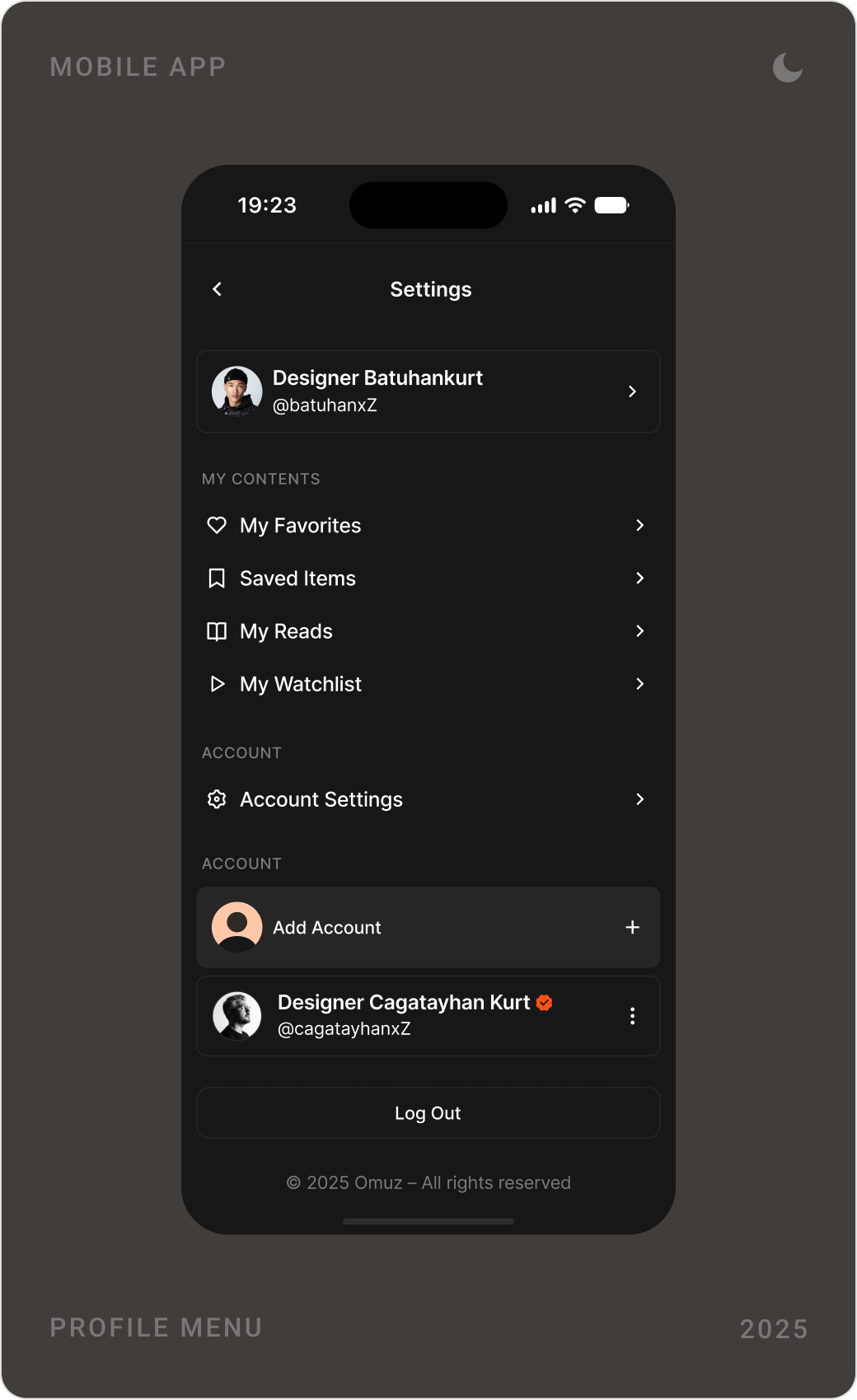
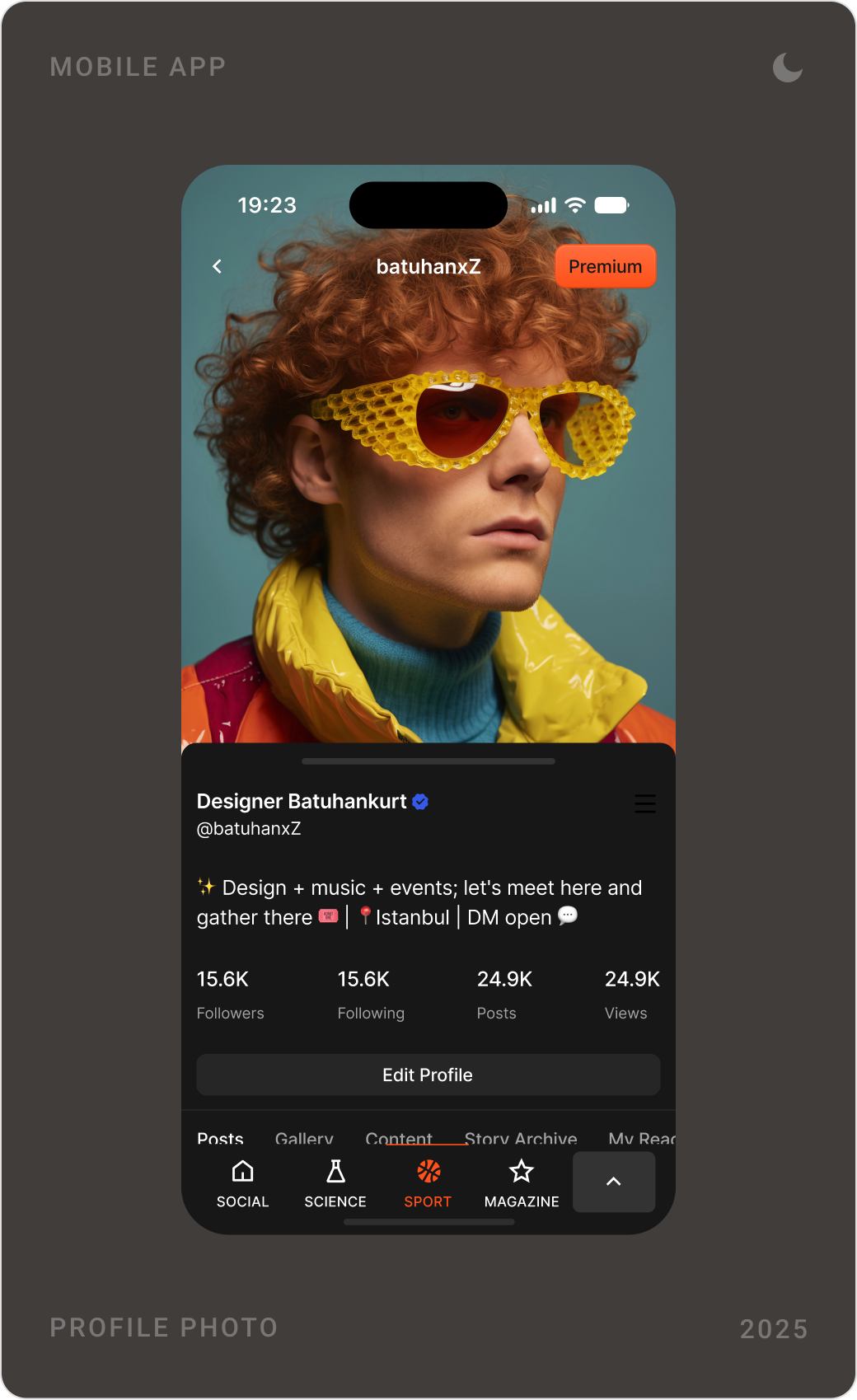
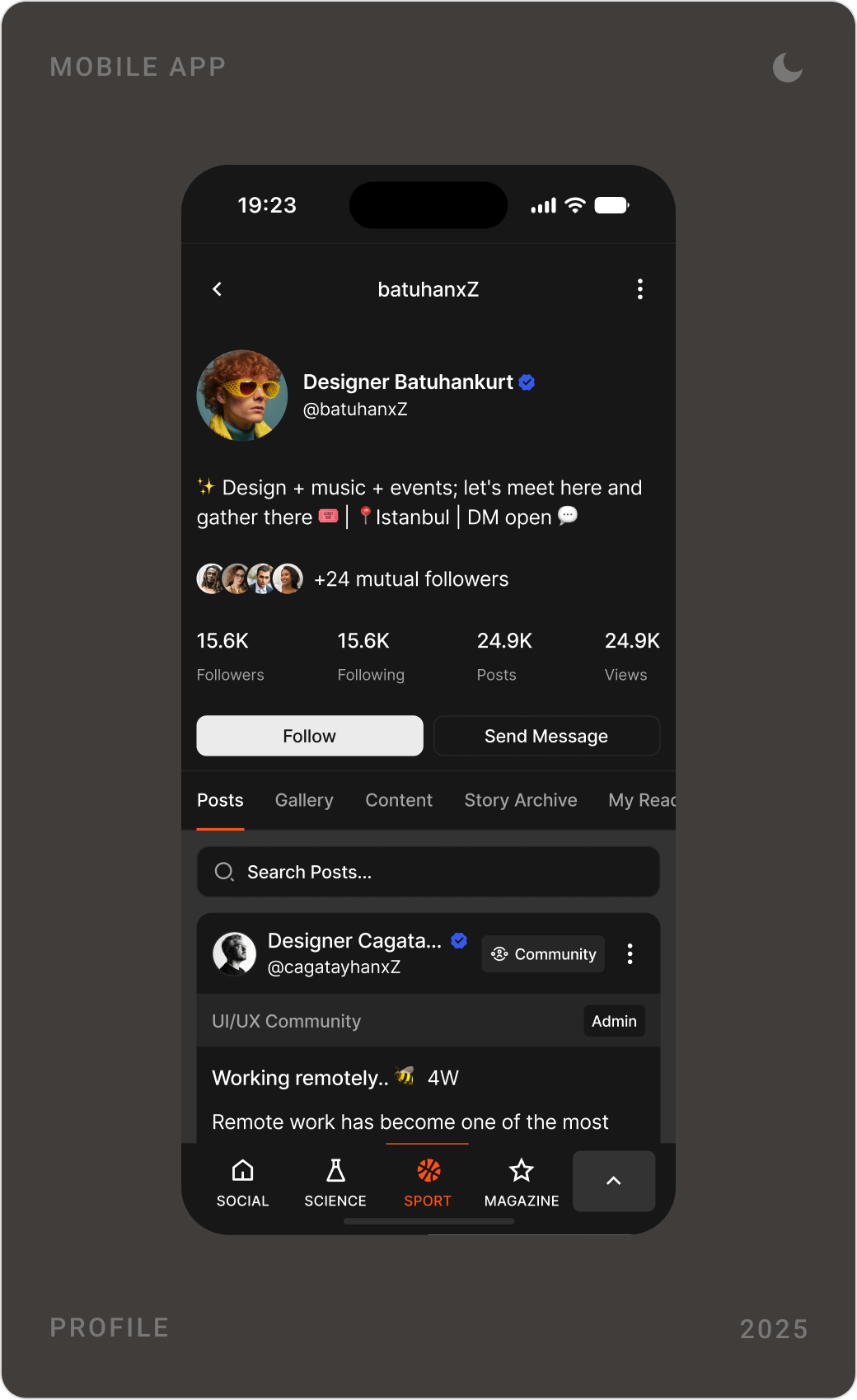
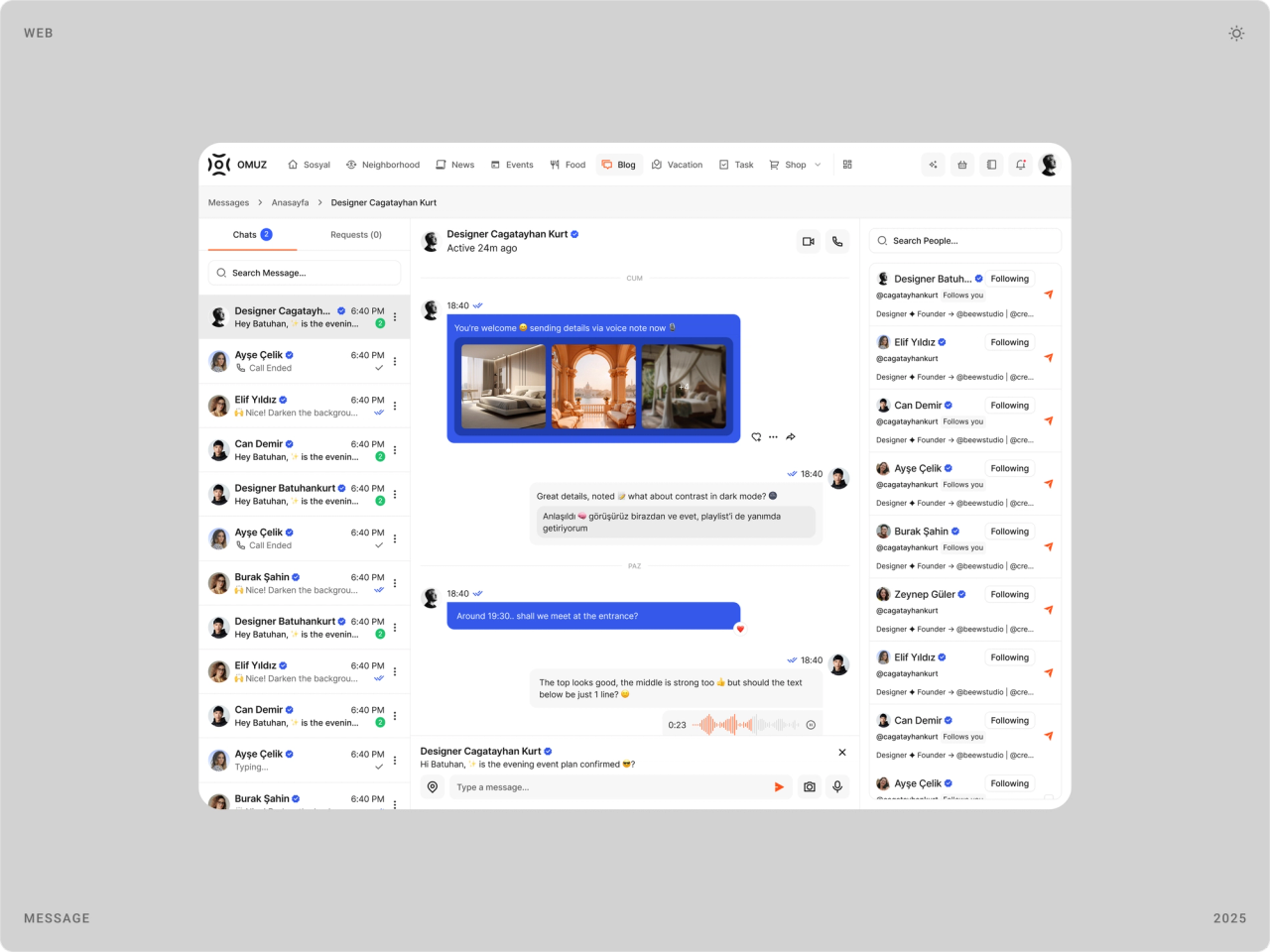
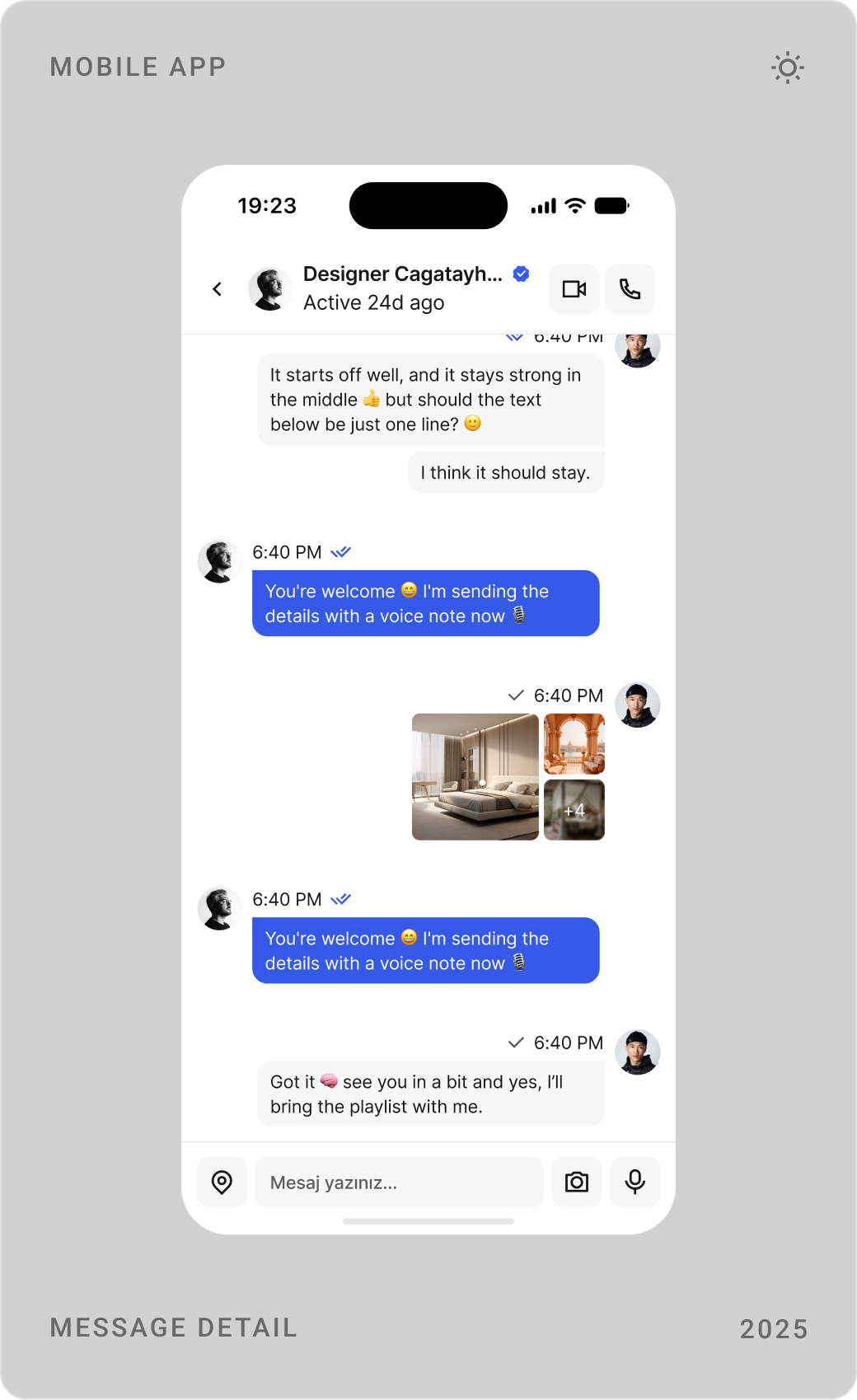
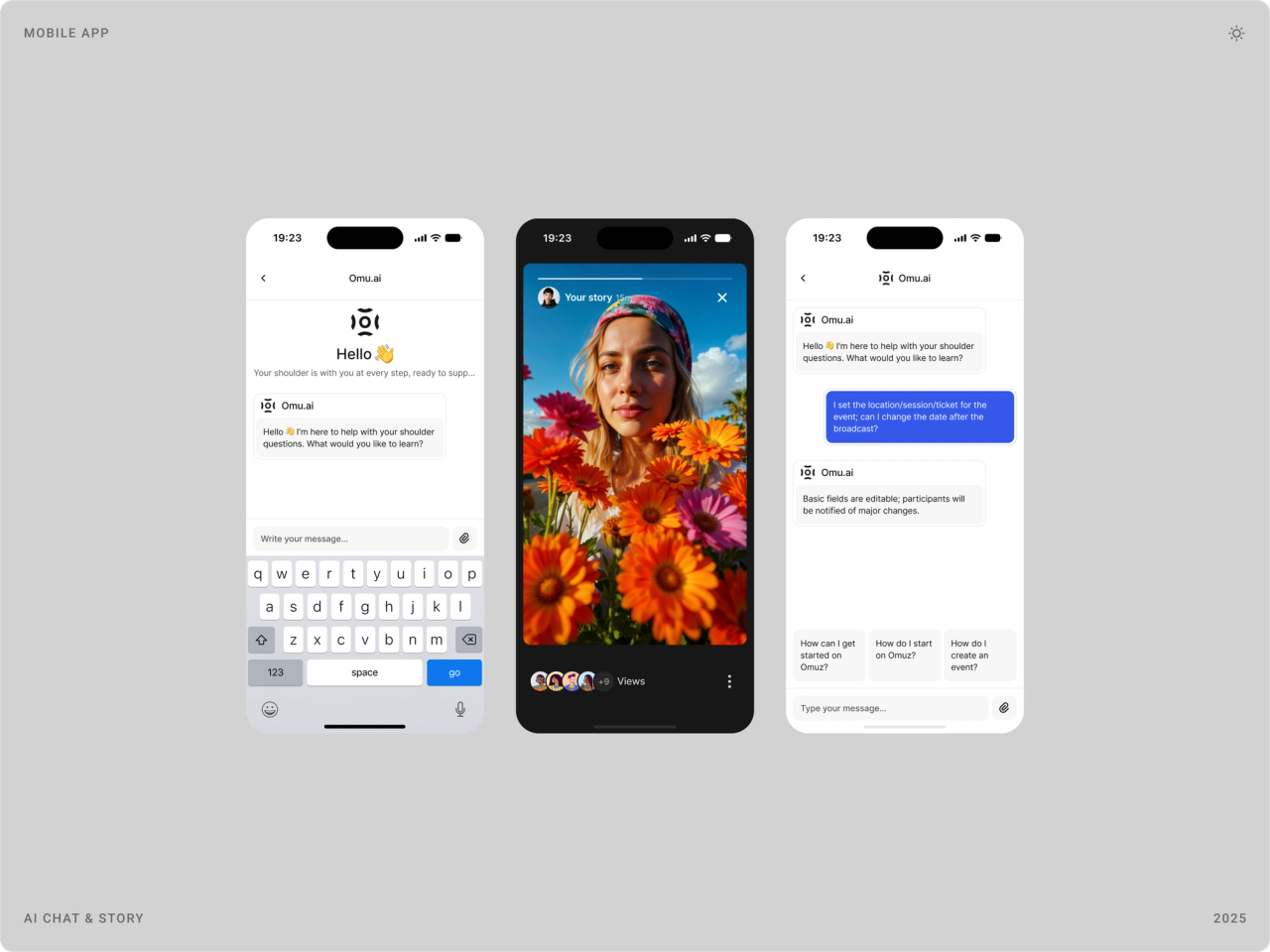
Profiles collect a person's posts, galleries and stats, with settings for favourites, saved items and multiple accounts. Messaging includes voice notes, photos and calls, and Omu.ai, the in-app assistant, answers questions in the same chat interface.


Sign-up, log-in and Premium
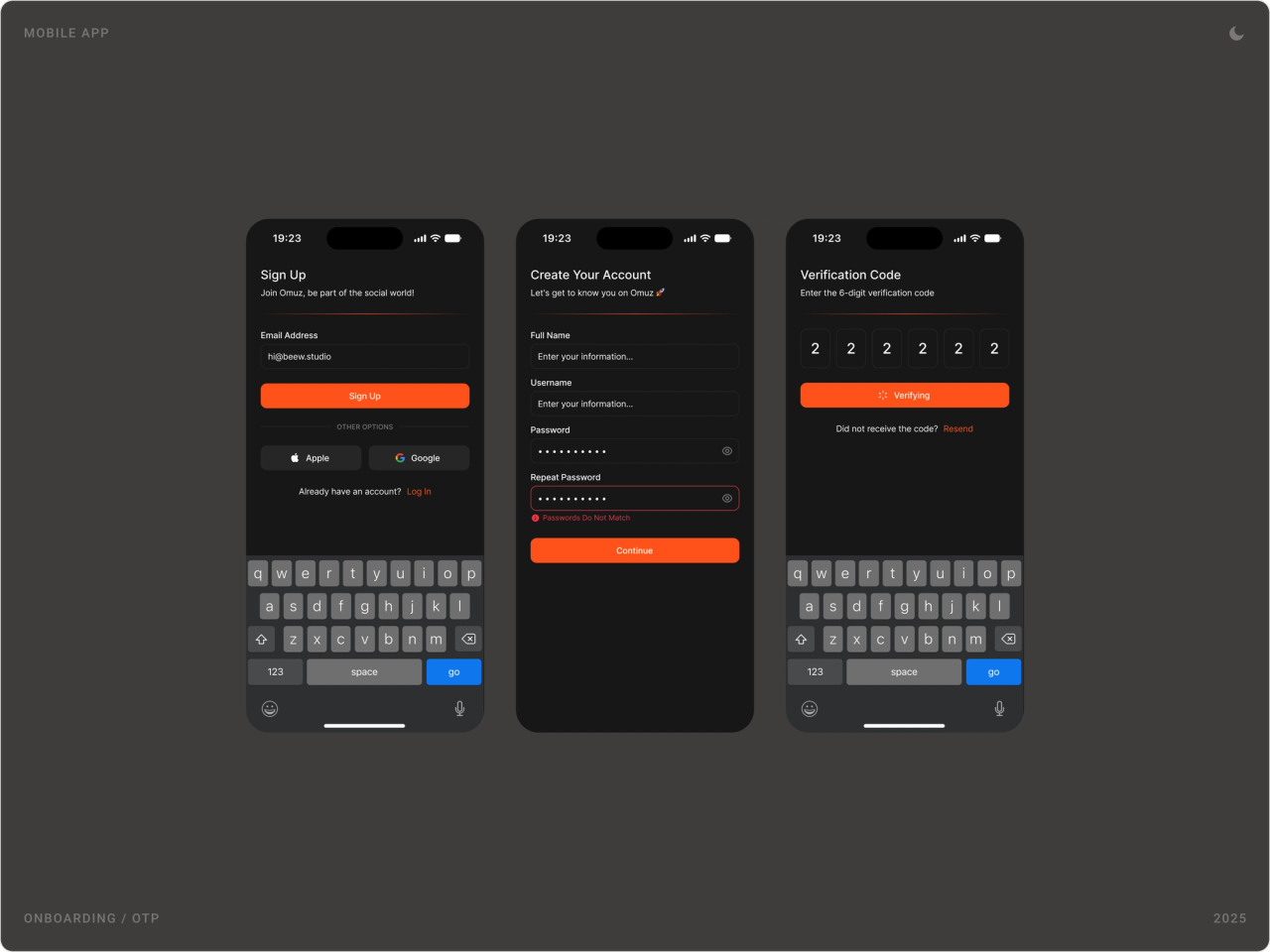
Sign-up takes three short steps with a verification code. Premium is offered from the main screens with its benefits listed plainly, monthly or yearly.

Results
- Twelve to thirteen products presented through one feed and one customisable menu.
- More than 120 screens for mobile and web, in light and dark mode, delivered in four months.
- A shared component system for cards, filters, detail pages and conversations that new products can reuse.
- A design ready to go live on omuz.com.tr.
Key takeaways
- A super app feels simple when it has one place to look, not when it has fewer products.
- Letting people build their own menu solves navigation better than any fixed tab bar.
- Shared building blocks are what make 120 screens feel like one product.
- Design both themes from the start; adding dark mode later is twice the work.
FAQ
What is Omuz?
Omuz is a social super app from Türkiye. It describes itself as the first and only social app in Türkiye's super app category and combines social media, entertainment, events and rewarded tasks in one product.
What did you design for Omuz?
The mobile app and the website: the feed, communities, news, events and agenda, food, travel and hotels, shopping, books and films, profiles, messaging and calls, the Omu.ai assistant, sign-up and Premium. More than 120 screens in light and dark mode.
How long did the project take?
Four months in 2025, with me as lead designer.
How do you design a super app without overwhelming users?
Give every product the same building blocks and one place to appear. In Omuz, every product publishes into a shared feed, people choose which products sit in their menu, and cards, filters and detail pages work the same way everywhere, so learning one product means knowing them all.
Can you design a mobile app or super app for my company?
Yes. I design products for consumer, AI, SaaS, fintech and Web3 teams, from the first flows to a full design system. Book a call through the contact page.
Sources
Have a product to design?
I help teams turn complex products into websites and interfaces people understand in seconds. Tell me about yours.