Crypto App · Case study · 4 min read
Crypto App: a dark-mode mobile trading app for real-time crypto and stock traders
Crypto App is a mobile trading and asset management app for crypto users who follow the market in real time. I designed the full product, onboarding, trading, watchlists, wallet, news and settings, so that fast-moving numbers stay readable and every buy, sell and withdrawal feels clear and safe.
The client's brand is confidential under an NDA. “Crypto App” is a portfolio label.
- Mobile App Design
- User Experience Research
- Crypto Trading Experience Design
- Wallet & Asset Management UX
- Transaction Flow Optimization
- Design System
At a glance
Challenge
High-frequency market data, fast order flows and wallet security had to fit on a phone screen without overwhelming the trader.
Solution
A dark, high-contrast mobile app built from one component set: a fixed account summary, clear buy/sell actions, explicit status states and a five-tab navigation.
Outcome
A structured, speed-focused trading interface with a scalable wallet and transaction system, ready for future DeFi or staking modules.
Deliverables
- Mobile app UX/UI
- Trading & order flows
- Wallet & account management
- Onboarding & verification
- Dark-mode design system
Overview
Crypto App is a mobile trading and asset management app for people who follow crypto markets in real time. It brings market tracking, buy and sell execution, portfolio control and wallet management into one product, with a separate tab for stocks next to crypto.
I designed the whole app through my studio, Beew, over about three months in 2025: from onboarding and identity verification to trading, watchlists, alarms, wallet, news and settings, all built on one dark-mode design system. The aim was a product that feels fast and powerful but never noisy.
The challenge
Trading apps live or die on clarity under pressure. Prices change every second, money moves in both directions, and one unclear button can cost a user real money.
- High-frequency data: live prices, spreads and P&L had to stay readable without overwhelming the screen.
- Speed with certainty: buy and sell flows had to be fast, with clear confirmation states.
- Security: wallet, authentication and verification had to feel safe without slowing people down.
- Dark UI: financial layouts had to stay clear and legible on a dark theme.
- Scale: components had to be ready for future DeFi or staking modules.
Goals
- Design a real-time crypto trading dashboard.
- Improve asset visibility and portfolio transparency.
- Simplify transaction confirmation and order management.
- Strengthen the sense of security through the interface itself.
- Build one consistent dark visual identity across all modules.
Approach
1. Keep the account in view
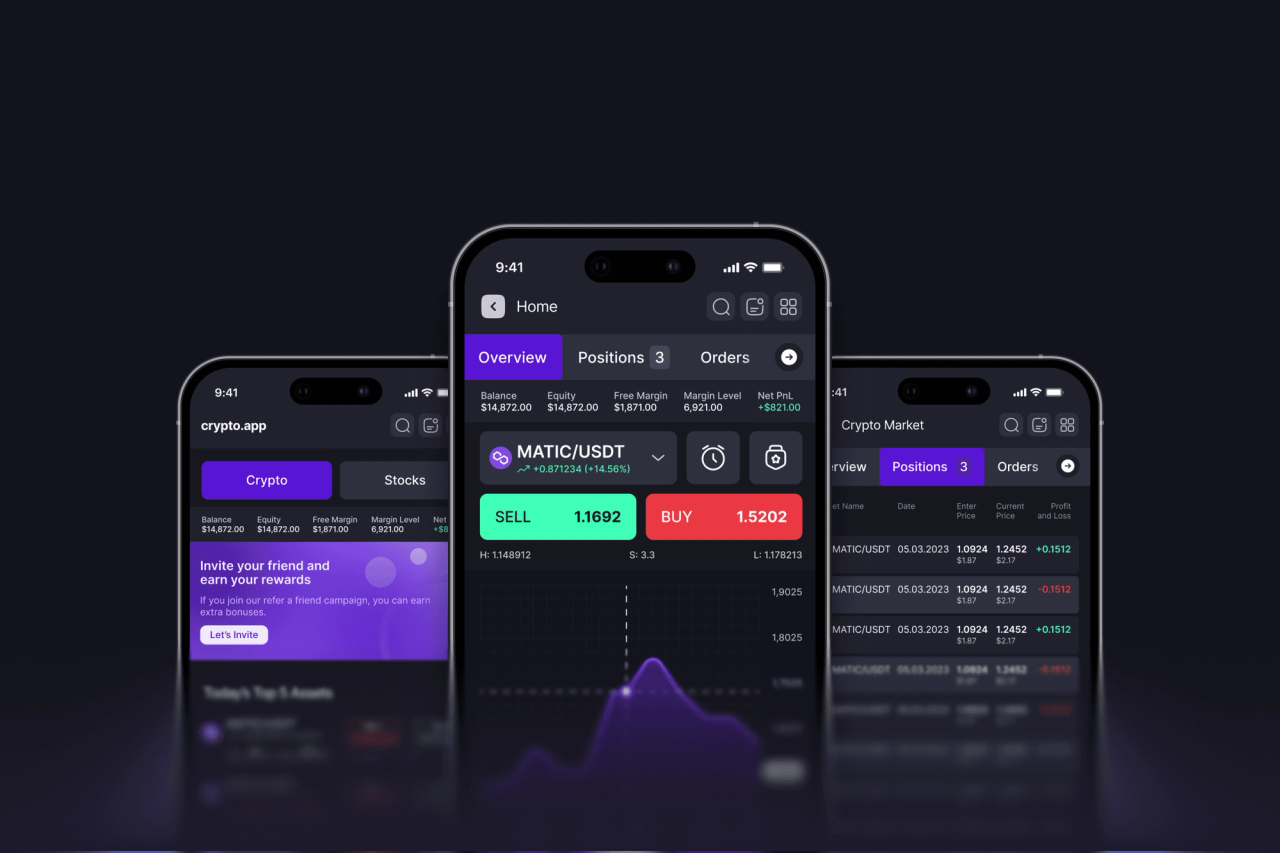
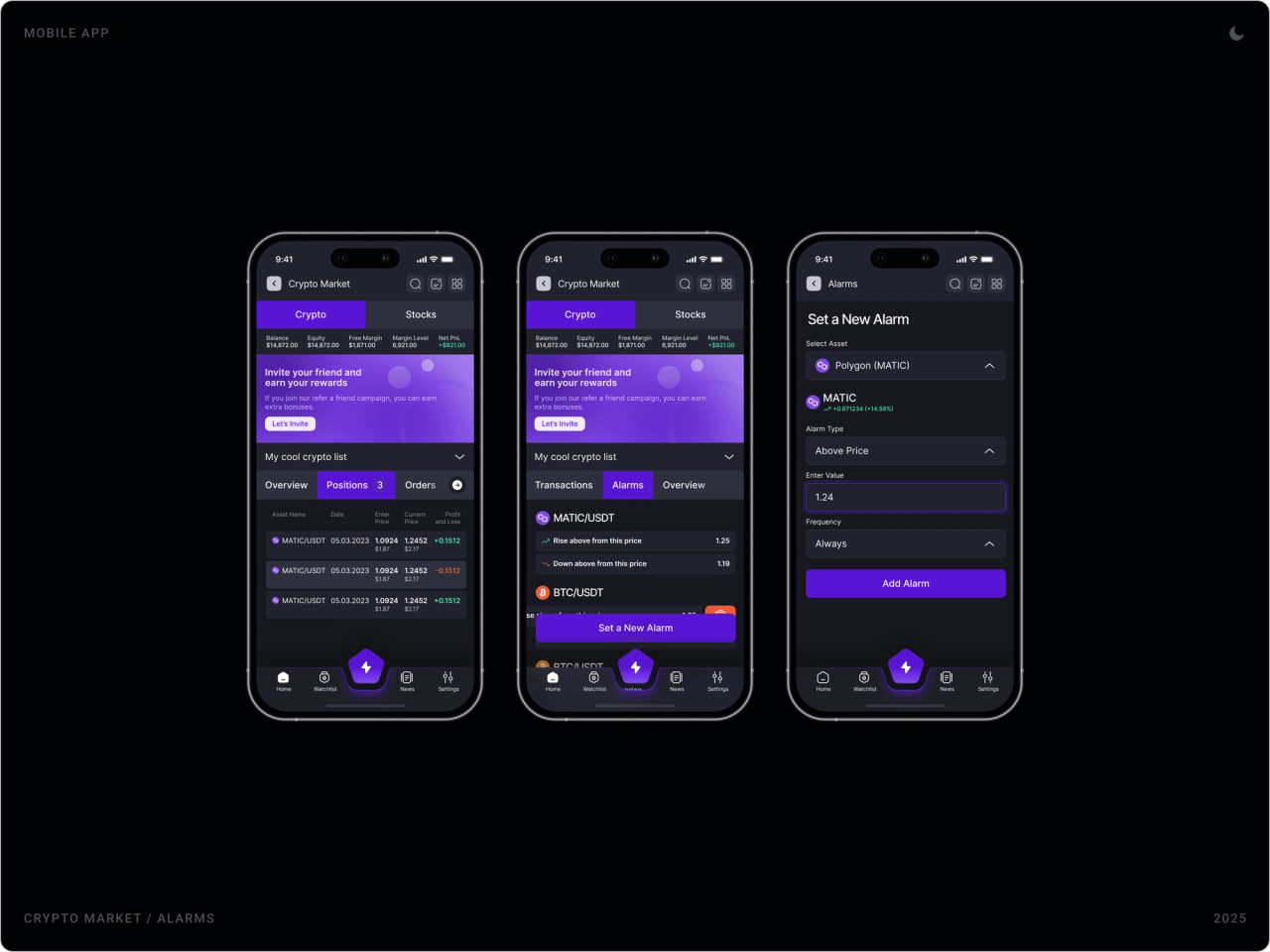
A thin summary strip, balance, equity, free margin, margin level and net P&L, sits at the top of the home and market screens. Traders never have to leave what they are doing to check where they stand.
2. Colour means direction
Green and red are reserved for price movement and profit or loss; purple marks actions and the brand. On a dark background that split lets the eye find what changed before reading a single number.
3. Make every state explicit
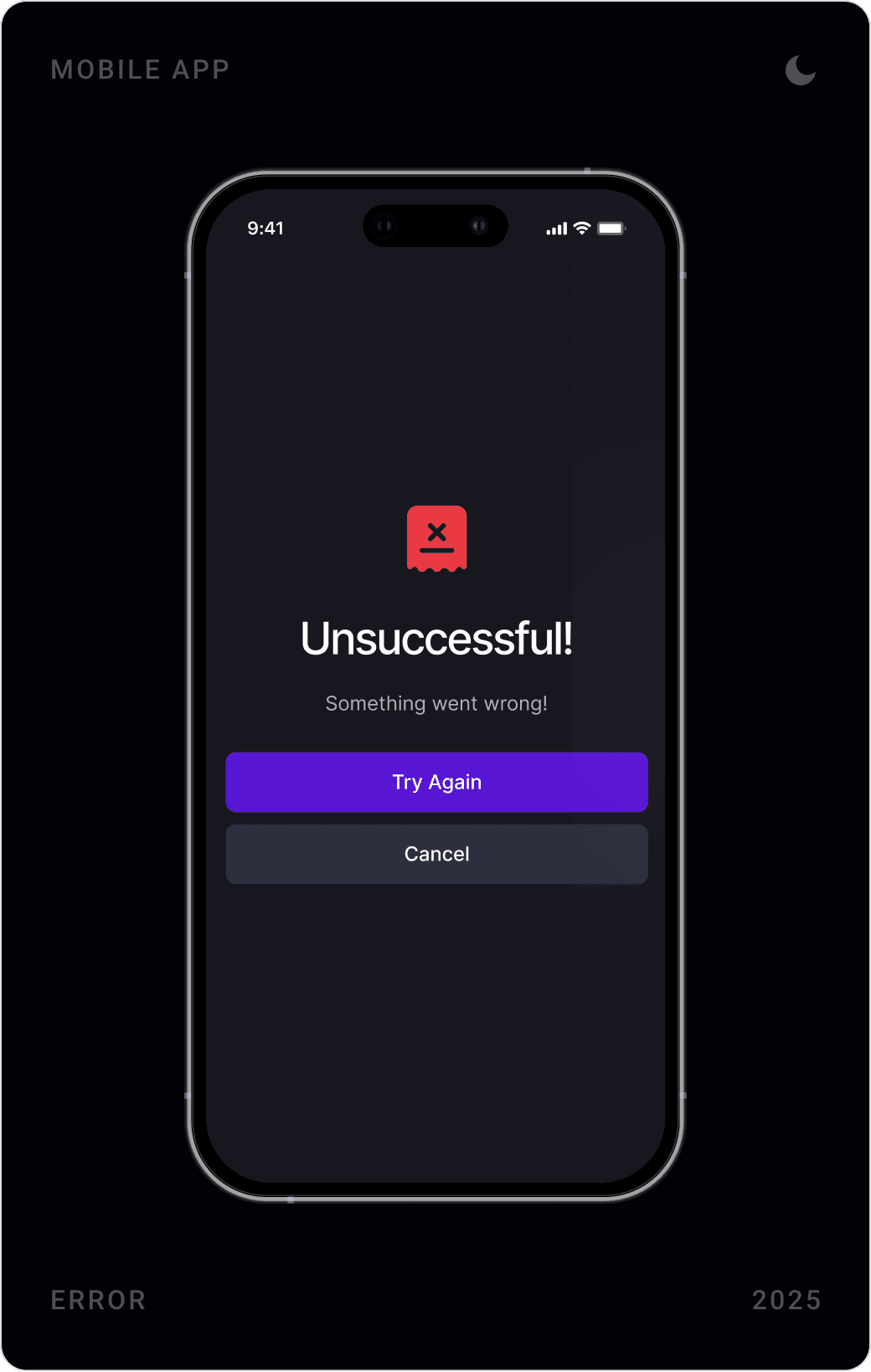
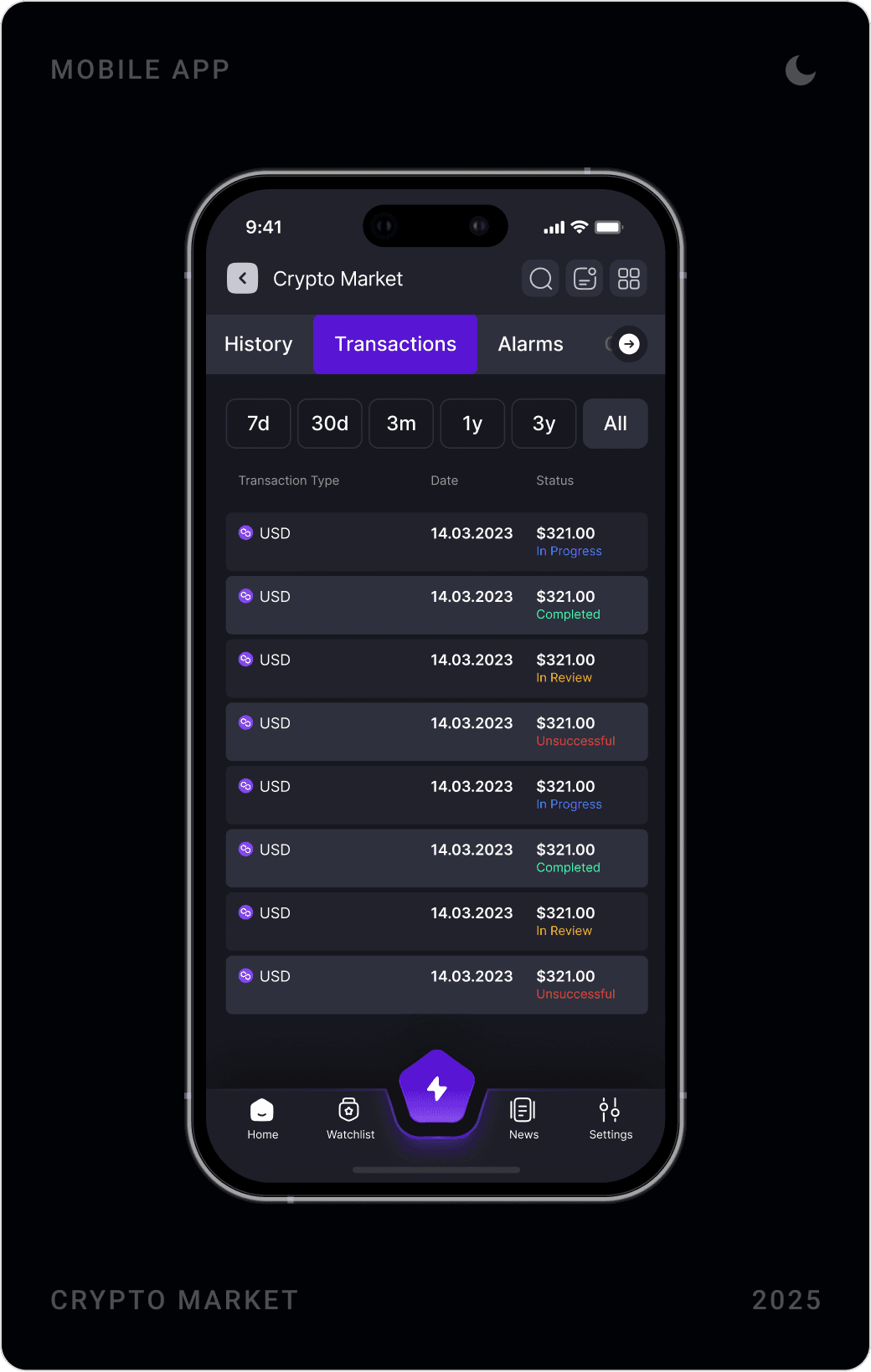
Transactions show In progress, Completed, In review or Unsuccessful; referrals show their approval status; onboarding shows its step; failures get their own screen with a clear way to try again. When money is involved, people should never have to guess.
4. One component set, every screen
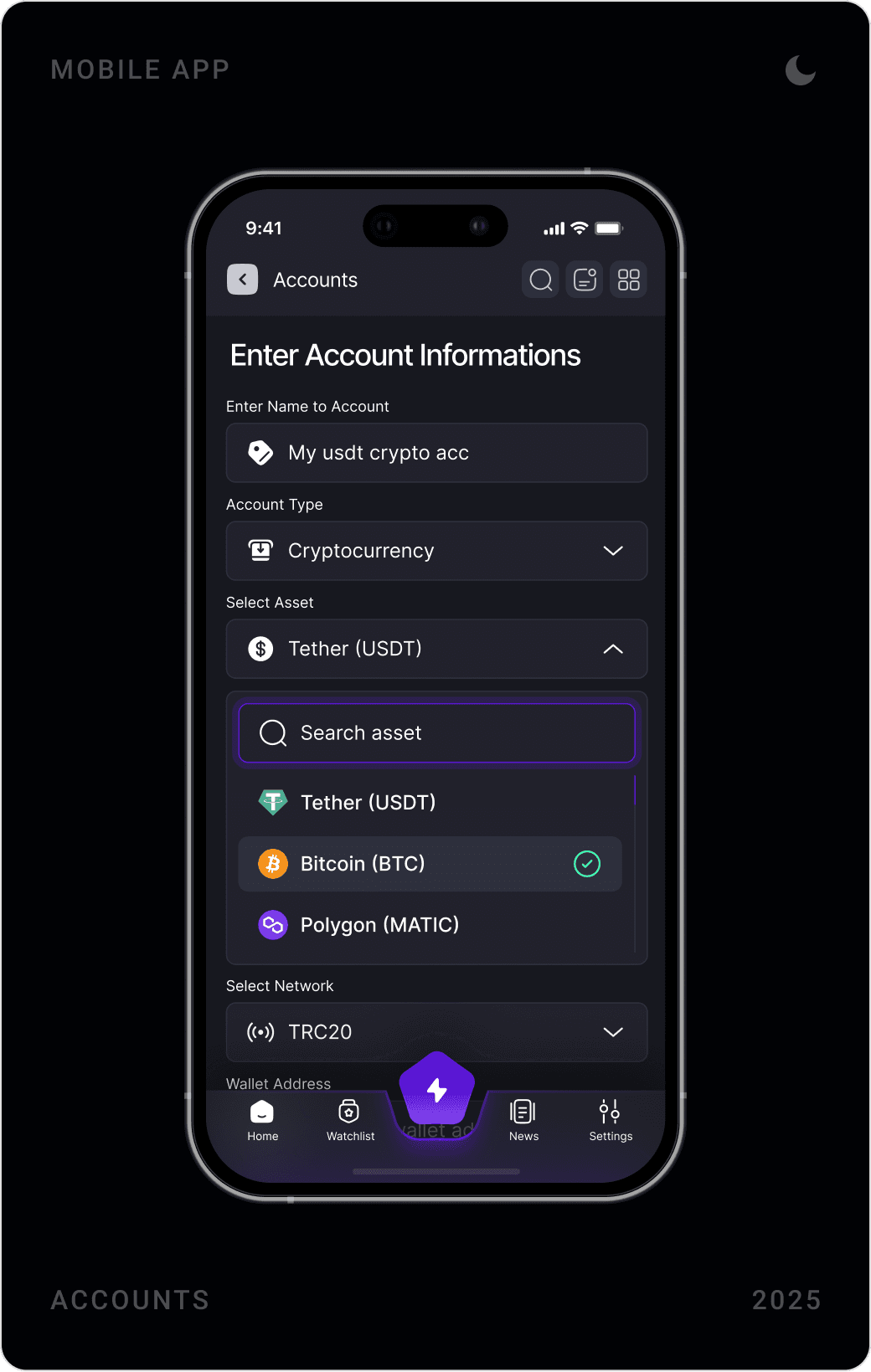
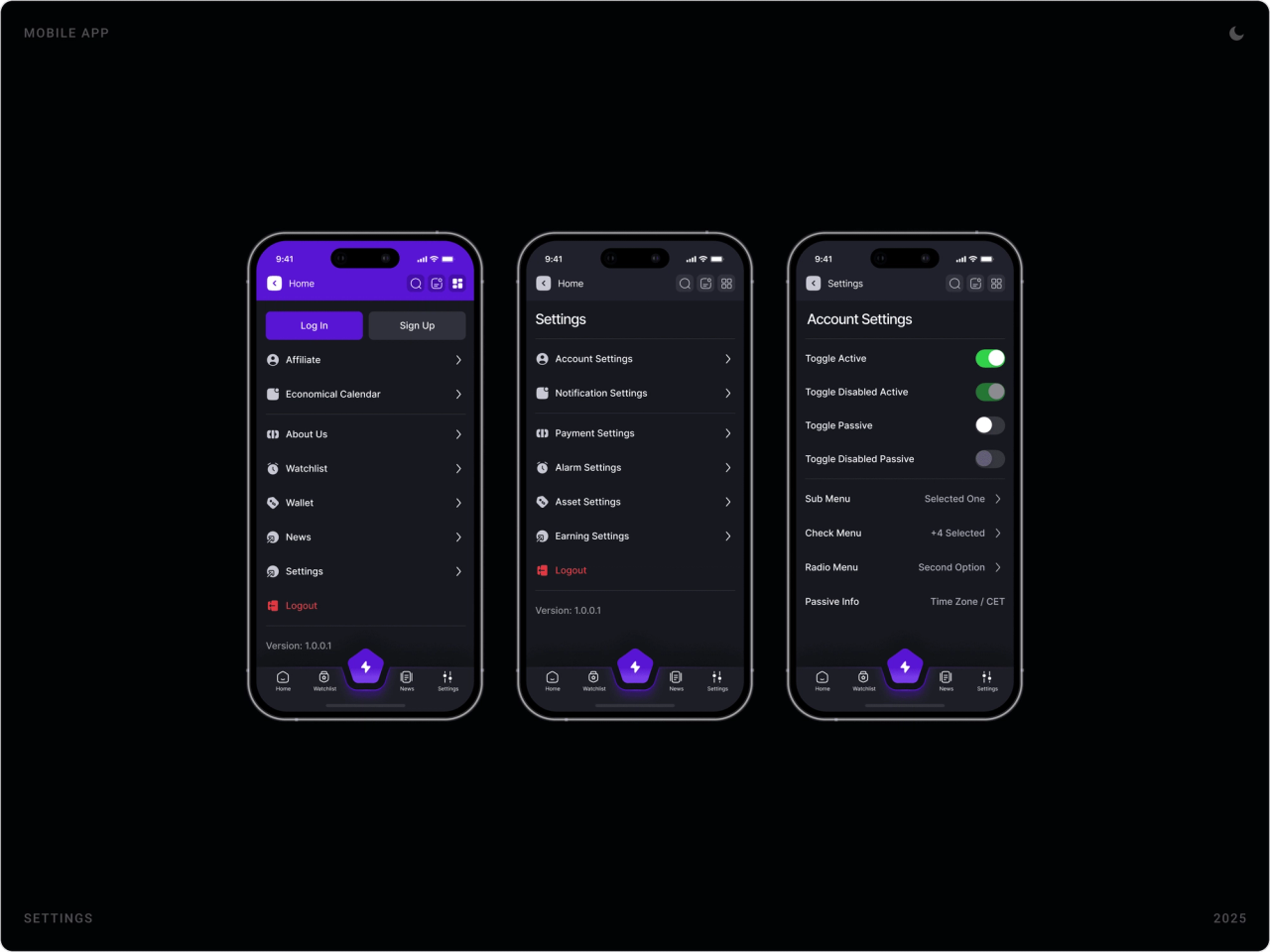
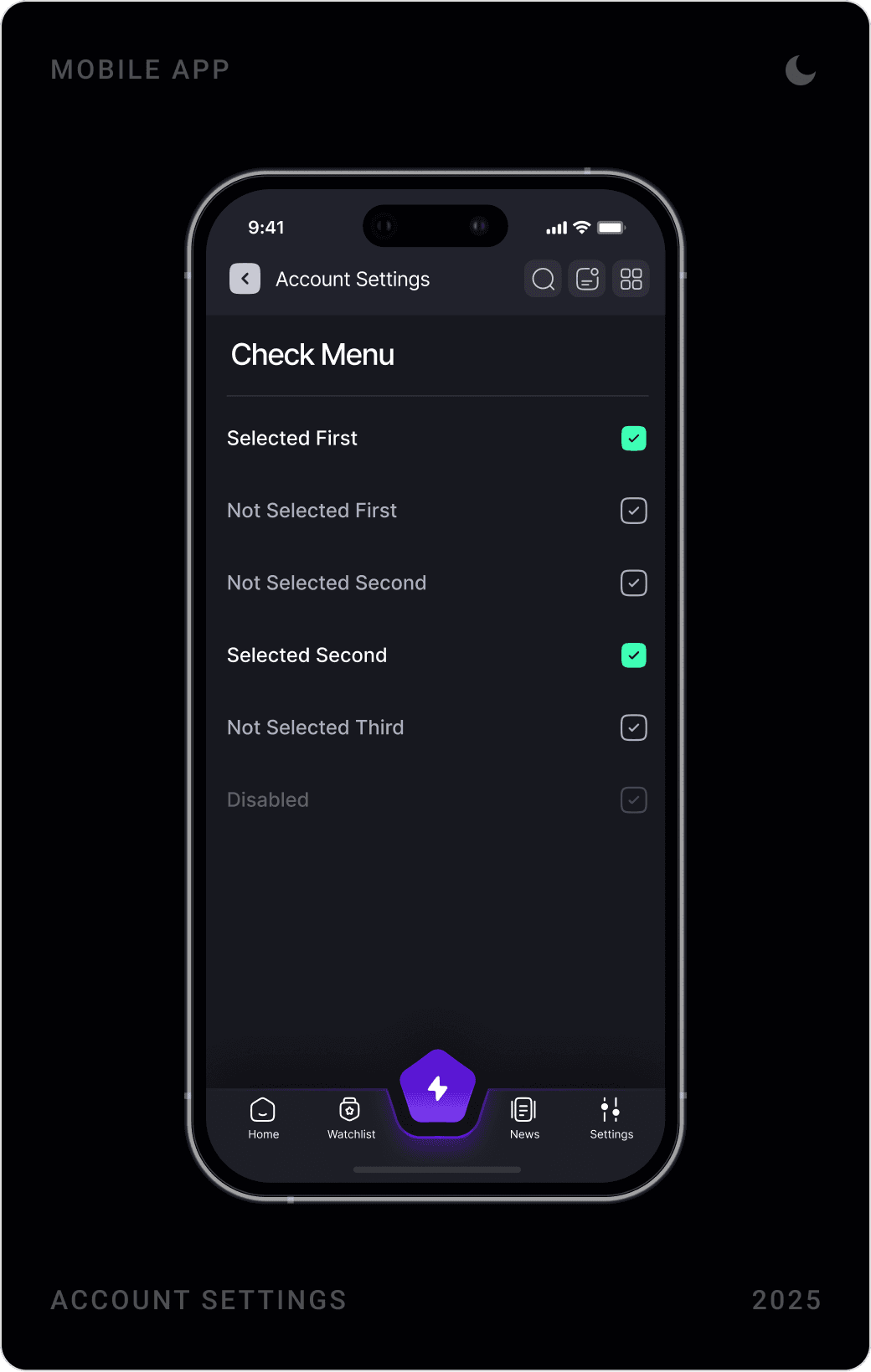
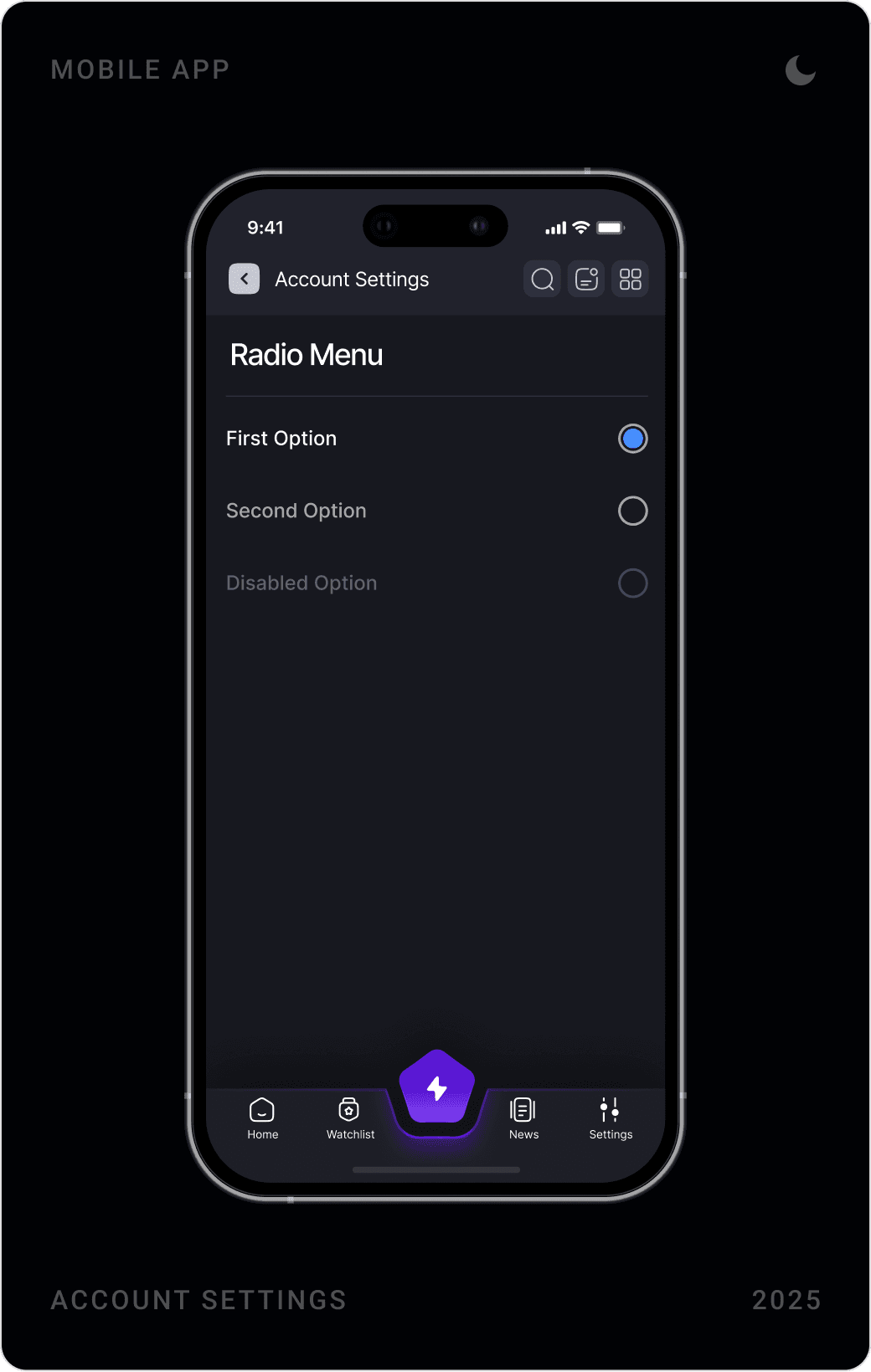
The same header, tab bar, searchable asset dropdown, list row and bottom navigation repeat across the app, and the settings screens document toggles, check menus and radio menus in all their states. New modules can be added without redesigning the basics.
The solution
Onboarding and sign-in
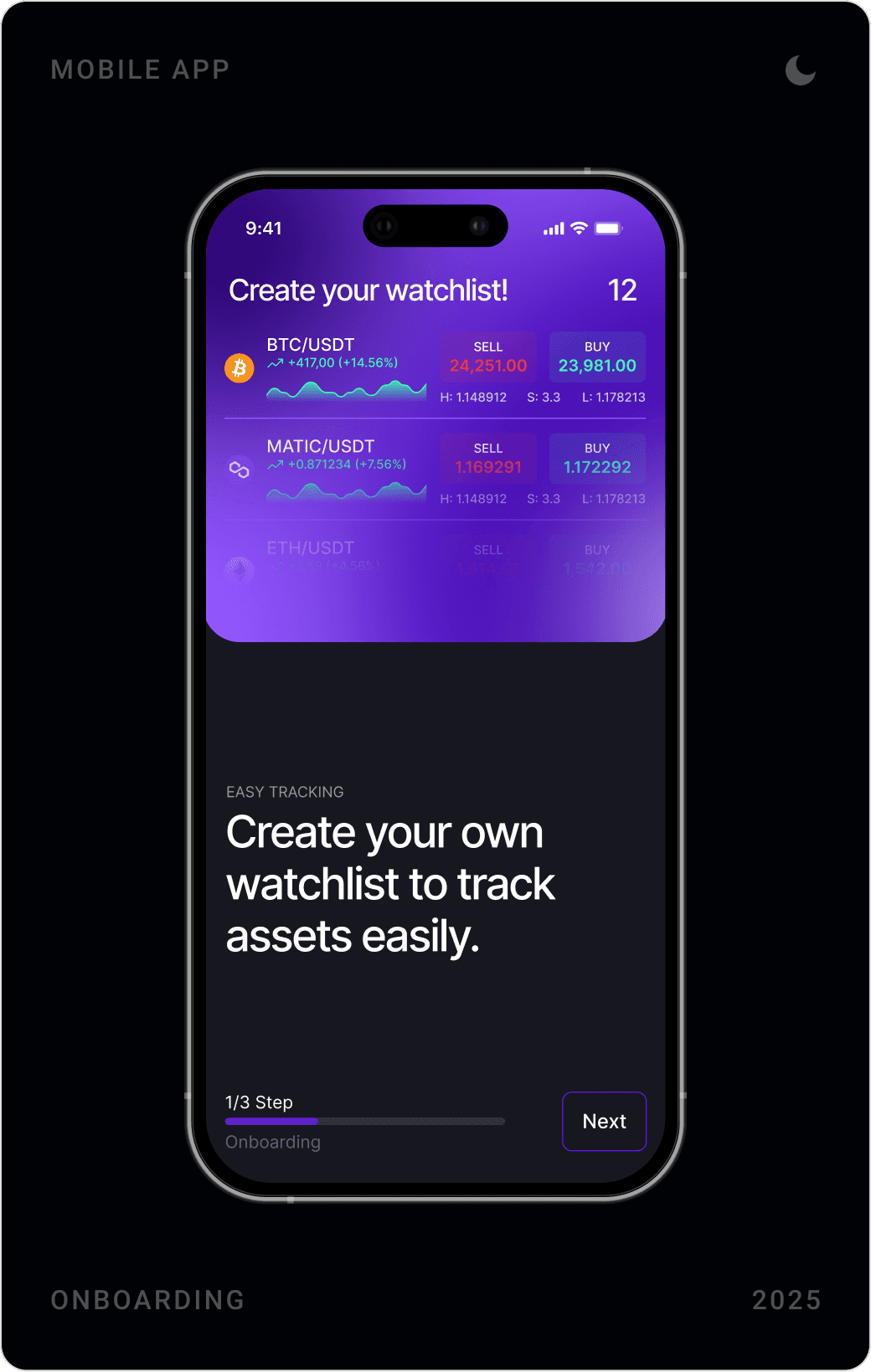
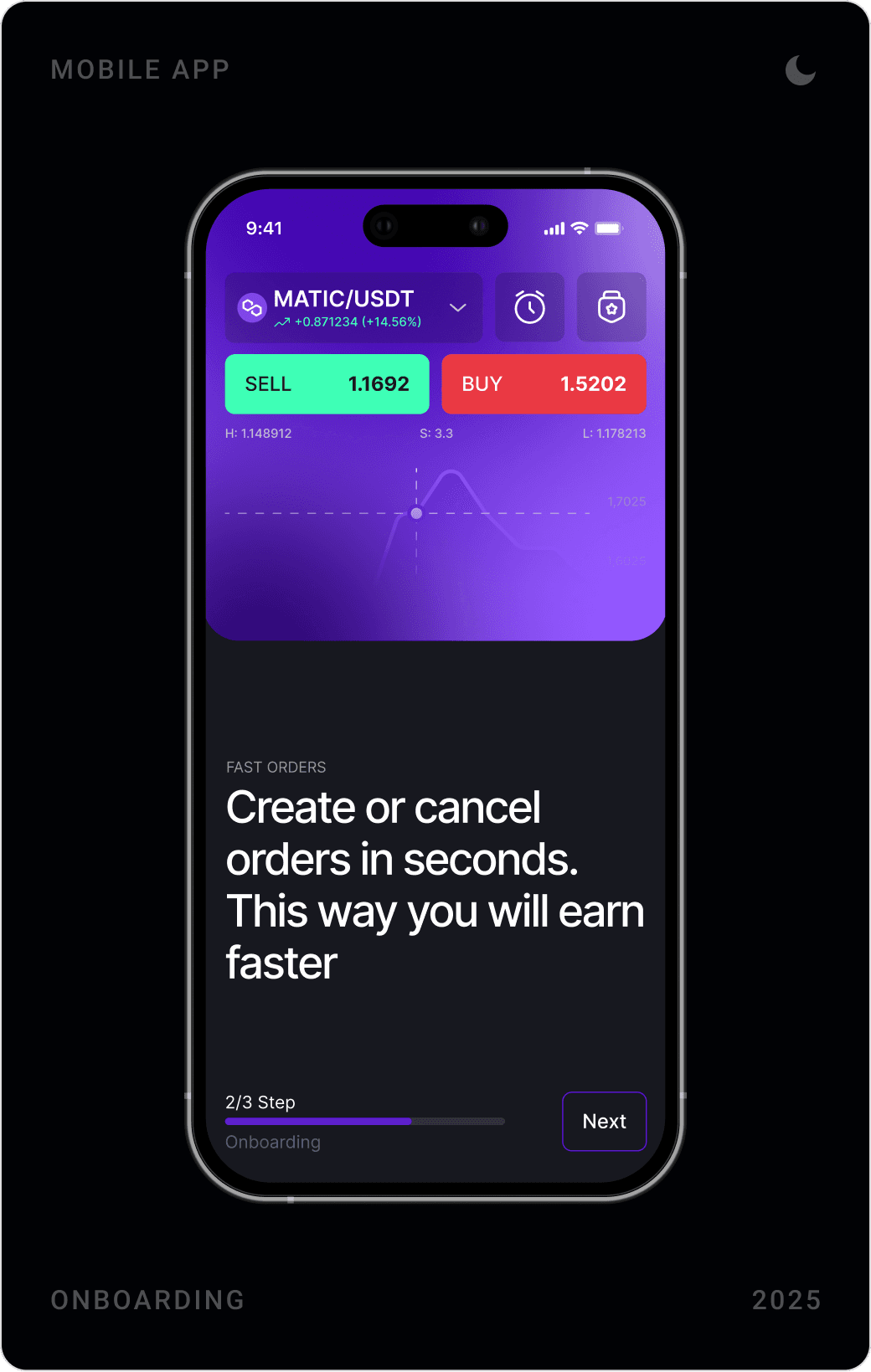
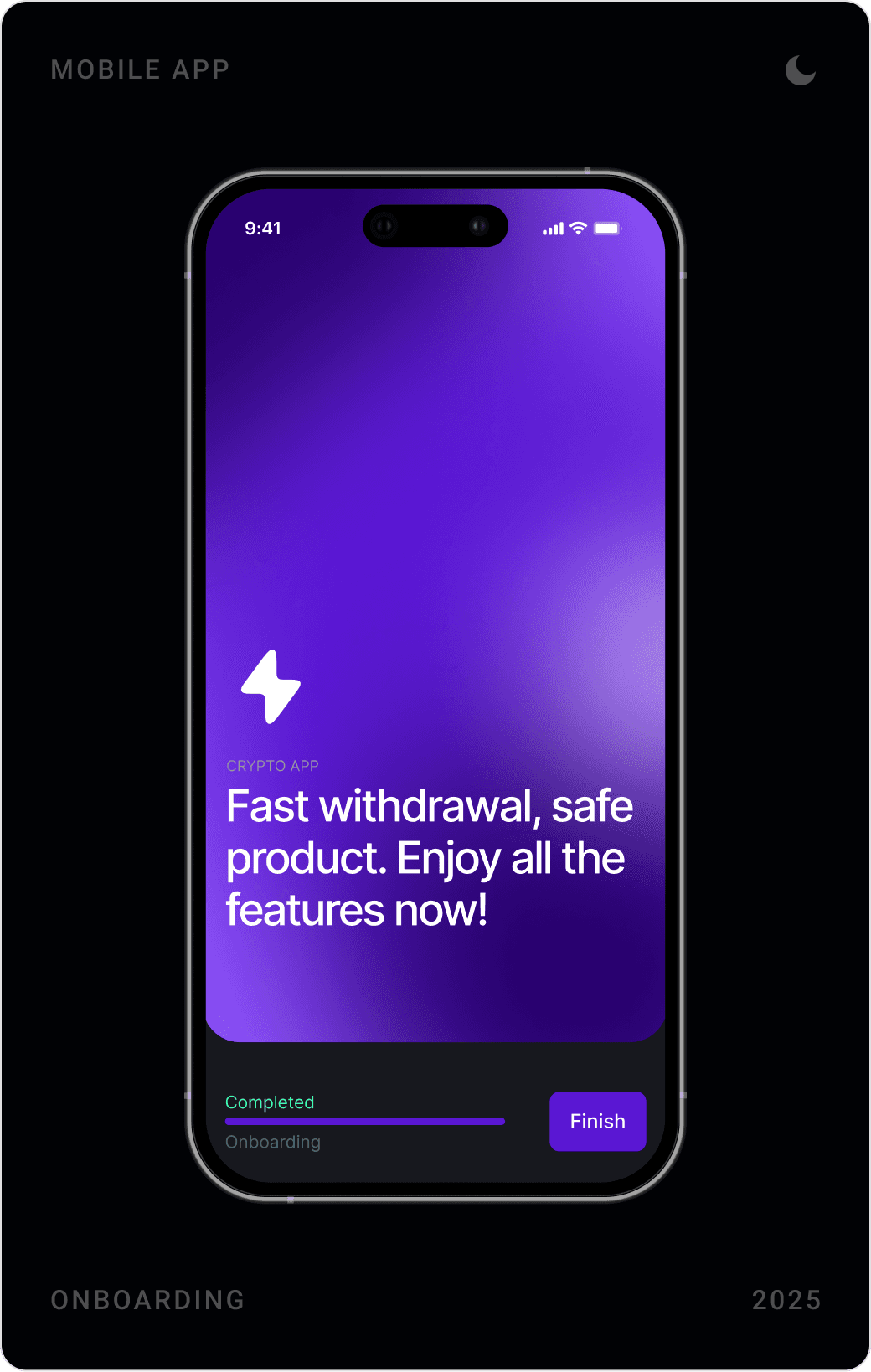
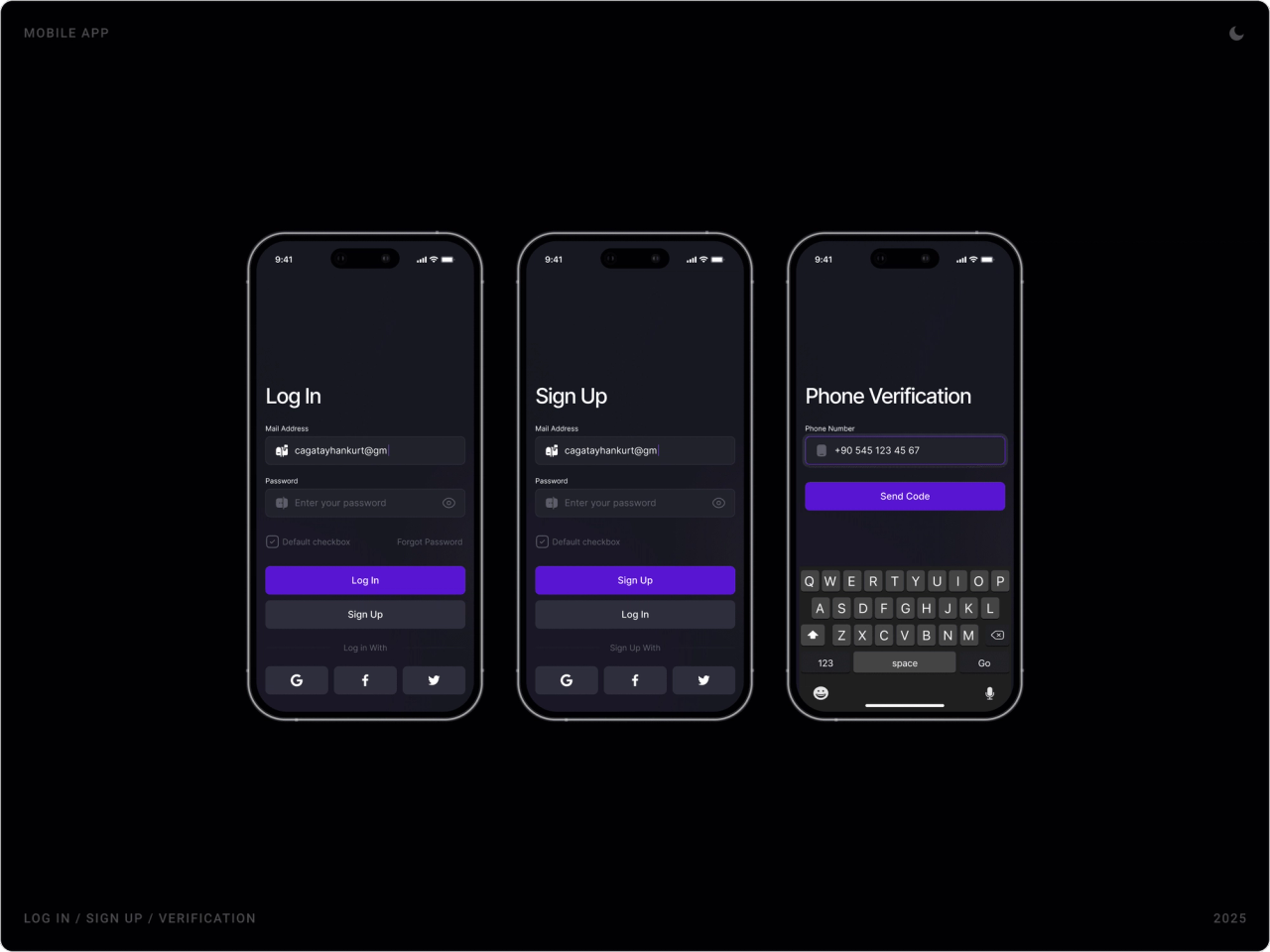
Three onboarding steps each sell one benefit, easy tracking, fast orders, safe withdrawals, with a progress bar that shows how much is left. Log in and sign up share one layout with social sign-in, followed by phone verification.
Verification and error states
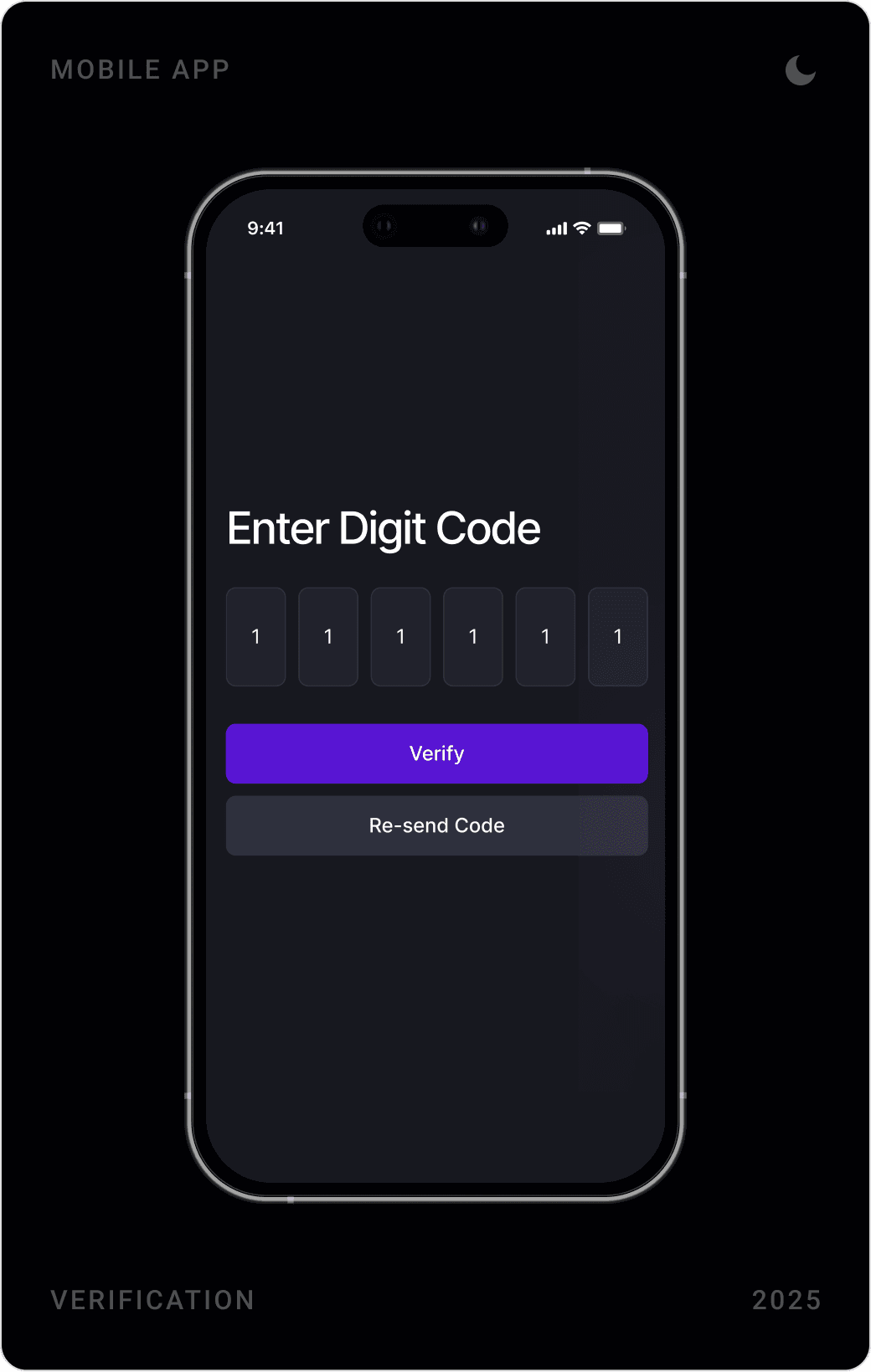
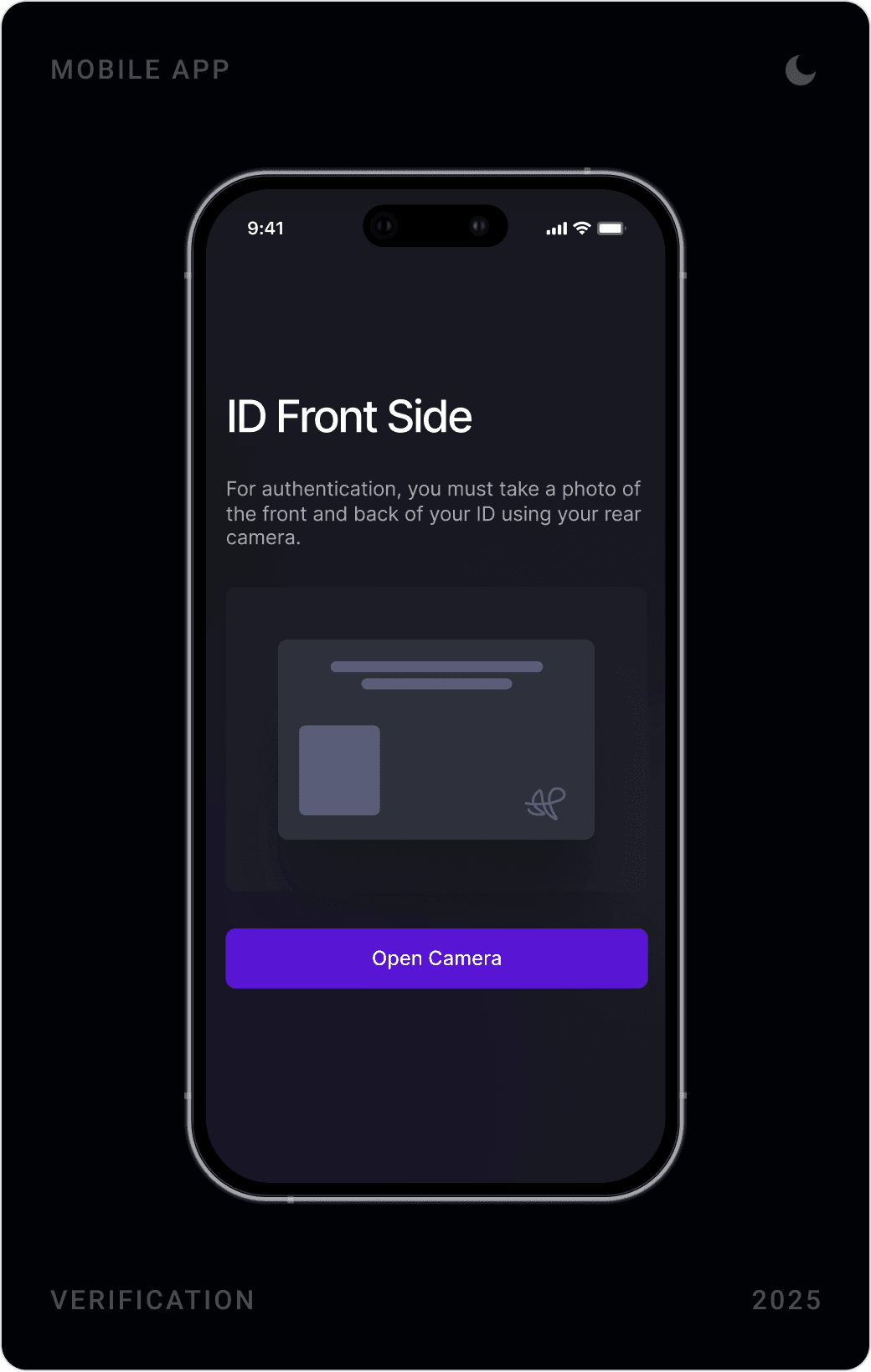
A code entry screen, an ID capture step with a clear instruction and a dedicated error screen cover the moments where trust is won or lost. Each screen has one primary action and an obvious way back.
Home and trading
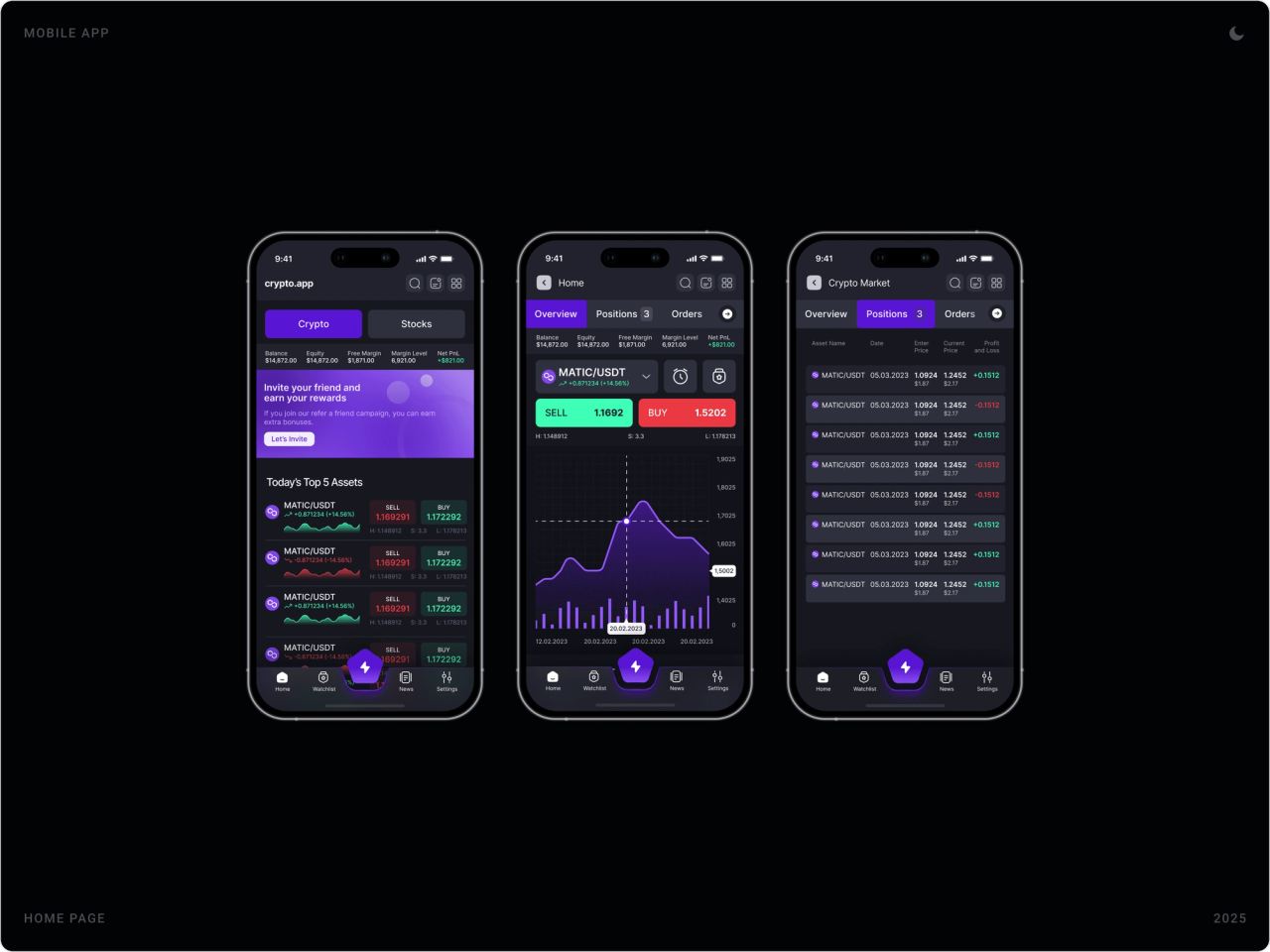
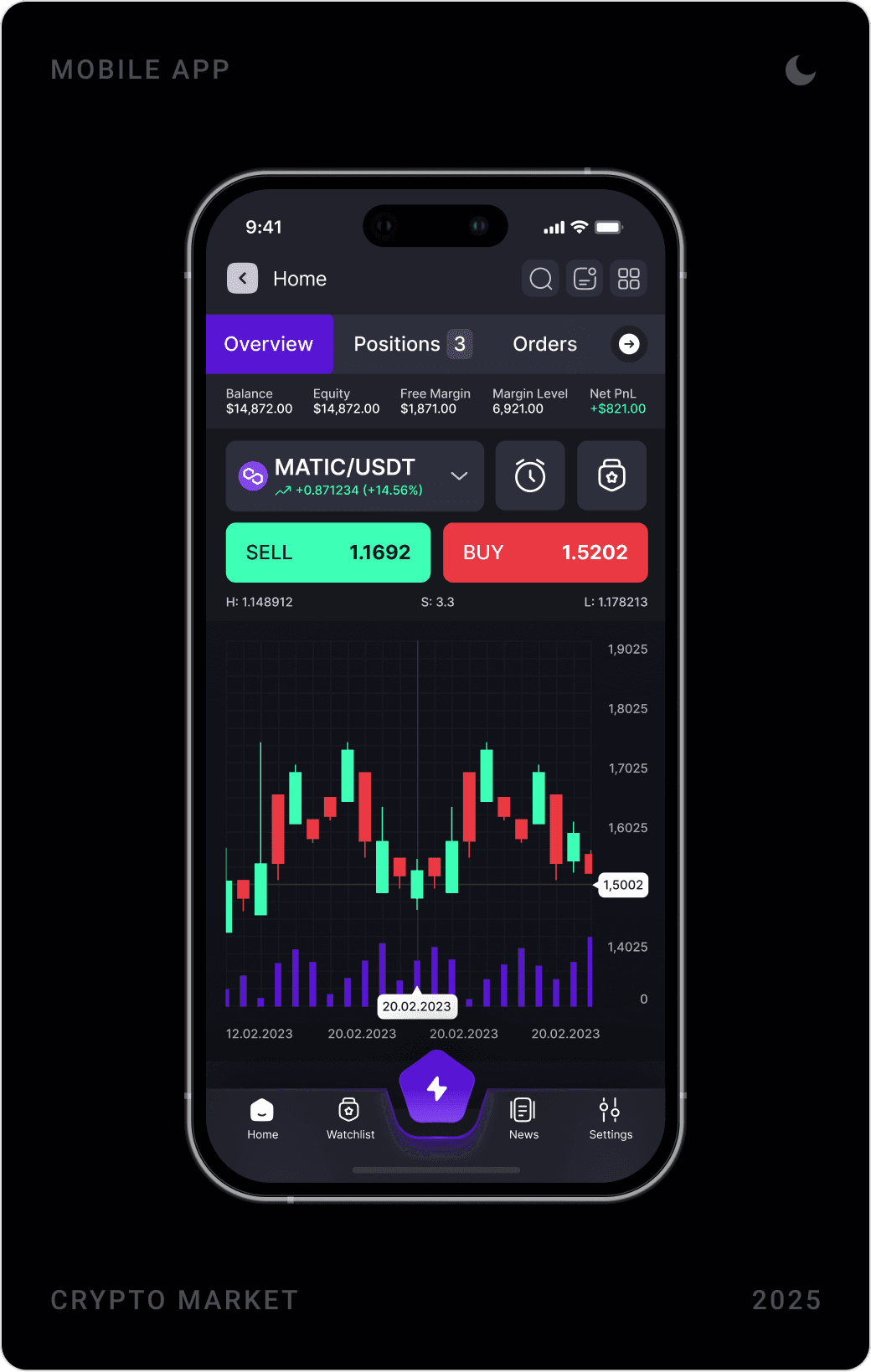
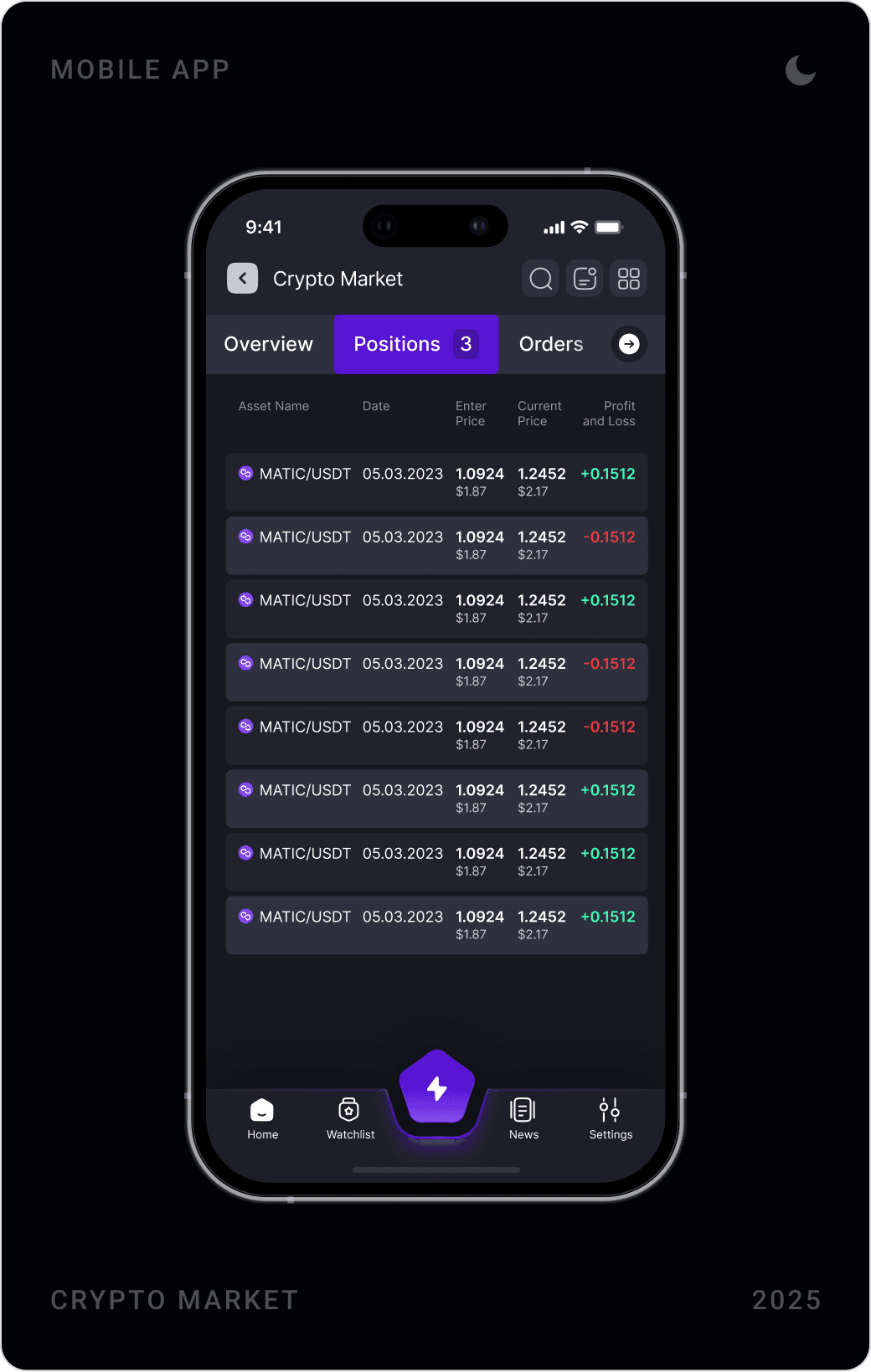
The home screen lists today’s top assets with live sell and buy prices and sparklines. Tapping a pair opens the trading view: selected pair, price change, Sell and Buy buttons with their prices, high, spread and low, and a chart. Positions and orders sit in tabs next to the overview, and the transaction history can be filtered from seven days to all time.
Watchlists and price alarms
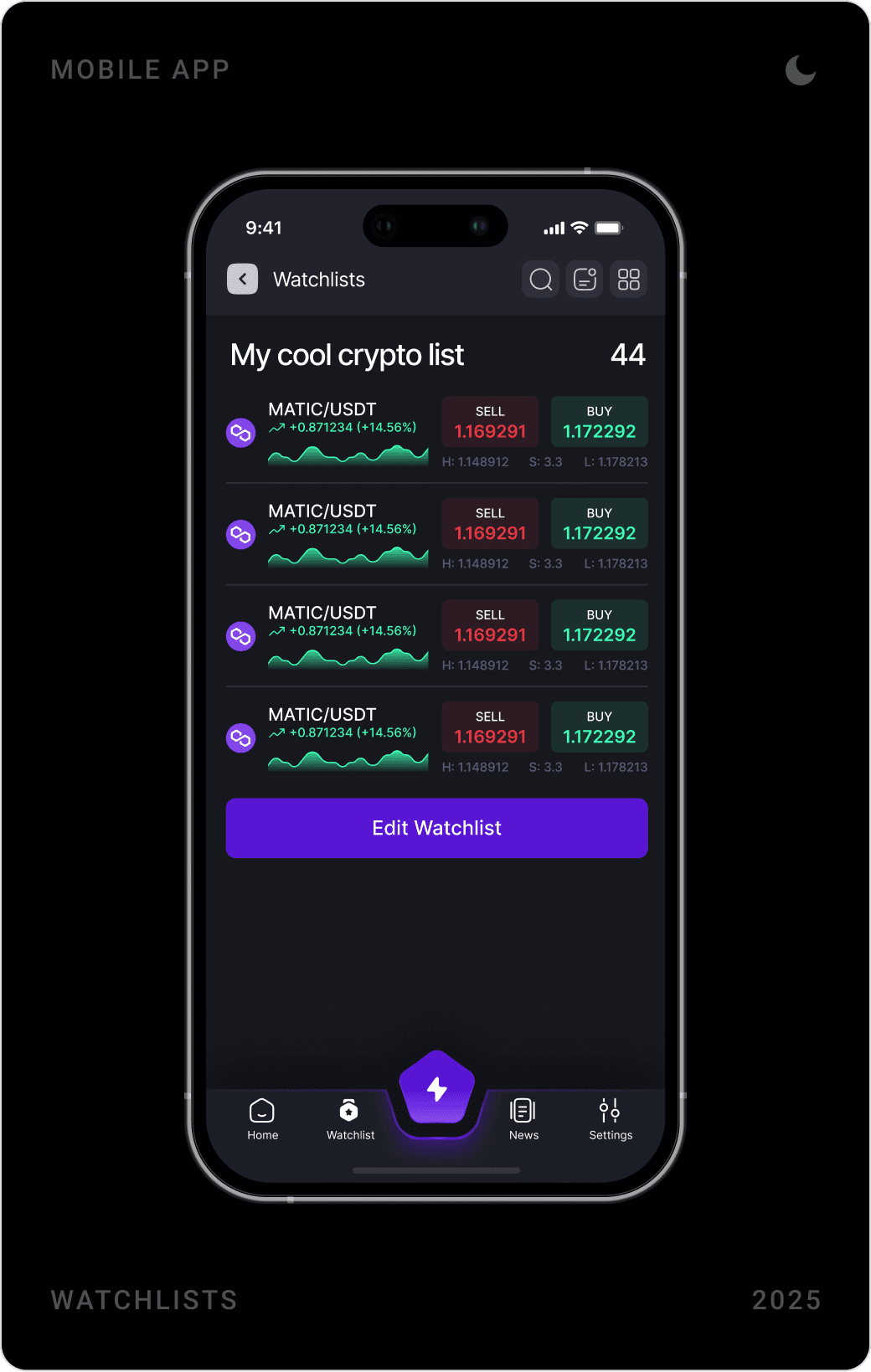
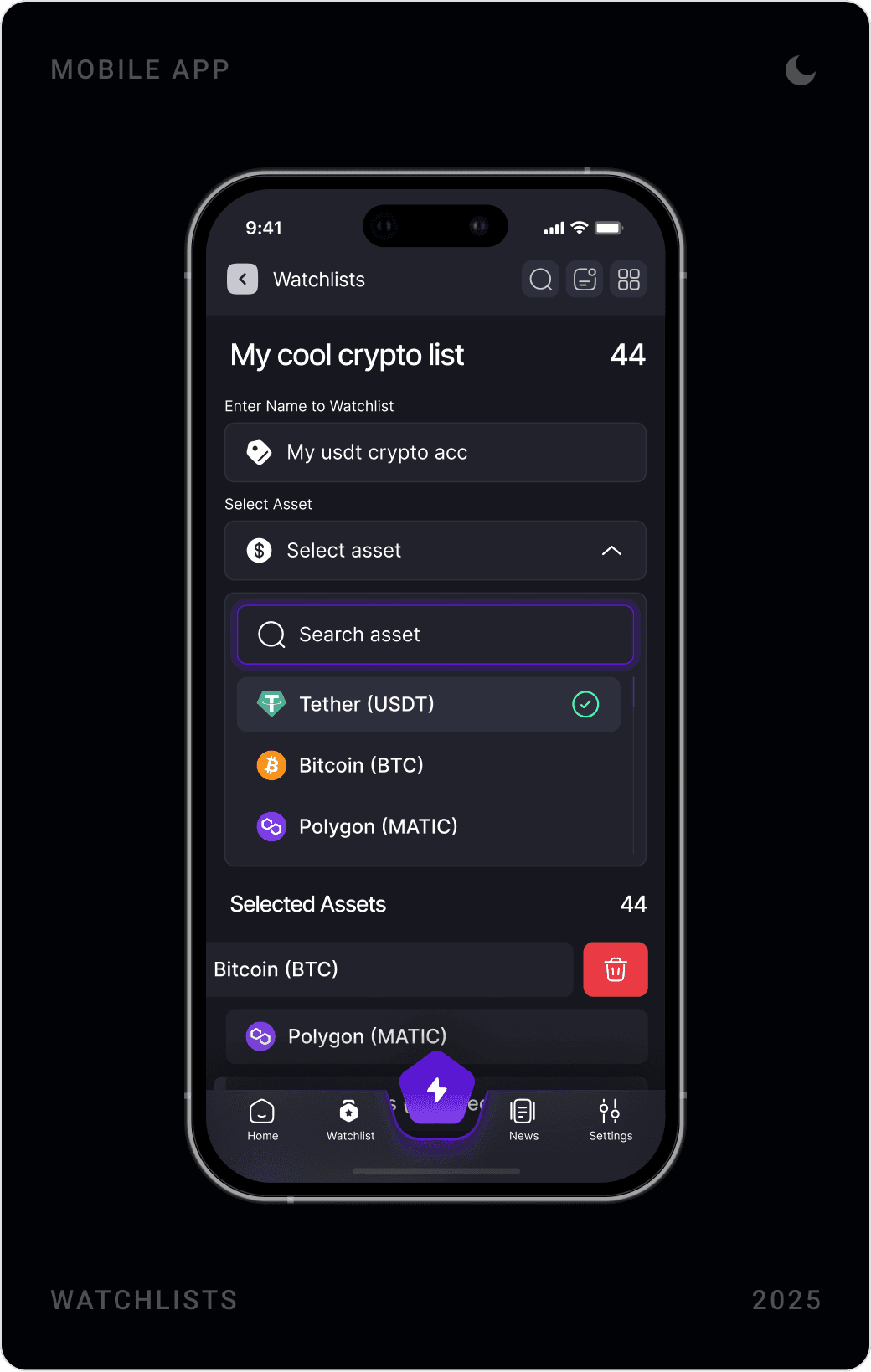
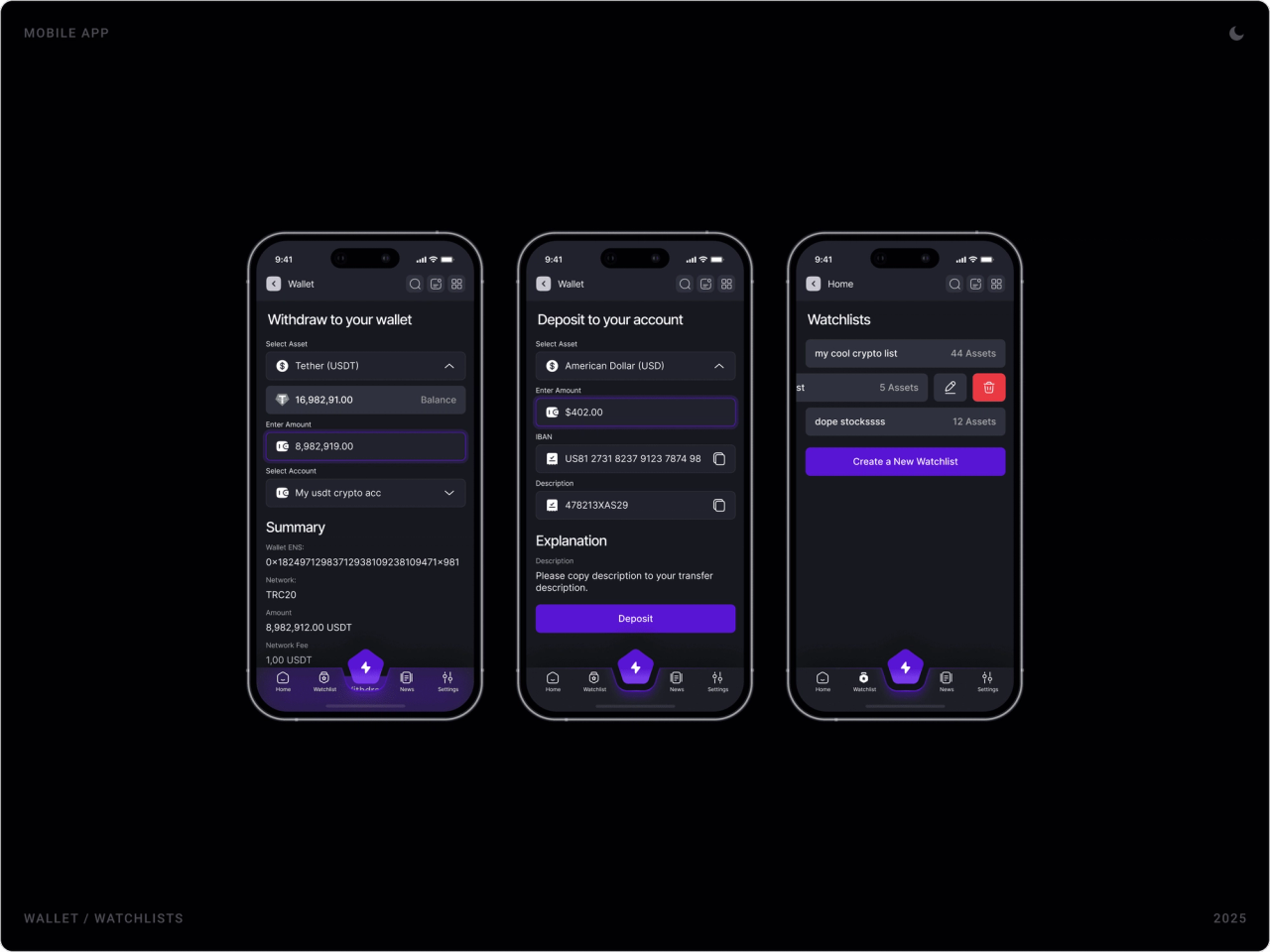
Users can build several named watchlists, add assets through search and set price alarms per asset, above or below a value, once or always. Alarms live next to transactions in the market screen, so tracking and acting stay in one place.
Wallet, deposits and accounts
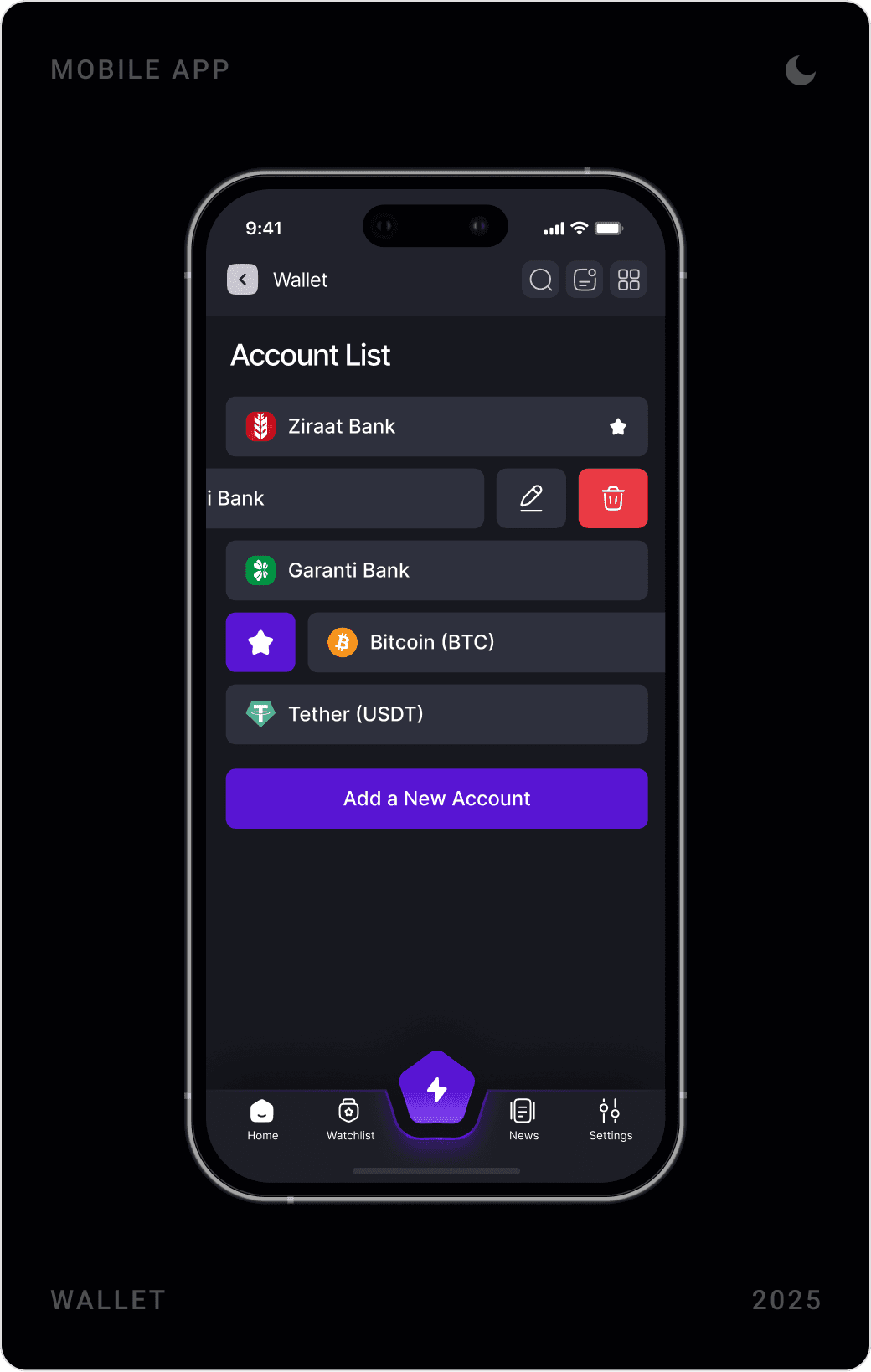
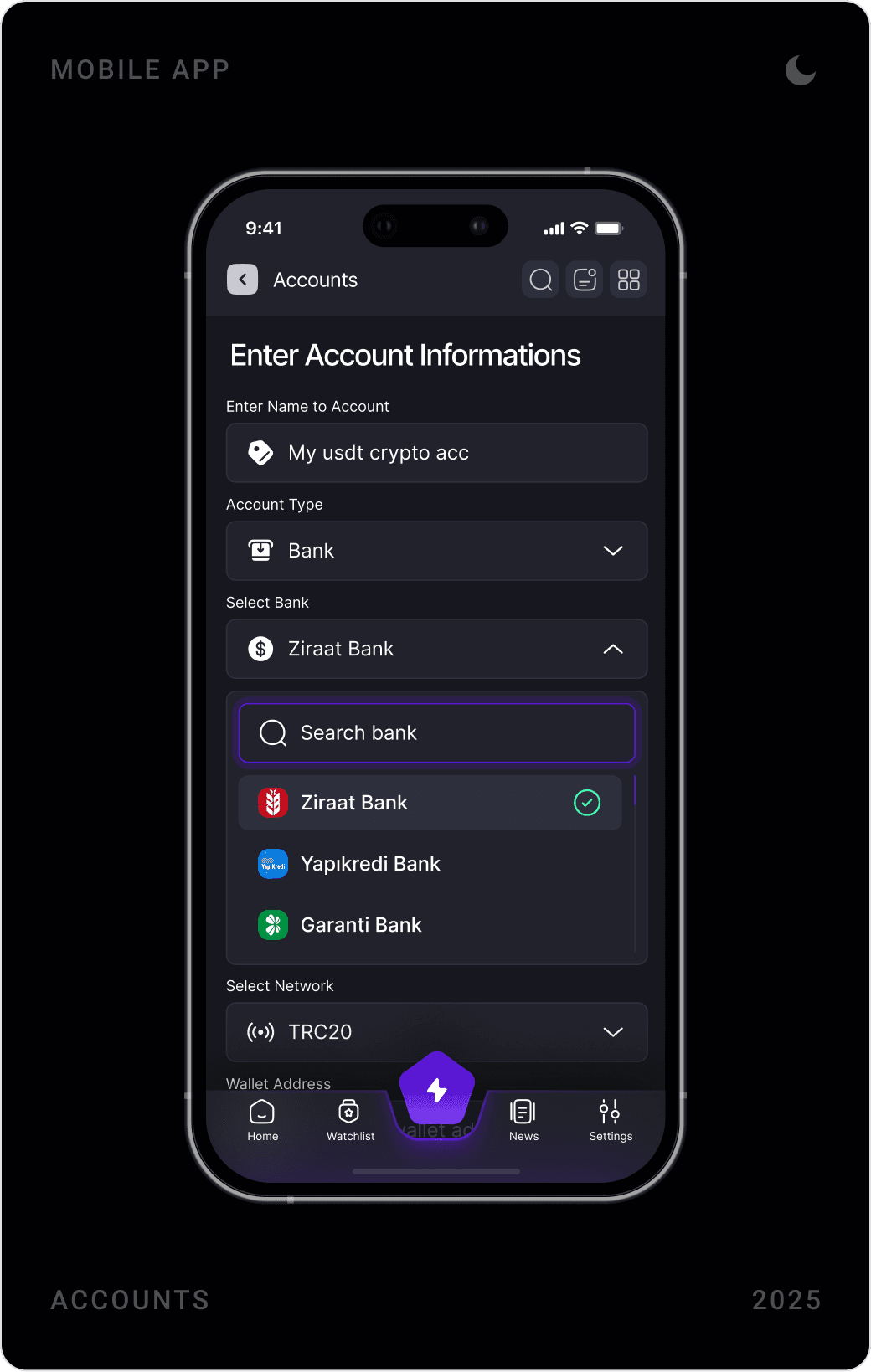
Withdrawals show the available balance before the amount field and end with a summary of wallet address, network, amount and network fee. Deposits list the IBAN and reference with copy buttons. Bank and crypto accounts live in one list, with swipe actions to edit, delete or favourite.
News, calendar and referrals
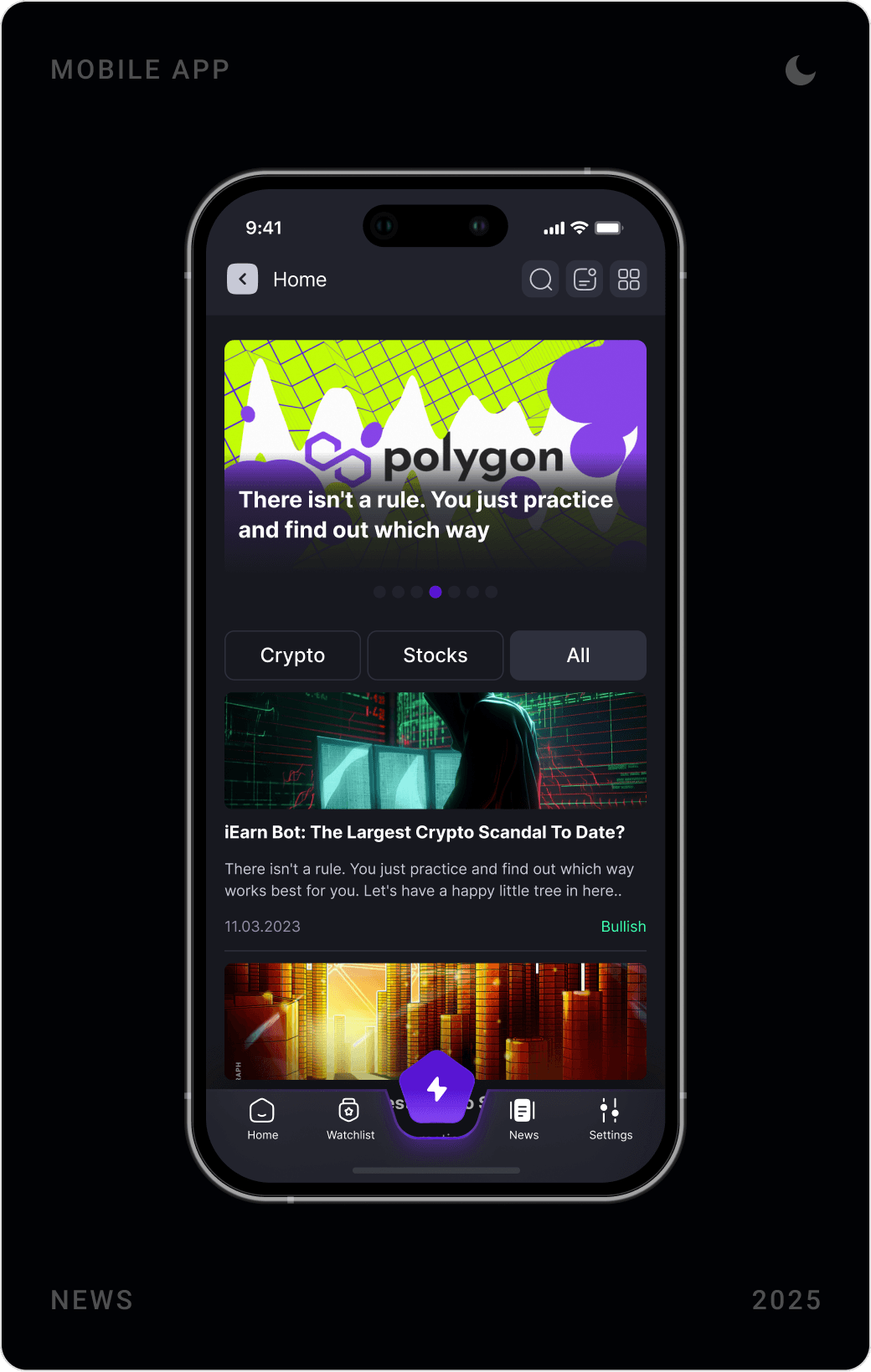
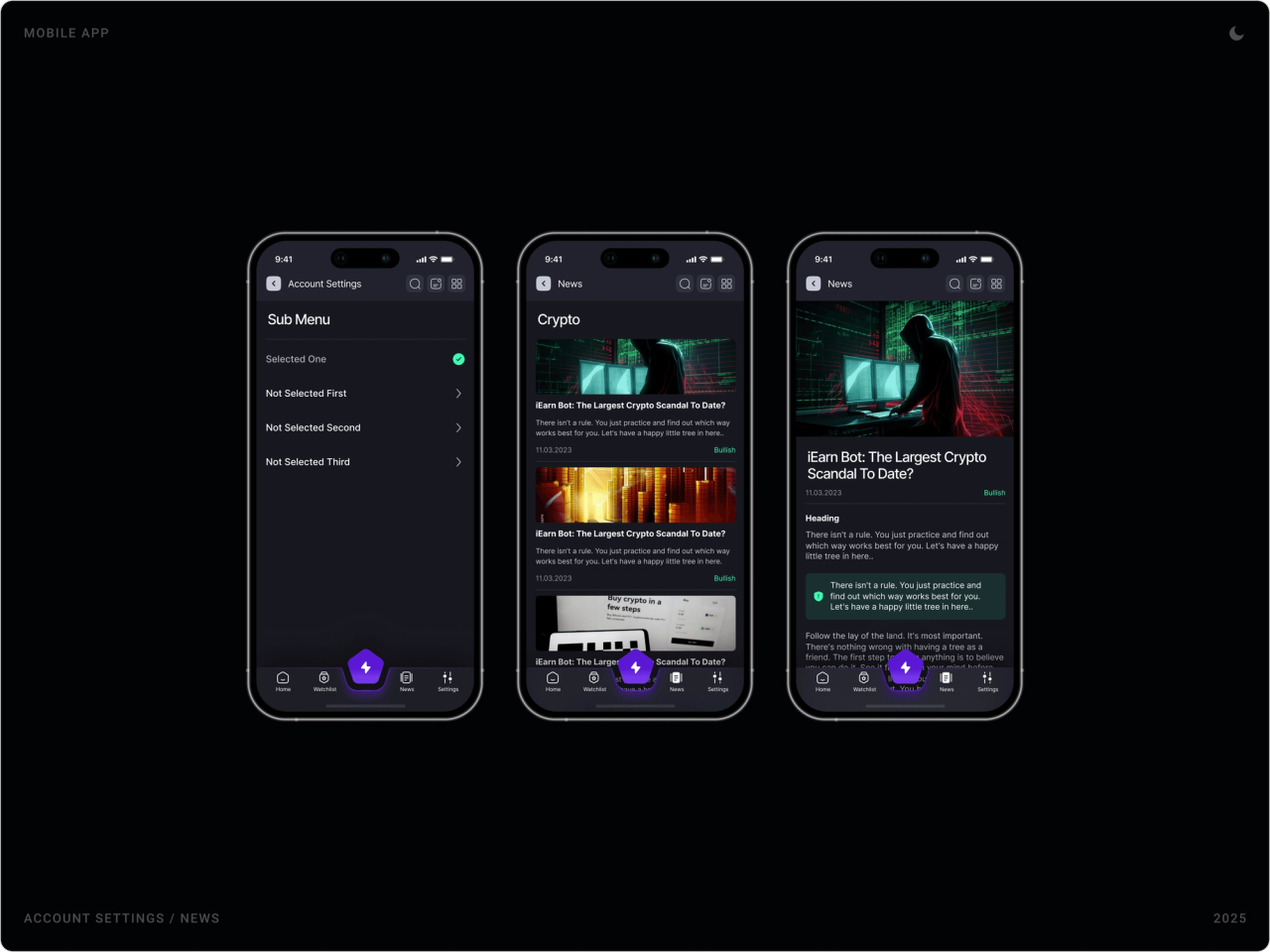
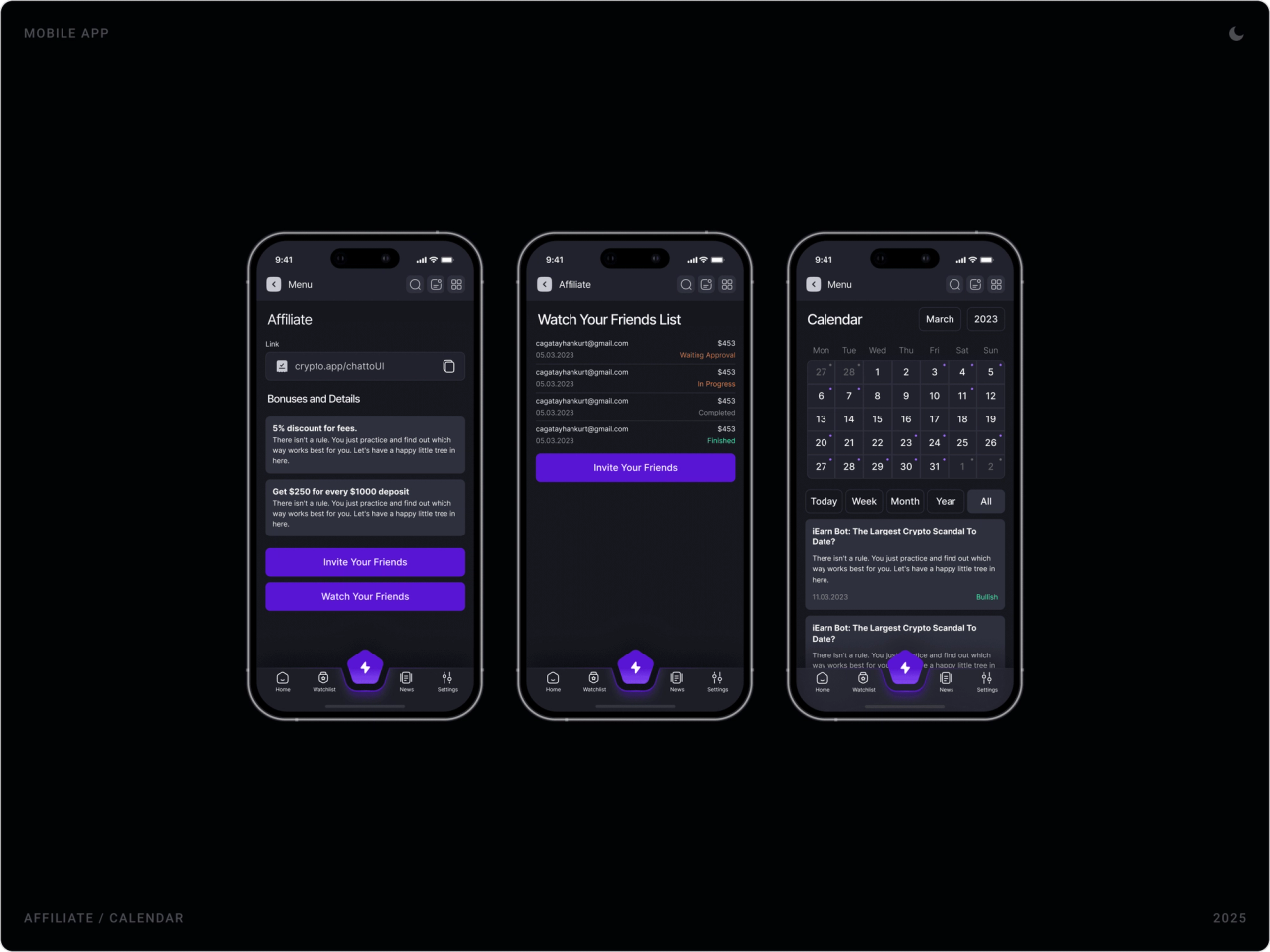
A news feed tags each story as bullish or bearish, and an economic calendar shows market events by day, week, month or year. The affiliate area gives each user a referral link, the bonuses and a list of invited friends with their status.
Settings and notifications
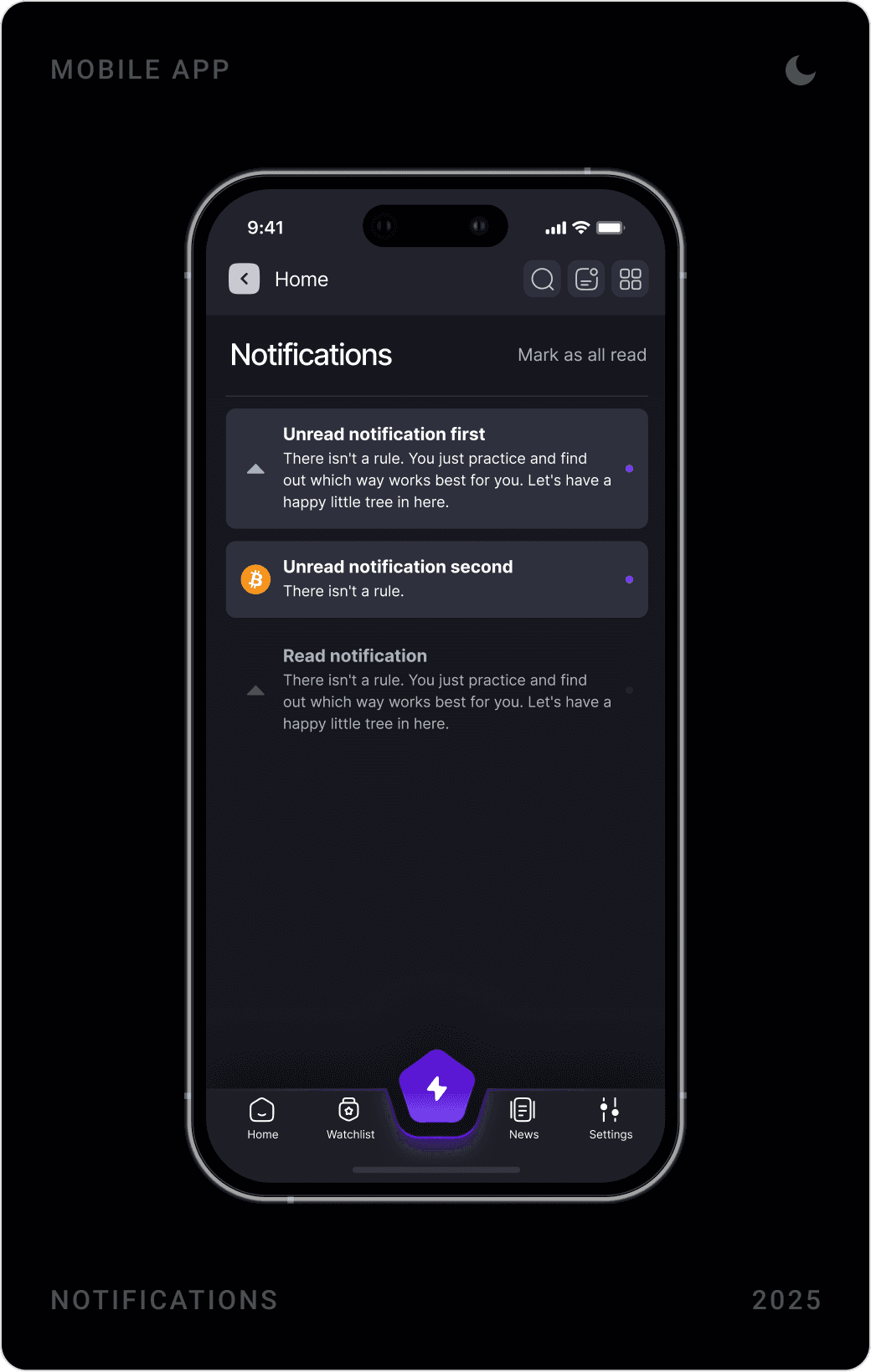
Settings are grouped by what people control: account, notifications, payments, alarms, assets and earnings. Notifications separate unread from read, with a single “mark all as read” action.
Results
- A structured, performance-driven mobile crypto interface optimised for clarity and speed.
- Intuitive buy and sell flows with strong confirmation feedback and less friction.
- A scalable wallet and transaction management system.
- A high-contrast dark UI built for financial focus and trust.
- A flexible product foundation ready for future crypto modules such as DeFi or staking.
Key takeaways
- In trading, the account summary is navigation: keep it on screen.
- Save colour for meaning; on dark UI, green and red should only ever mean direction.
- Every money flow needs a visible status and a summary before it is sent.
- Design the component states early, and new modules become a matter of assembly.
FAQ
What is Crypto App?
Crypto App is a mobile app for tracking crypto markets, placing trades and managing assets. It combines a real-time market dashboard, buy and sell flows with order types such as Market, Stop Loss and Take Profit, watchlists, price alarms, a multi-asset wallet and transaction history.
What did you design for Crypto App?
The complete mobile app: onboarding, log in and sign up, phone and ID verification, the home and market dashboards, positions, orders and transactions, watchlists and alarms, wallet, deposits and withdrawals, news, calendar, referrals, notifications and settings, all on one dark-mode design system.
How long did the project take?
About three months in 2025, from the structure of the app to the final screens and the design system.
How do you design a crypto trading app that users trust?
Keep the account numbers that matter, balance, equity, margin, profit and loss, always visible. Reserve colour for price direction, make every order and transaction state explicit, add verification steps where money moves, and build everything from one consistent component set so nothing feels improvised.
Can you design a crypto or fintech app for my company?
Yes. I work with early-stage AI, SaaS, fintech and Web3 teams on mobile apps, product UI and design systems. Book a call or send a message from the contact page.
Have a product to design?
I help teams turn complex products into websites and interfaces people understand in seconds. Tell me about yours.