Gigcep · Case study · 4 min read
Gigcep: a gamified earn-by-tasks mobile app, landing page and brand for rewards users
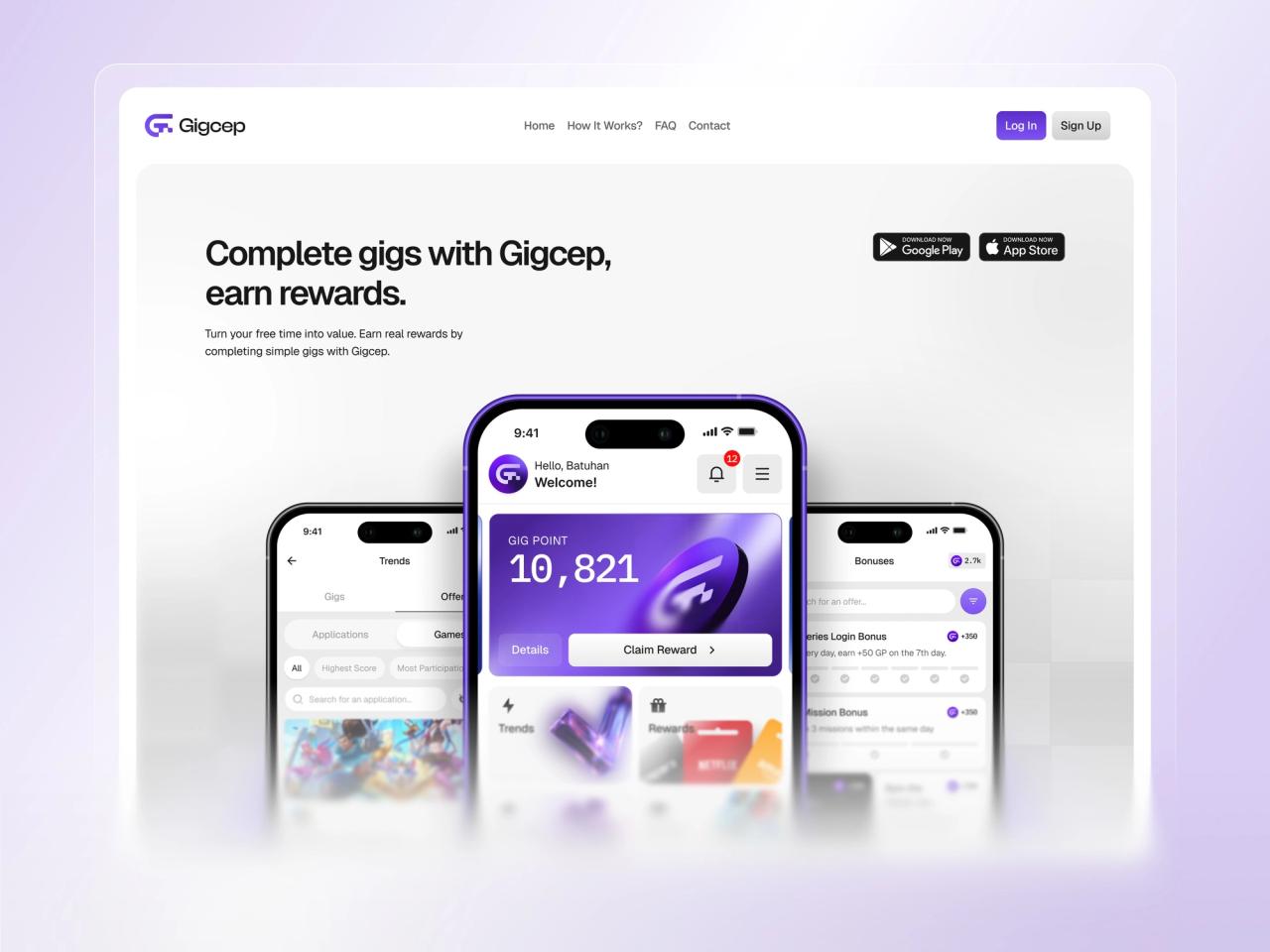
Gigcep is a Turkish rewards app where people complete simple tasks, called gigs, collect points and turn them into gifts and cash. I redesigned the mobile app and landing page and built a new brand around them, so earning feels clear, fair and fun enough to come back to every day.
- Landing Page Design
- Mobile App Design
- User Experience Research
- Brand & Logo Design
- User Interface Design
- Design System
At a glance
Challenge
An outdated, inconsistent app and site with hard-to-reach flows, weak motivation loops and no real brand behind them.
Solution
A new brand, a conversion-focused landing page and around 30 app screens built around points, streaks, bonuses and clear task rules.
Outcome
A reward-forward product experience designed for repeat use, and one consistent brand across app, web, store and social.
Deliverables
- Brand identity & logo
- Tone of voice & brand guidelines
- Landing page, desktop + mobile
- Mobile app: ~30 screens
- Gamification patterns
- Design system, light + dark
Overview
Gigcep is a rewards platform from Turkey, run by GİGDATA Bilgi Teknolojileri, that turns spare time into value: users download the app, create an account and complete simple gigs to collect points and win gifts. [1] Rewards can be transferred to a Papara account, and the Android app lists more than 50,000 downloads on Google Play. [2]
I redesigned the product through my studio, Beew, over about three months in 2025: a new brand foundation, a landing page built for downloads, and a mobile app of one main screen and around 30 sub-screens that covers the whole earning journey.
The challenge
Gigcep’s idea is simple, do small tasks, get rewarded, but the product did not feel that way. The app and site looked dated, the core actions were buried, and nothing gave people a reason to come back tomorrow.
- Outdated visual style and inconsistent UI across mobile and web.
- A weak UX structure that made key pages and actions hard to reach.
- Low engagement: few motivation loops and an unclear rewards experience.
- No brand foundation, no consistent logo, voice, colours or guidelines.
Goals
- A conversion-focused landing page with clear value messaging and strong calls to action.
- A mobile UX where every core flow is reachable in fewer steps.
- Gamified UI patterns that make earning rewards feel fun.
- A consistent brand system: logo, voice, colour palette and a brand book.
Approach
1. Keep the points in view
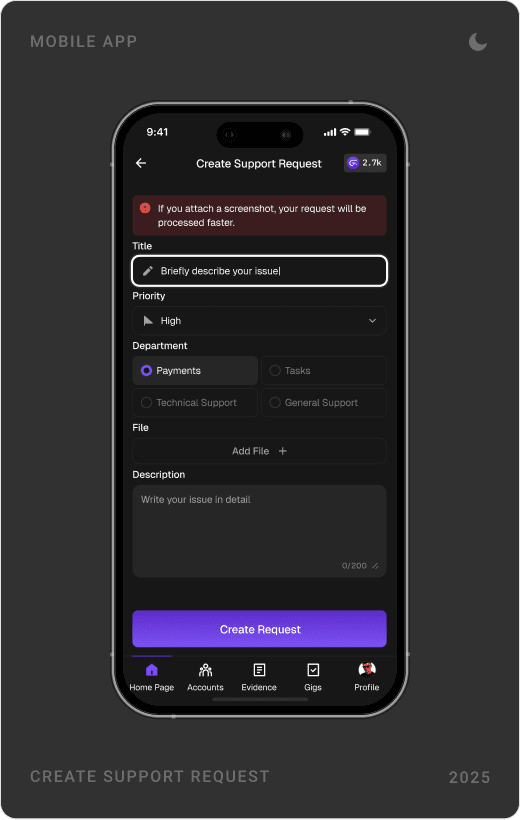
Points are the reason people open the app, so the balance never hides. A large Gig Point card leads the home screen, and a small points chip sits in the header of every other screen.
2. Give people a reason to return
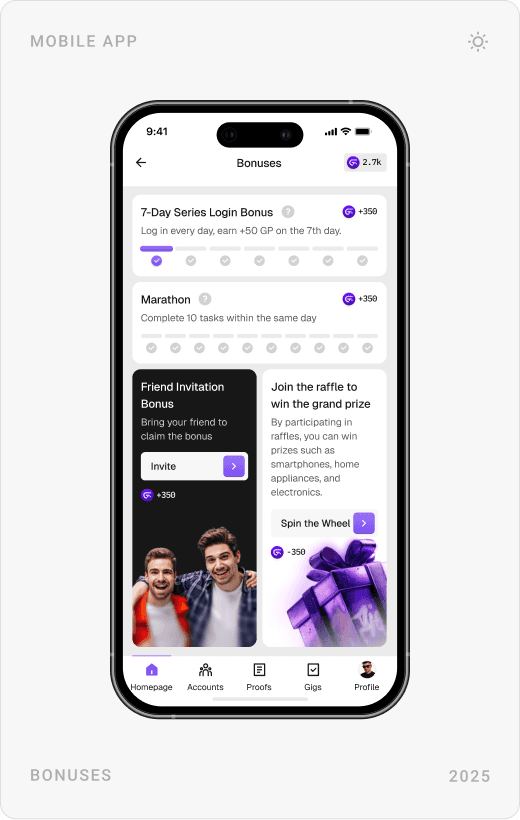
Daily login streaks, a same-day task marathon, friend invitations, raffles and a wheel of fortune turn one-off visits into a habit. Each win ends on a celebration screen, not a silent number change.
3. Make the rules clear before the work
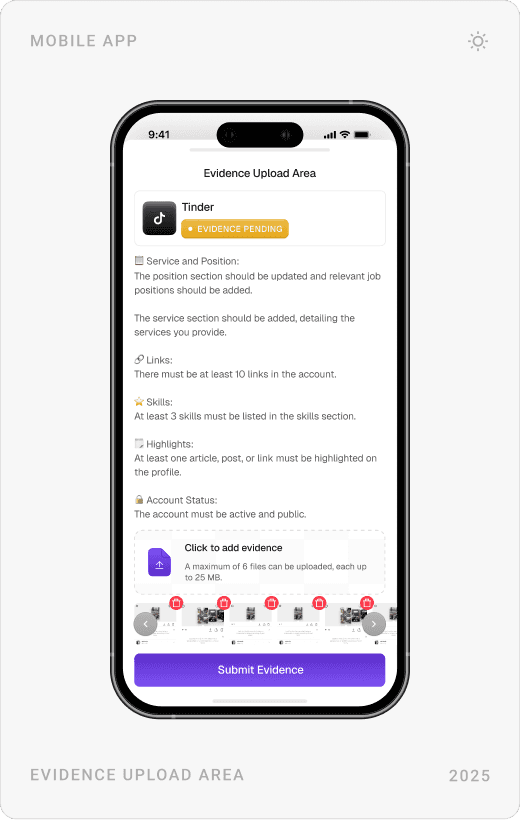
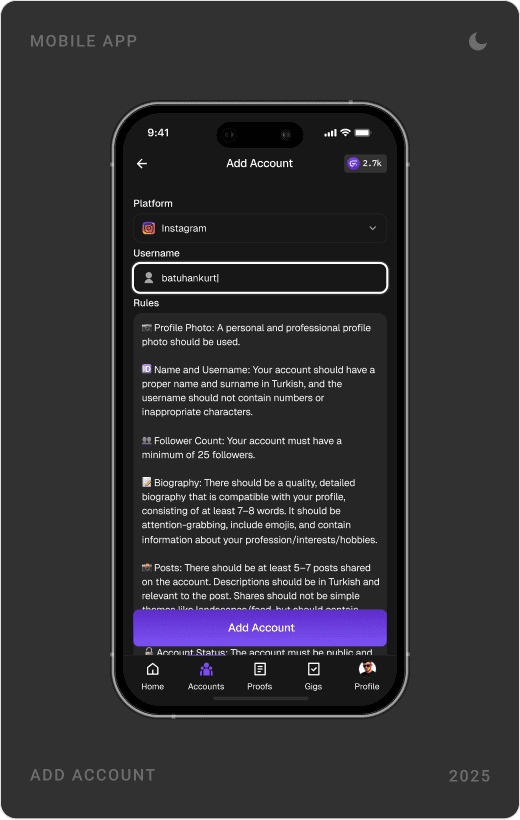
Gigs are only rewarded when the proof is right. Every task, linked account and upload screen shows its rules and evidence requirements up front, so people know exactly what counts before they start.
4. One brand everywhere
A single purple palette, a geometric G mark and the same friendly voice run through the app (in light and dark themes), the landing page, the store listing and social profiles.
The solution
Brand identity
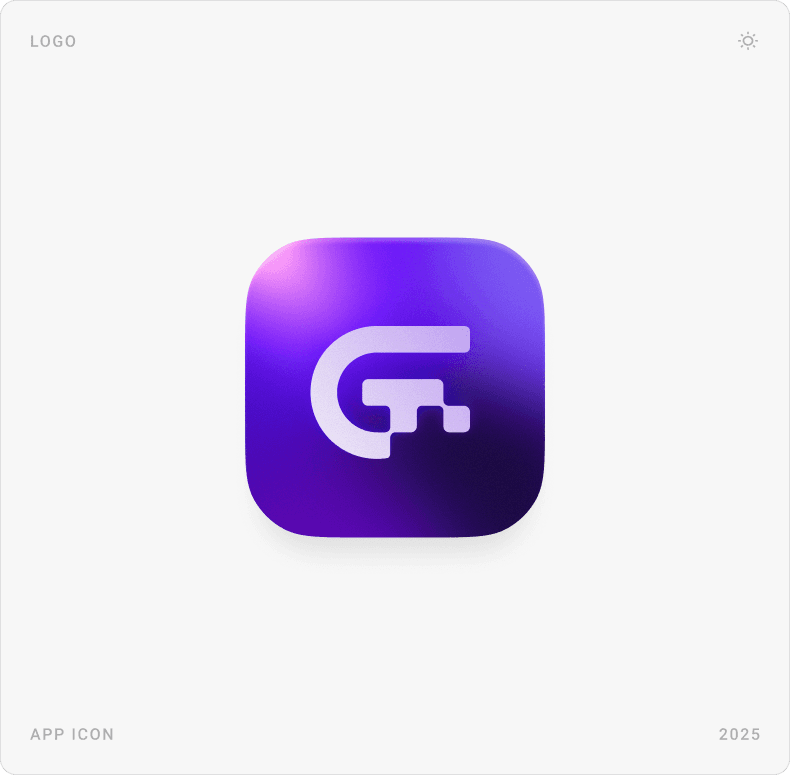
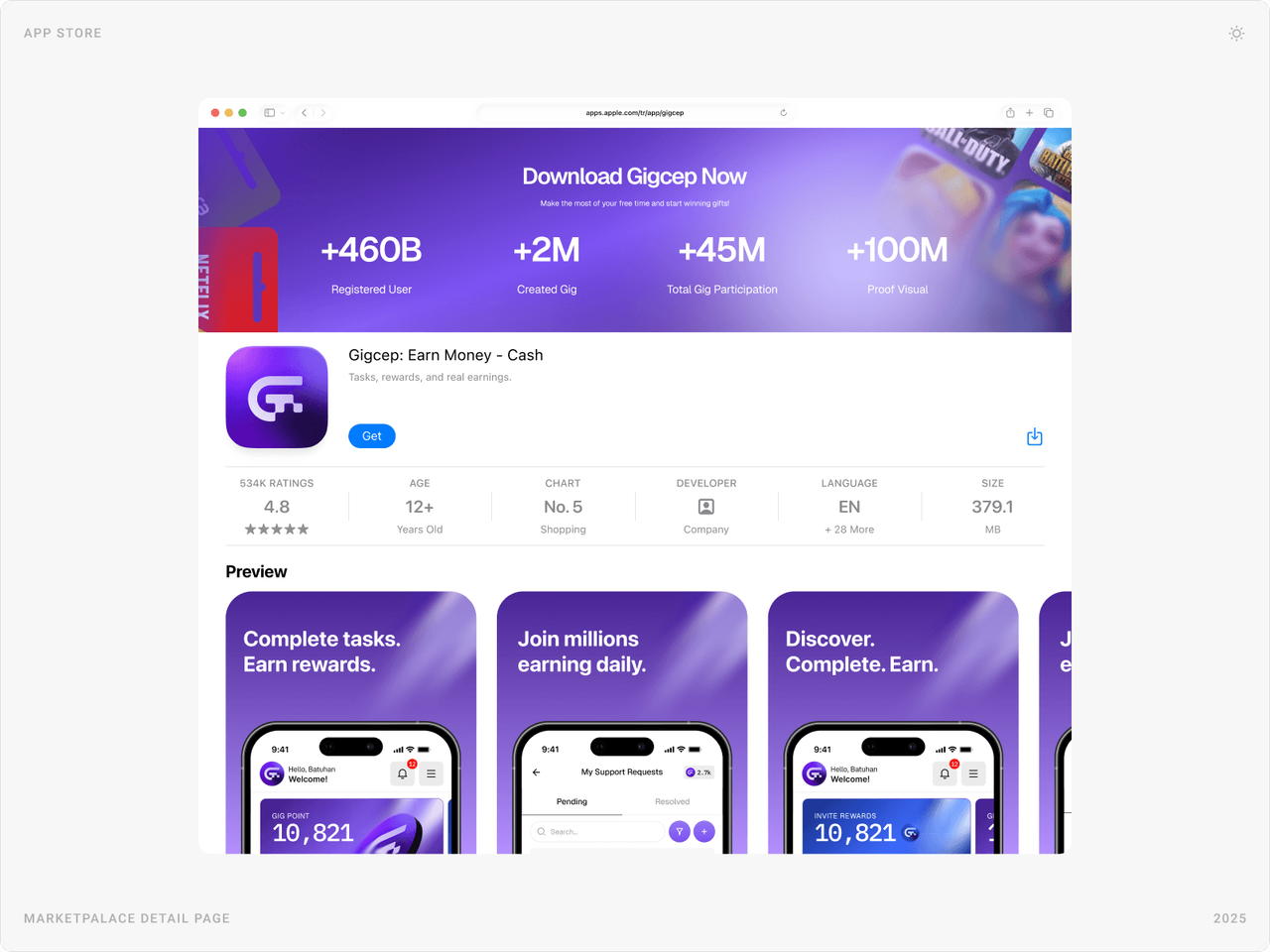
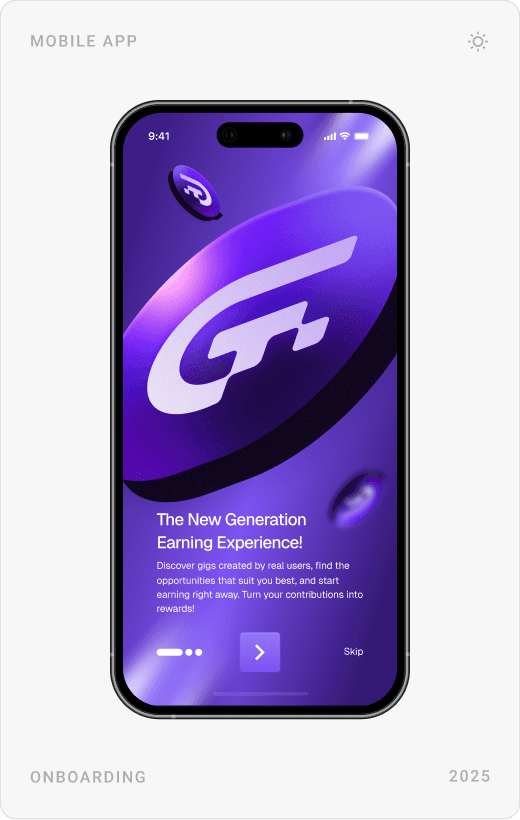
The new logo is a bold G built on a grid, set in a glossy purple app icon that stands out on a home screen. The same colours and imagery carry into store banners and social profiles.


Landing page
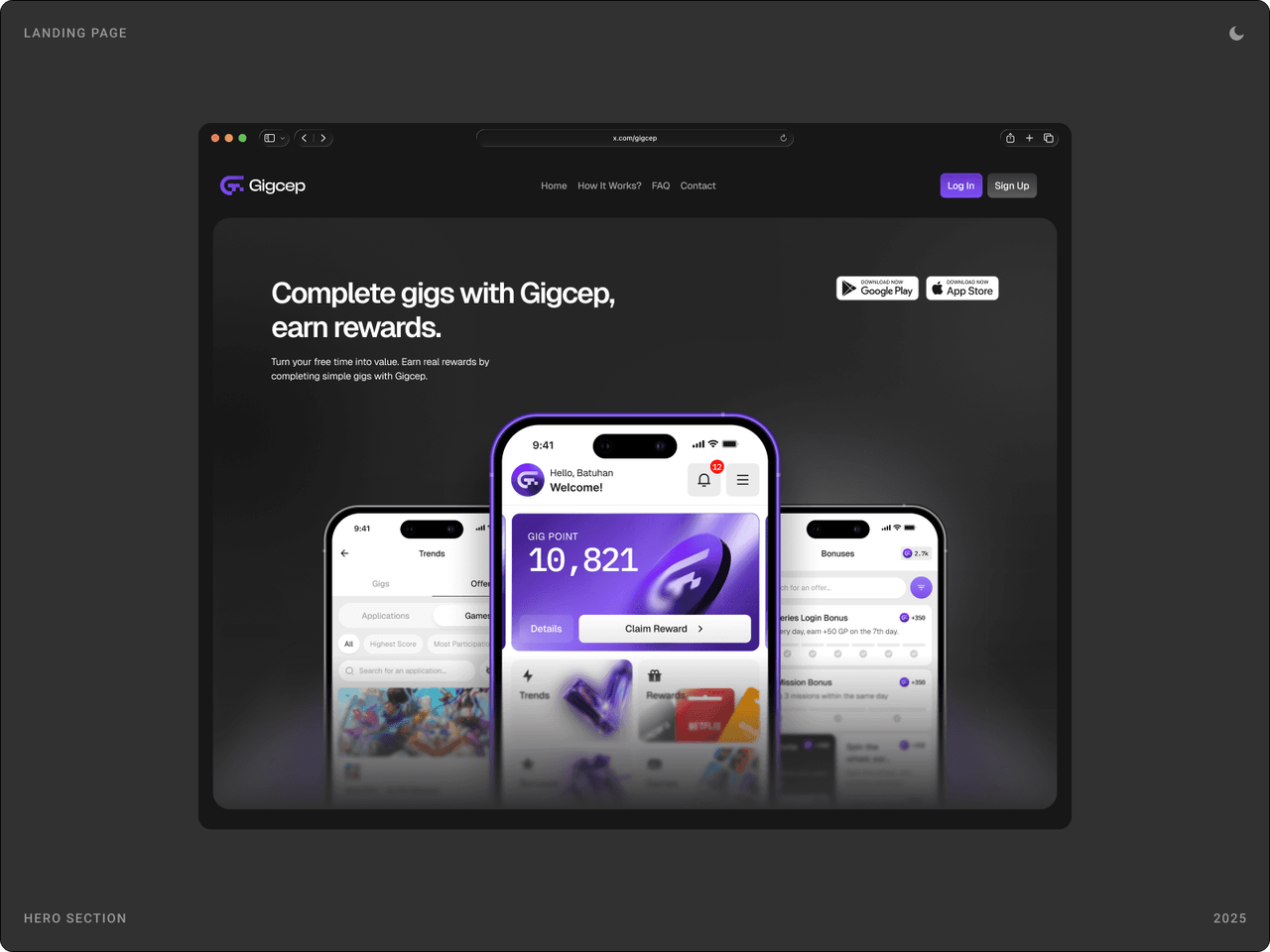
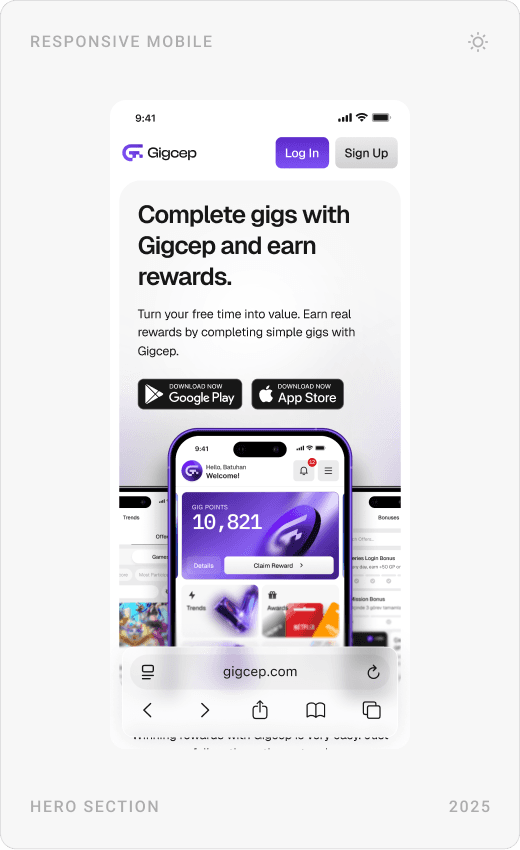
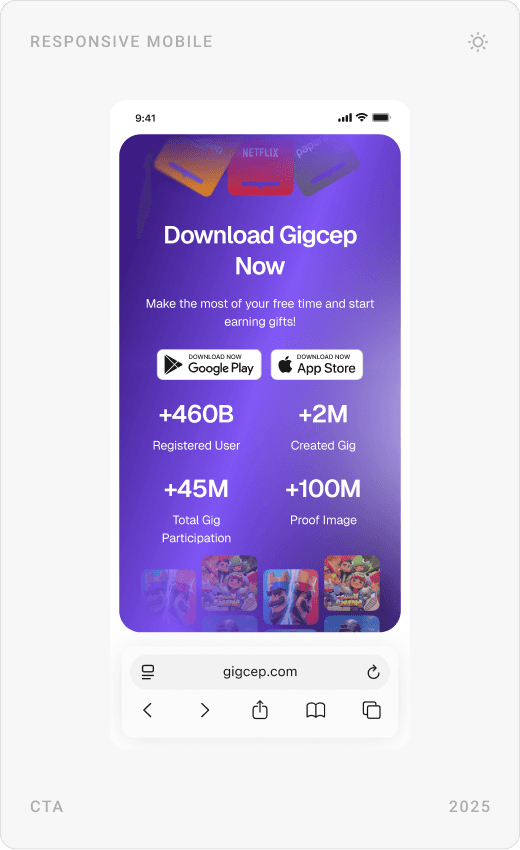
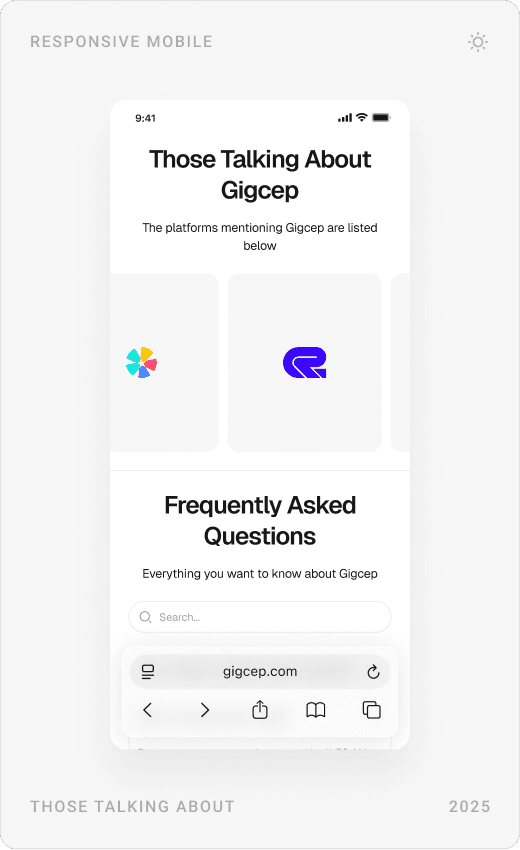
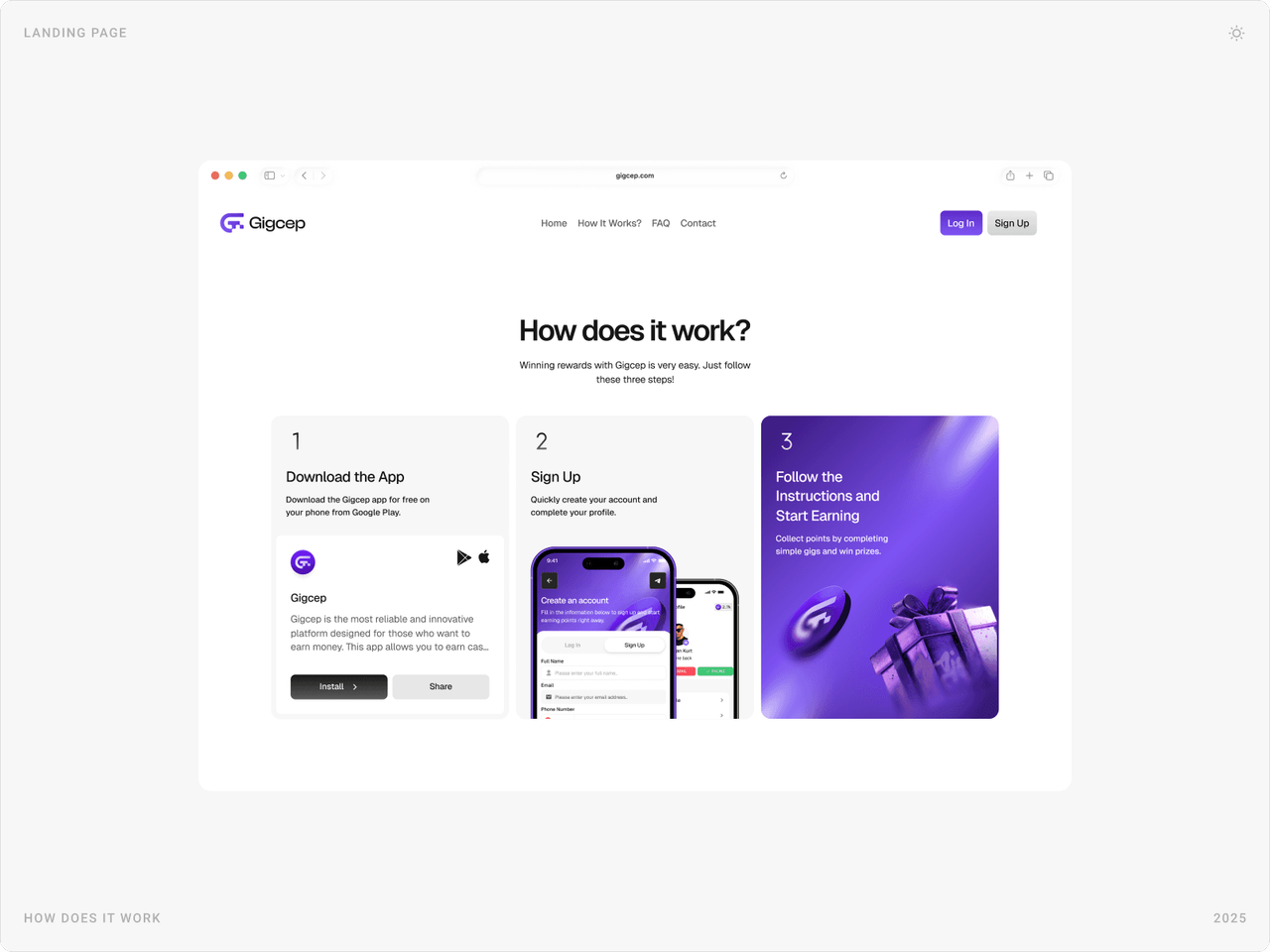
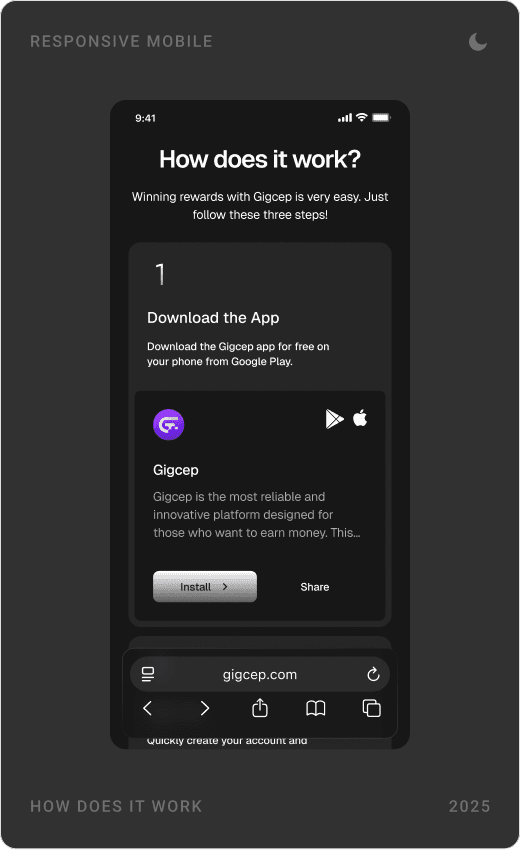
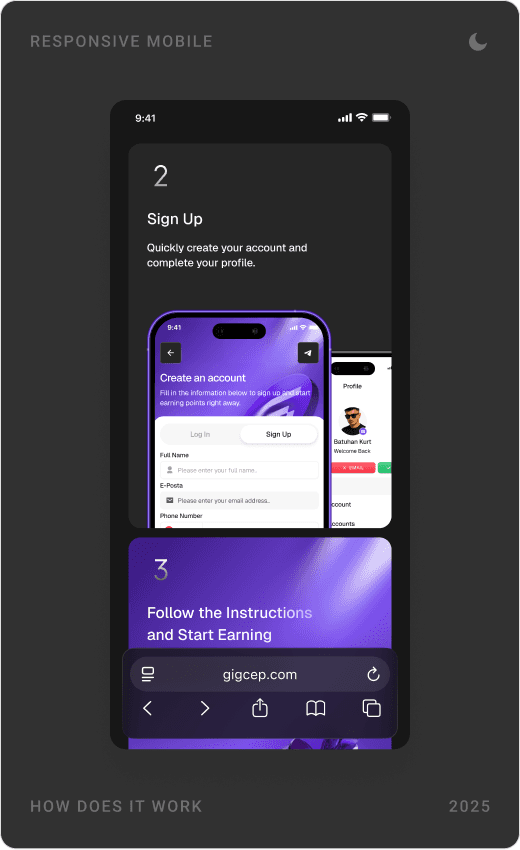
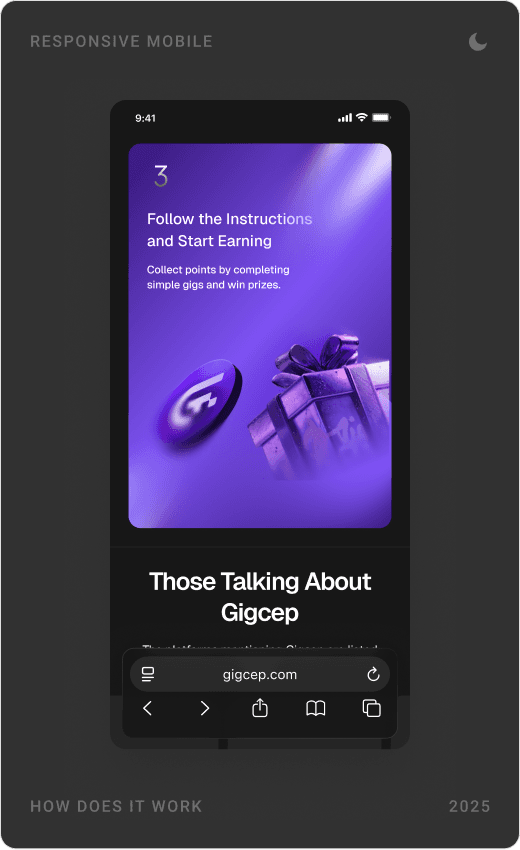
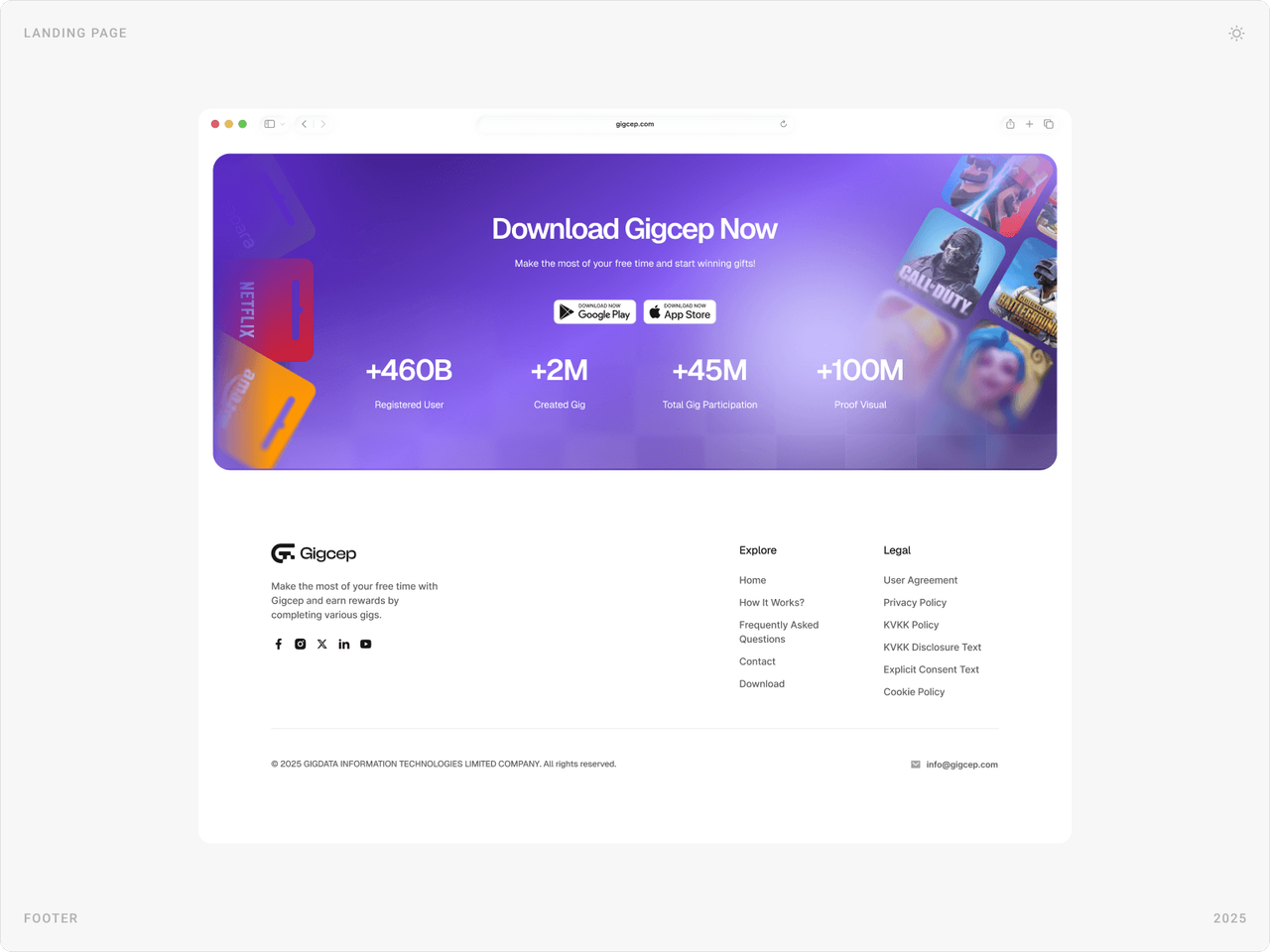
The landing page answers three questions in order: what Gigcep is, how it works in three steps (download, sign up, follow the instructions and earn), and what people say about it, followed by an FAQ. A purple download banner and footer close every scroll.

Onboarding and sign-up
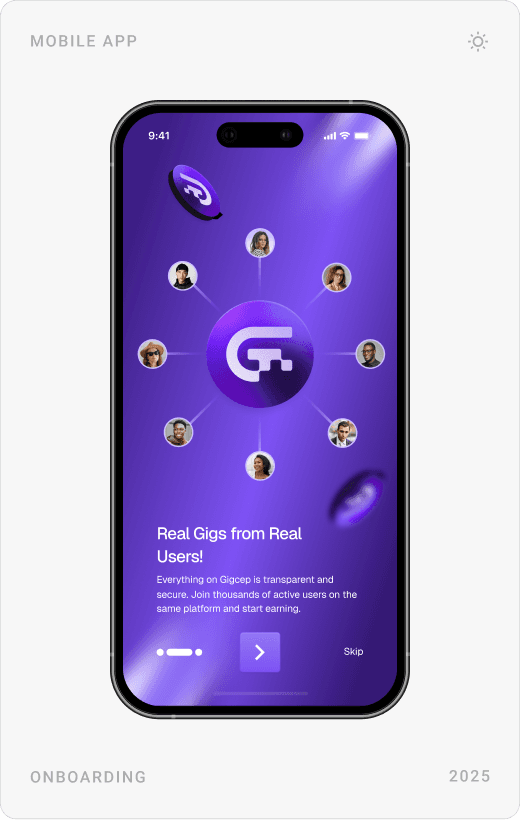
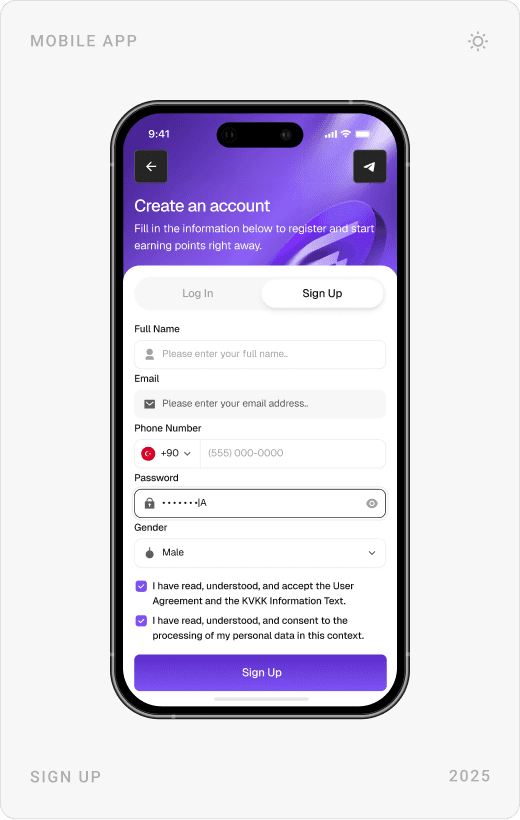
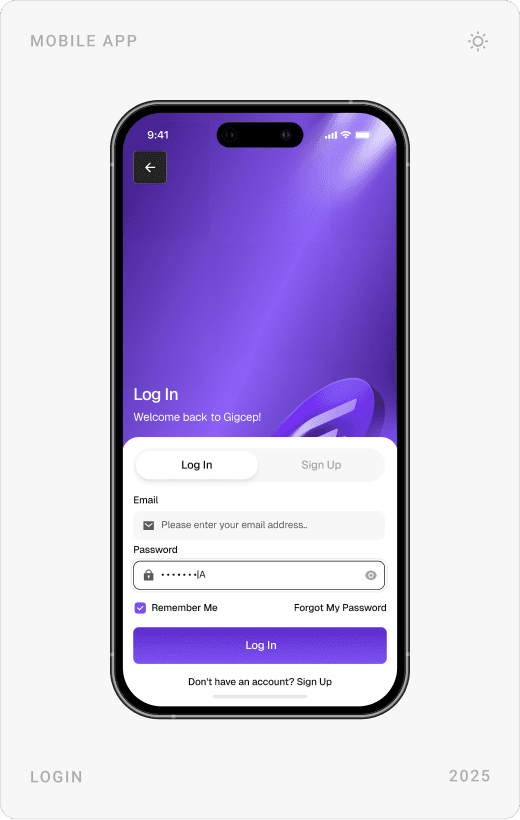
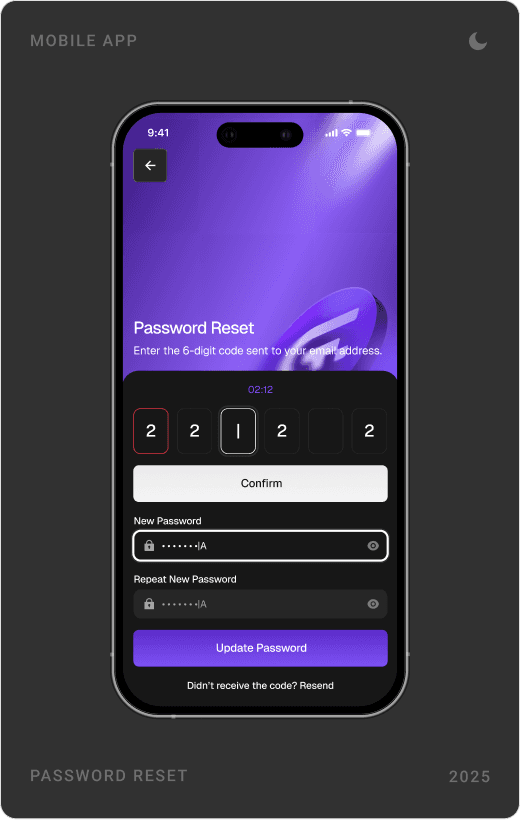
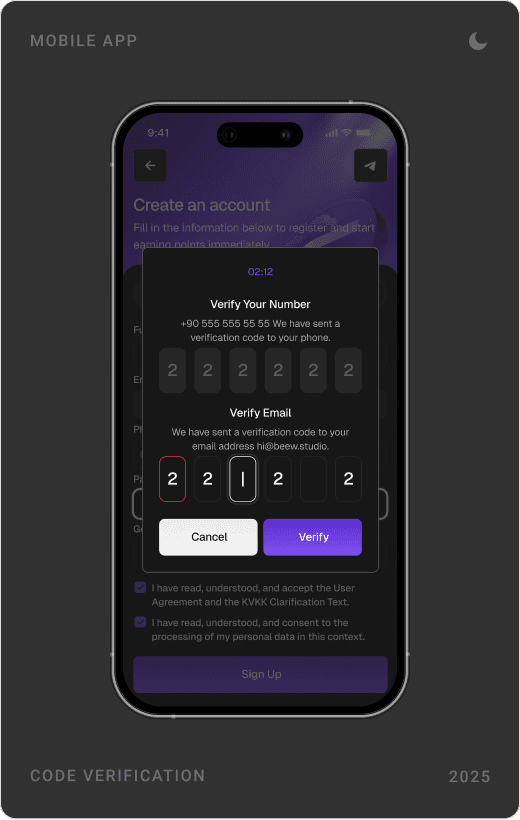
Three onboarding slides introduce a new way to earn, real gigs from real users and how to track earnings. Sign-up, log-in, password reset and code verification share one sheet-style layout, so the account flow feels short and familiar.



Home and gigs
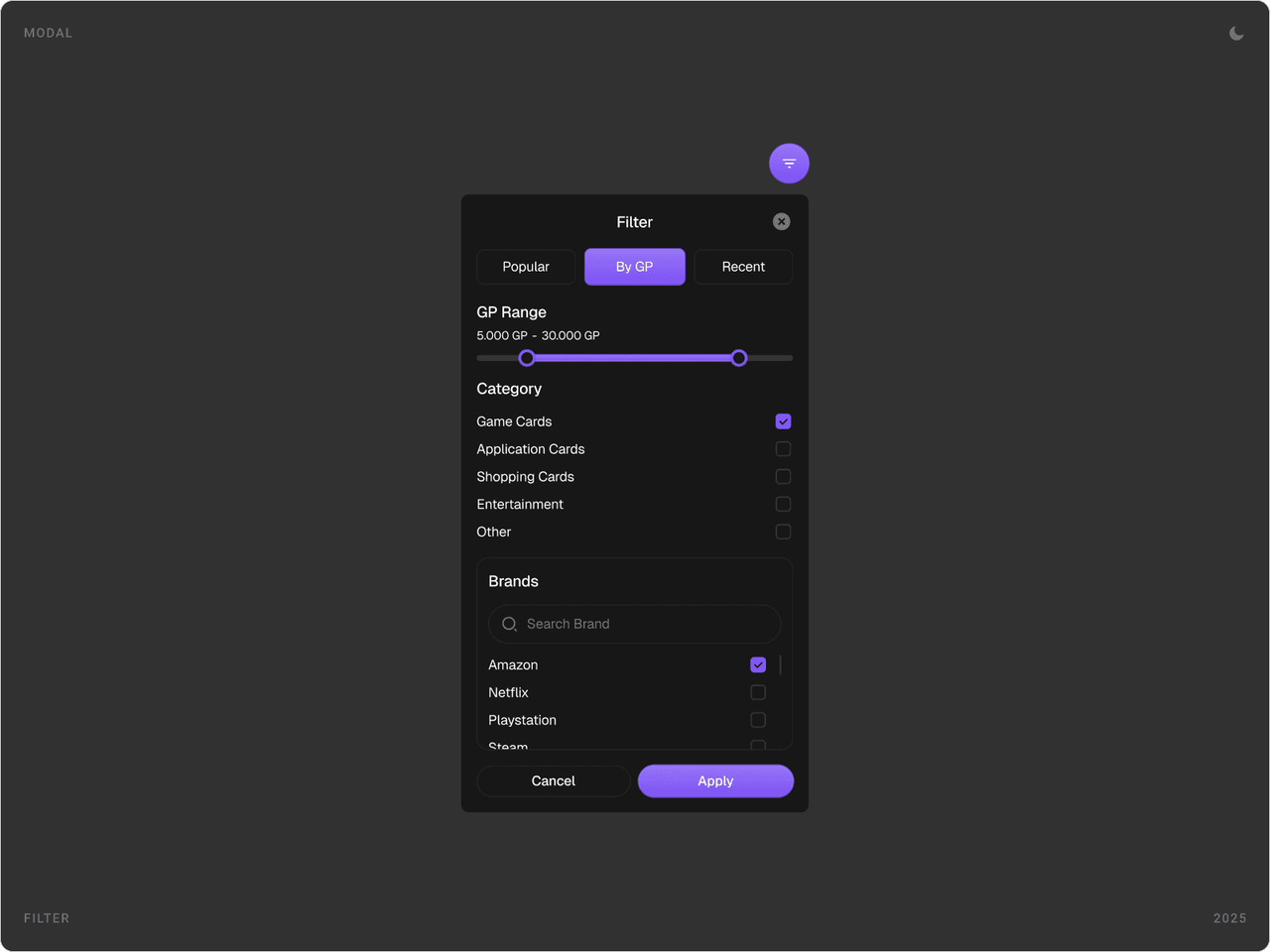
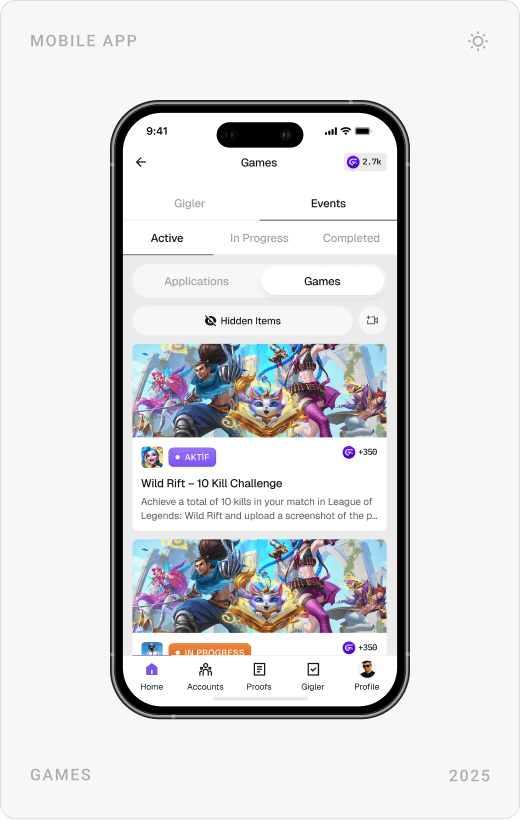
The home screen shows the Gig Point balance with a Claim Reward button, then tiles for trends, surveys, bonuses and events, and live gig streams by platform. Gig lists can be filtered by points, category and brand, and each gig opens a detail page with clear instructions and an evidence upload area.

Bonuses, surveys and rewards
The bonuses screen collects every extra way to earn: a 7-day login series, a same-day marathon, a friend invitation bonus and a raffle with a wheel of fortune. Short surveys show their length and reward up front, and every win lands on a congratulations screen.



Linked accounts and support
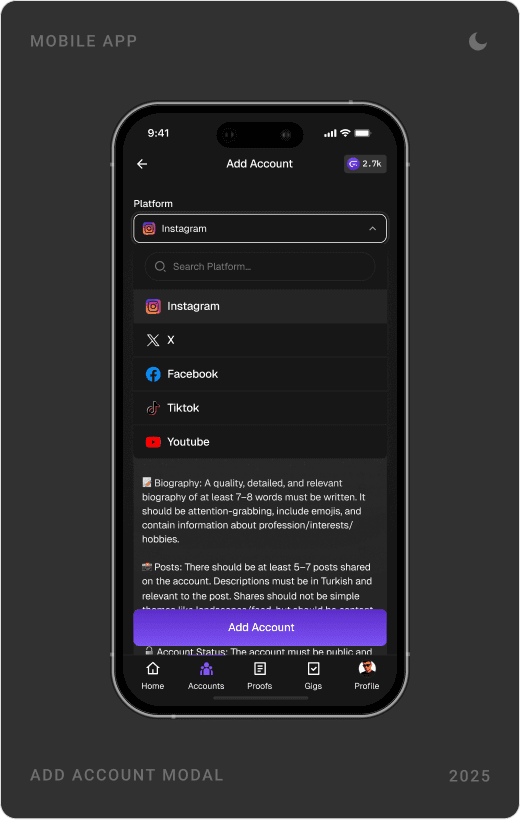
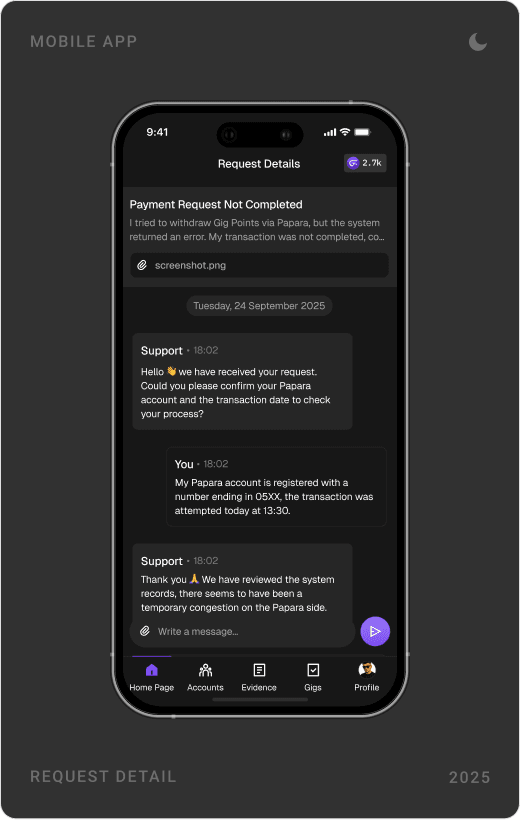
Many gigs happen on social platforms, so users link their Instagram, X, Facebook, TikTok and other accounts, each checked against visible rules. When something goes wrong, a support area lists requests by status and opens into a chat with the team. Modals handle invitations, gift card redemptions, hiding and reporting gigs.



Results
- One landing page designed for clarity, trust and downloads, for desktop and mobile.
- One main screen and about 30 mobile sub-screens covering the full product experience.
- A more engaging, reward-forward interface designed to support retention and repeat use.
- A full brand refresh: logo, tone of voice, colour scale and brand guidelines.
Gigcep runs at gigcep.com with the three-step story and download banner, and its Android app is live on Google Play. [1] [2]
Key takeaways
- In a rewards product, the balance is the interface: never hide it.
- Small daily goals build habits better than one big reward.
- Clear rules before the task mean fewer rejections and more trust.
- A brand only works if the app, site, store and social all speak the same way.
FAQ
What is Gigcep?
Gigcep is a Turkish rewards platform, run by GİGDATA Bilgi Teknolojileri, where users complete simple tasks (gigs) to collect points and win gifts. It is available as an Android app and on the web, and rewards can be transferred to a Papara account.
What did you design for Gigcep?
The brand (logo, app icon, tone of voice, colour palette and guidelines), the landing page for desktop and mobile, and the mobile app: one main screen and about 30 sub-screens covering onboarding, sign-up, gigs, evidence upload, bonuses, surveys, linked accounts and support.
How long did the project take?
About three months in 2025, covering research, the brand, the landing page and the full mobile app design.
How do you design a rewards app that keeps users coming back?
Keep the balance visible on every screen, give people small daily reasons to return (login streaks, daily challenges, a wheel or raffle), celebrate each reward, and make task rules and proof requirements clear before people start, so fewer submissions are rejected and the system feels fair.
Can you design a mobile app and brand for my company?
Yes. I work with consumer, AI, SaaS, fintech and Web3 teams on mobile apps, websites, brands and design systems. Book a call or send a message from the contact page.
Sources
Have a product to design?
I help teams turn complex products into websites and interfaces people understand in seconds. Tell me about yours.