Stock X · Case study · 4 min read
Stock X: a mobile trading app design for stocks, forex and crypto investors
Stock X is a mobile trading app for investors in Turkey, covering BIST stocks, forex, crypto and commodities in Turkish lira. I designed the app end to end, dashboard, charts, buy/sell execution, automatic orders, payments, trading bots and trader profiles, to turn complex trading mechanics into a clear, fast experience people can act on with confidence.
The client's brand is confidential under an NDA. “Stock X” is a portfolio label.
- Mobile App Design
- User Experience Research
- Trading Flow Optimization
- Financial UX Architecture
- User Interface Design
- Design System
At a glance
Challenge
Dense, real-time trading data was overwhelming the interface, and risk-sensitive Buy/Sell actions needed to be both fast and unmistakable.
Solution
A clear hierarchy for balance and profit/loss, a confirm-first buy/sell flow with stop loss and take profit, and a dark-first system ready for new modules.
Outcome
A structured, high-clarity trading app with a trust-driven financial identity, designed in 10–12 weeks.
Deliverables
- Mobile app UI/UX
- Trading flow optimisation
- Financial UX architecture
- Interactive chart components
- Design system, dark & light
- Bots, traders & affiliate
Overview
Stock X is a mobile trading app built around performance, precision and real-time control. It brings BIST stocks, forex pairs, crypto and commodities such as gold together in one place, priced in Turkish lira, and adds automatic orders, trading bots and trader profiles for more advanced users.
Through my studio, Beew, I designed the app in 10–12 weeks in 2024: UX research, financial information architecture, trading flow optimisation, the UI and a design system in dark and light themes. My role was to translate complex trading mechanics into a structured mobile experience that reduces cognitive load without removing professional depth.
The challenge
Trading on a phone means making money decisions on a small screen, often while prices move. Every extra number competes for attention, and every unclear button is a risk.
- Complex trading data was overwhelming the interface.
- Portfolio and balance information had no clear hierarchy.
- Risk-sensitive Buy/Sell actions needed clarity and precision.
- Orders had to execute fast, without friction.
- The visual design had to earn trust and credibility.
- The structure had to scale for future trading features.
Goals
- Design a clean, performance-focused trading dashboard.
- Simplify buy/sell execution flows.
- Make portfolio and profit/loss easier to read.
- Create an intuitive chart interaction experience.
- Establish a strong dark-theme financial identity.
- Build a scalable UI structure for advanced trading modules.
Approach
1. The numbers that matter first
Every screen starts with the figure a trader checks first, total balance, profit/loss, available funds, in large type, with secondary data grouped in quiet cards below. Gains are green, losses red, and nothing else competes for those colours.
2. Make risky actions unmistakable
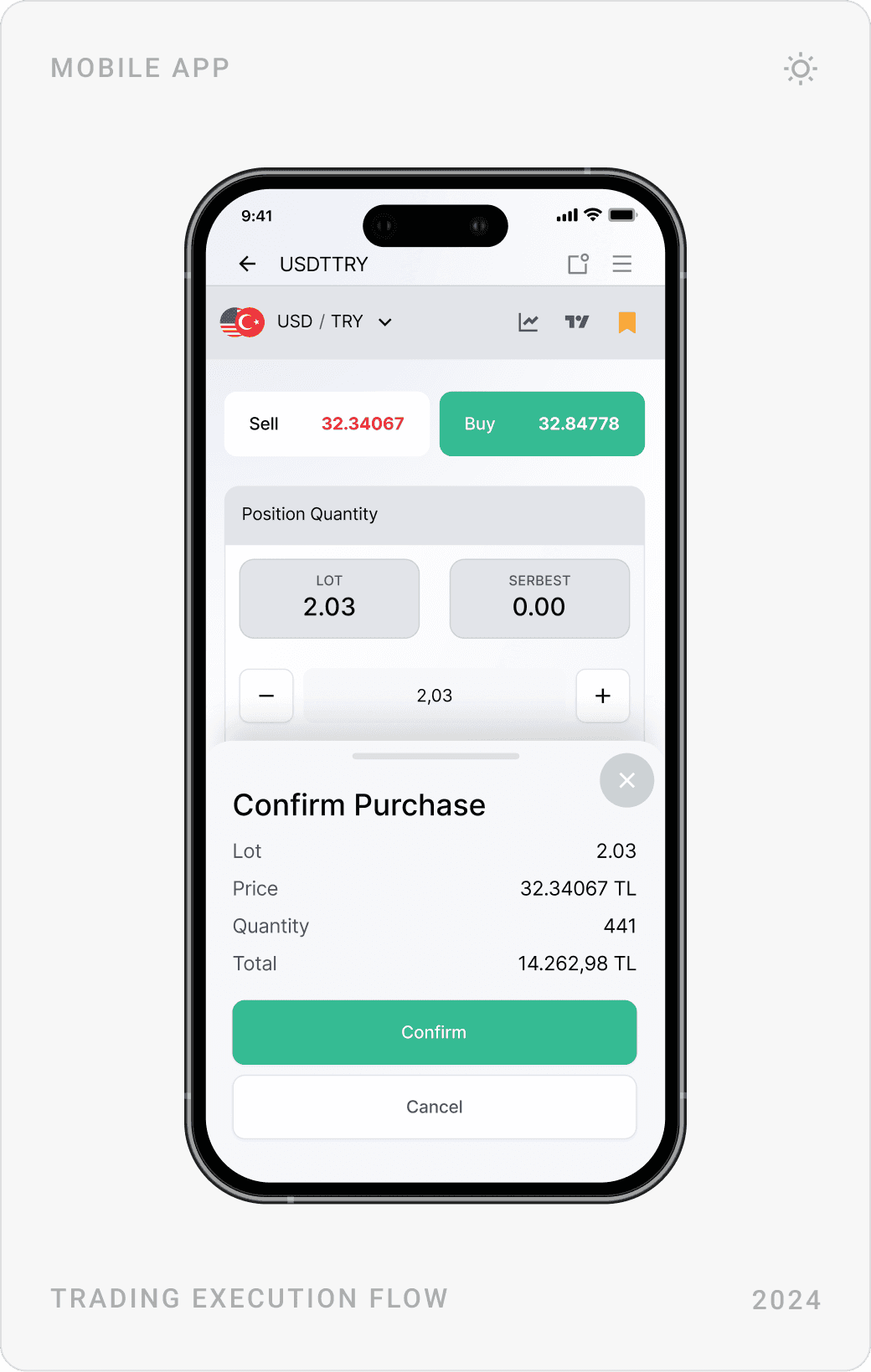
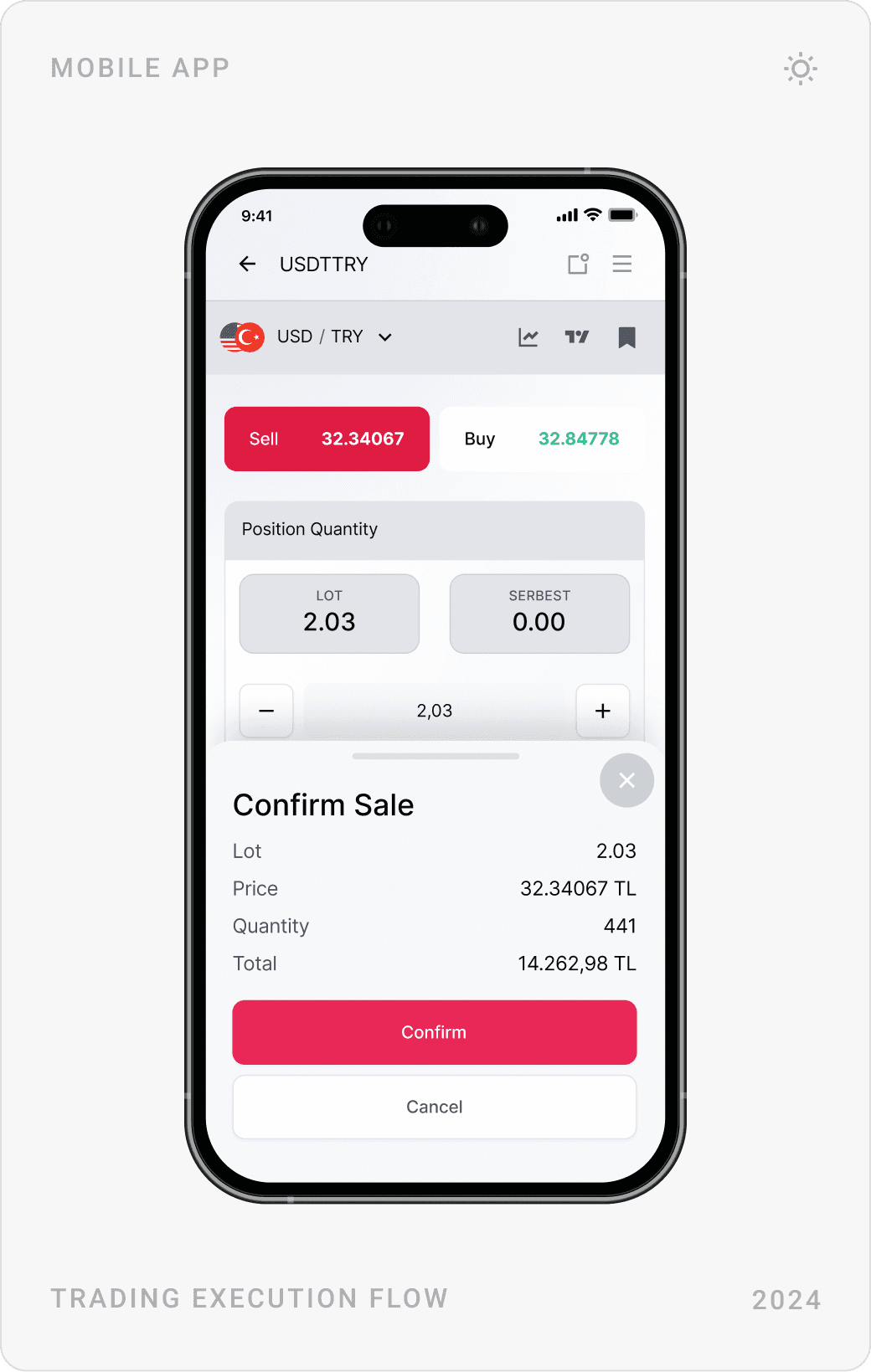
Sell and Buy sit side by side in red and green with live prices on the buttons. Before any order is placed, a confirmation sheet repeats lot, price, quantity and total, so the last tap is always an informed one.
3. Speed through direct controls
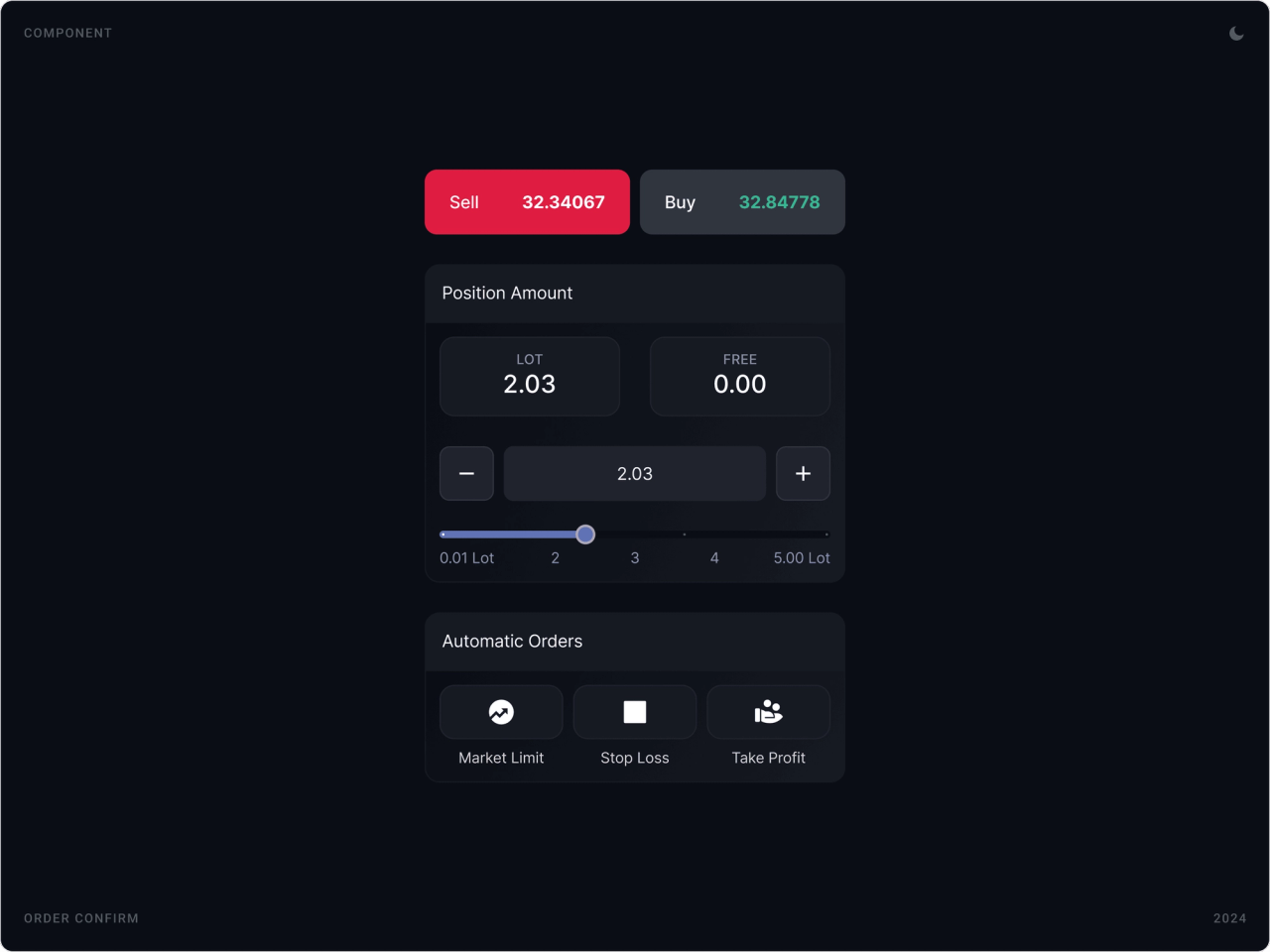
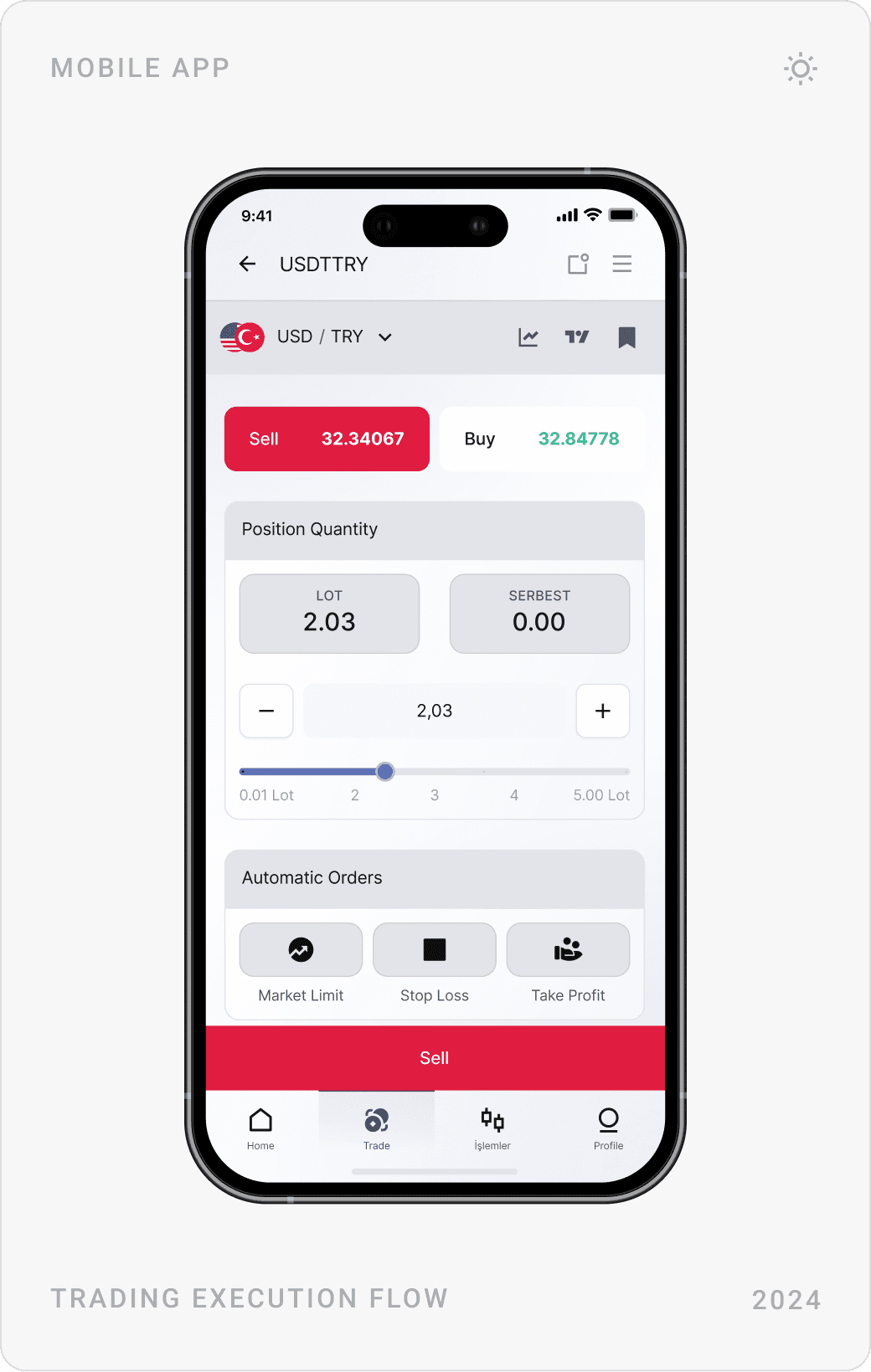
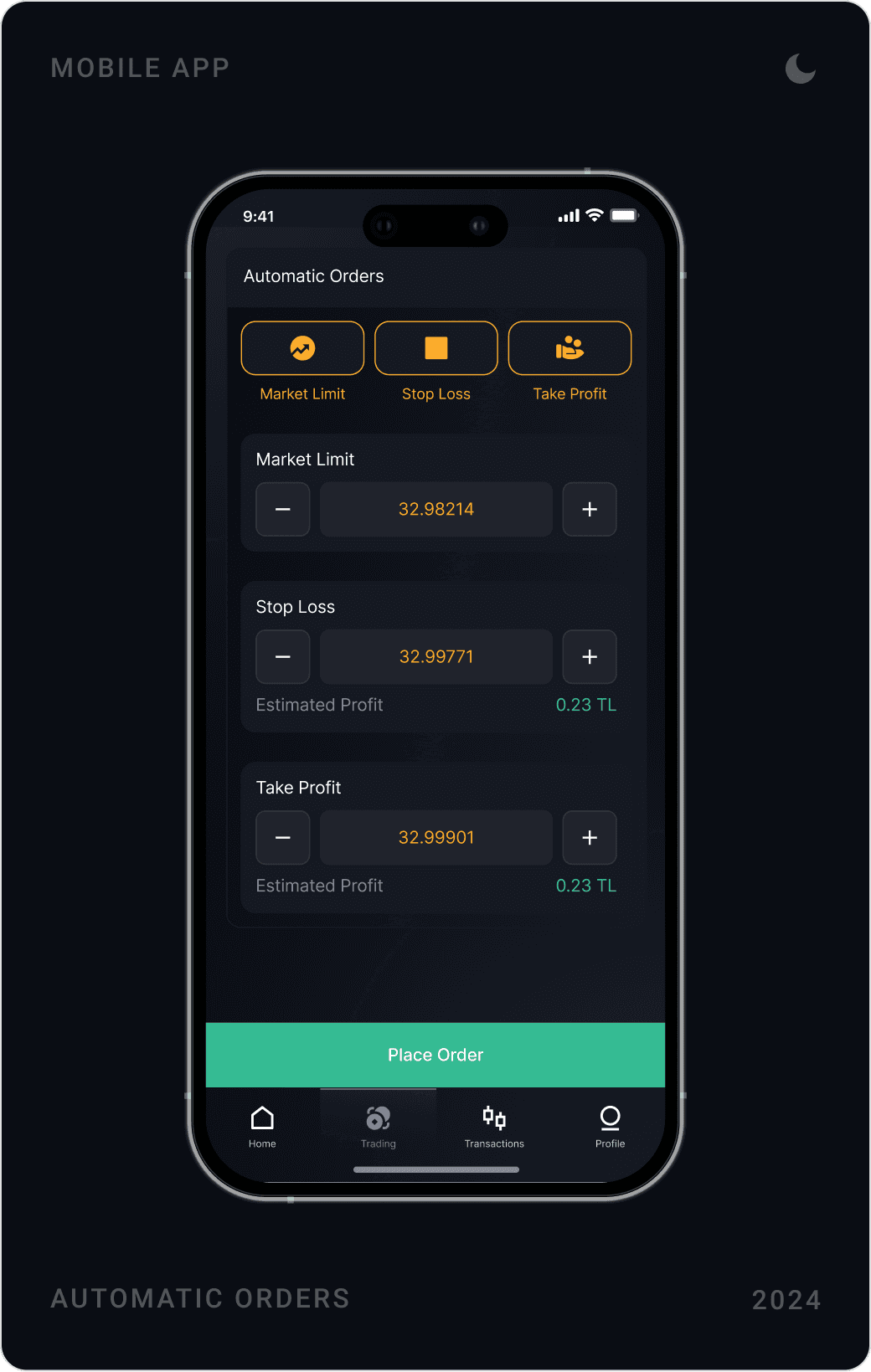
Position size is set with a stepper and a lot slider instead of typing, market tabs switch between BIST, forex and crypto in one tap, and stop loss and take profit live inside the order flow with an estimated profit beside each value.
4. Dark-first, built to grow
The app is designed dark-first for long sessions and a professional feel, with a matching light theme. Cards, sheets, tabs and navigation are shared components, so modules like trading bots, trader profiles and affiliate fit in without new patterns.
The solution
Dashboard, markets and charts
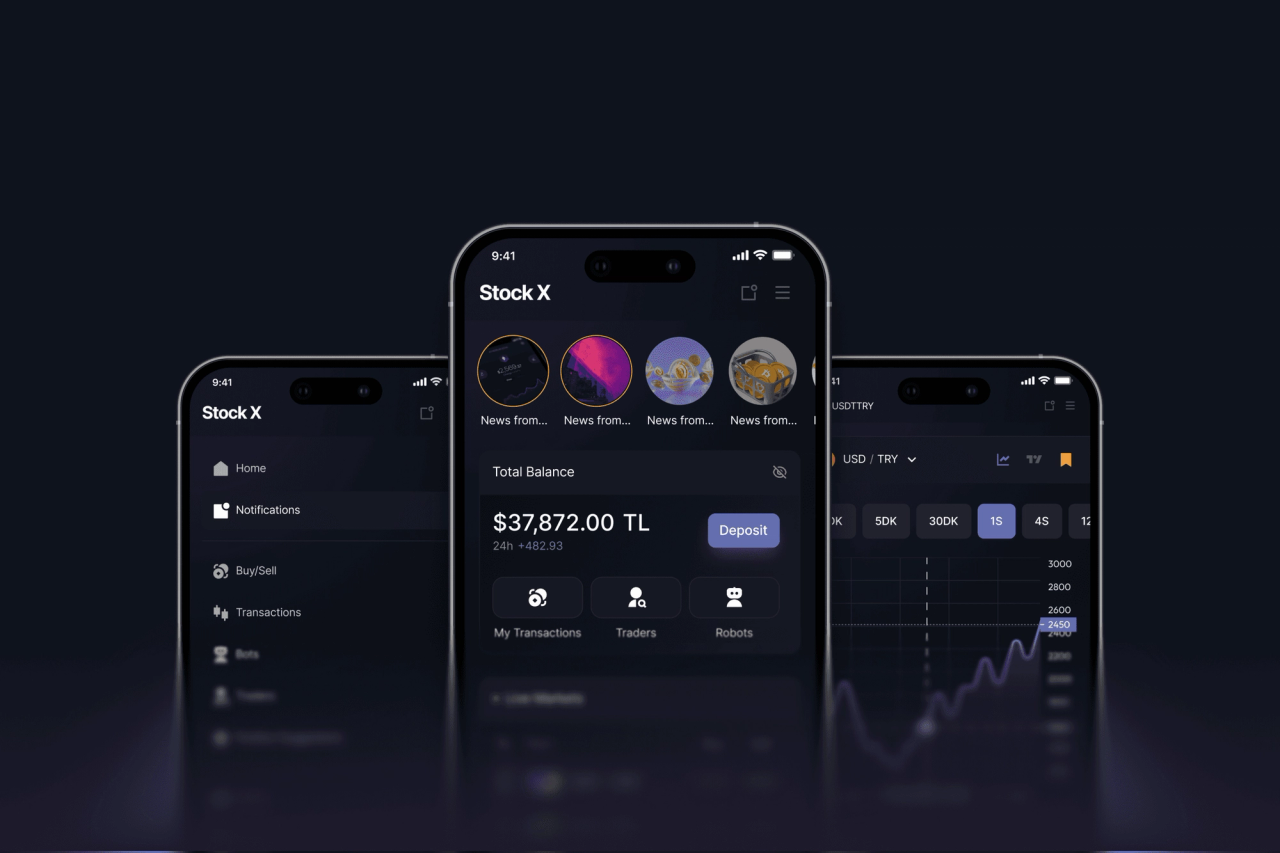
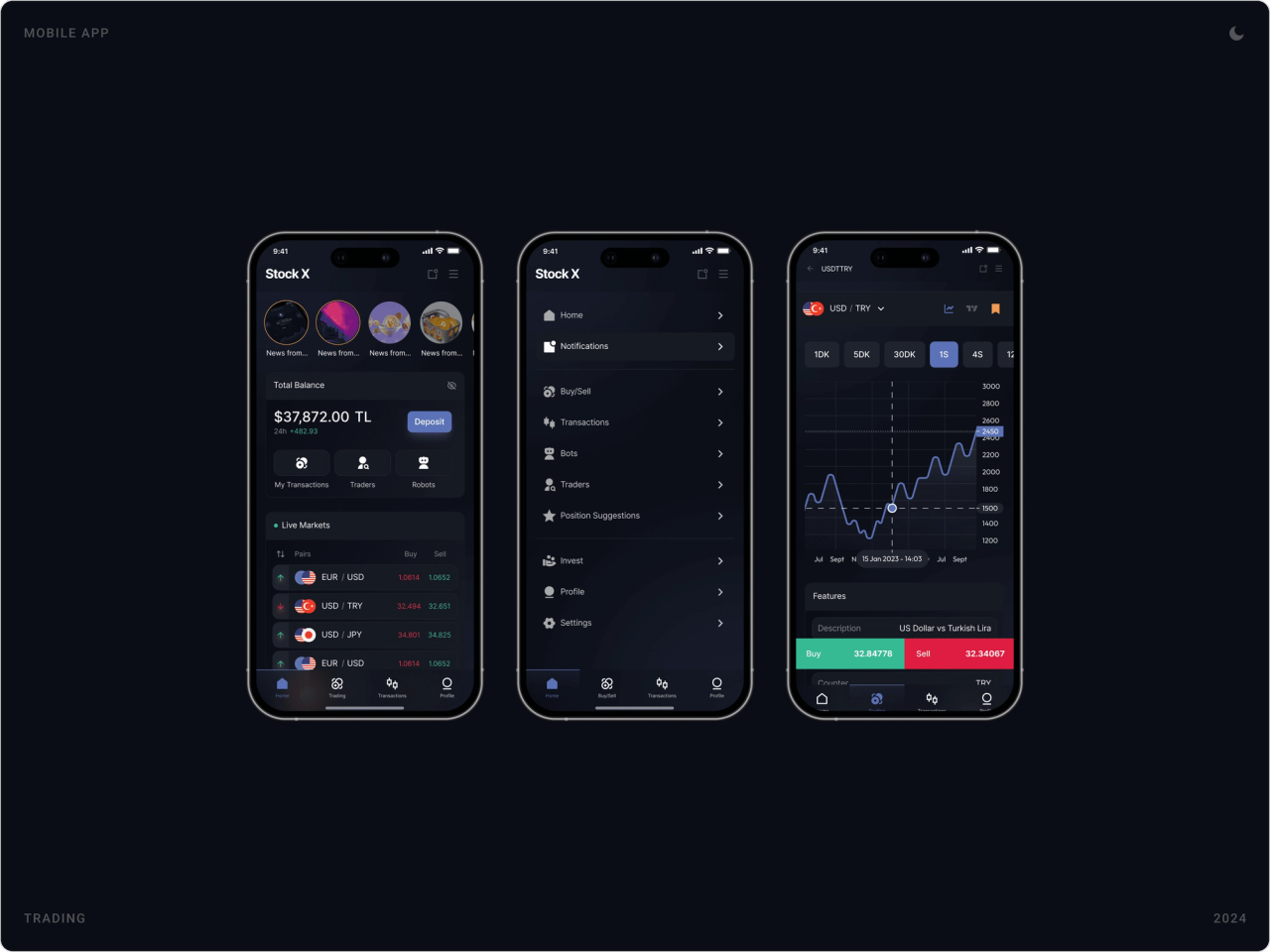
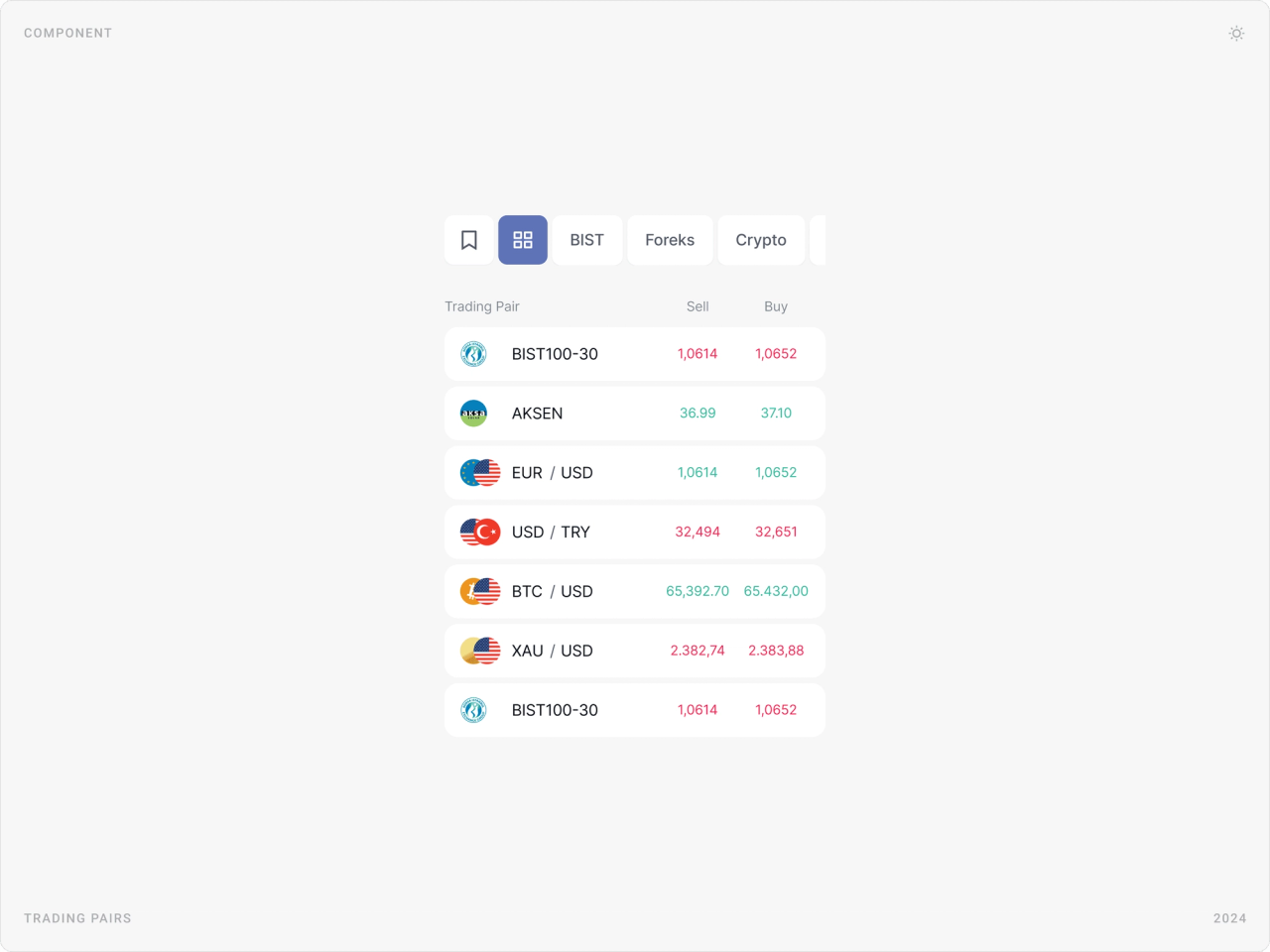
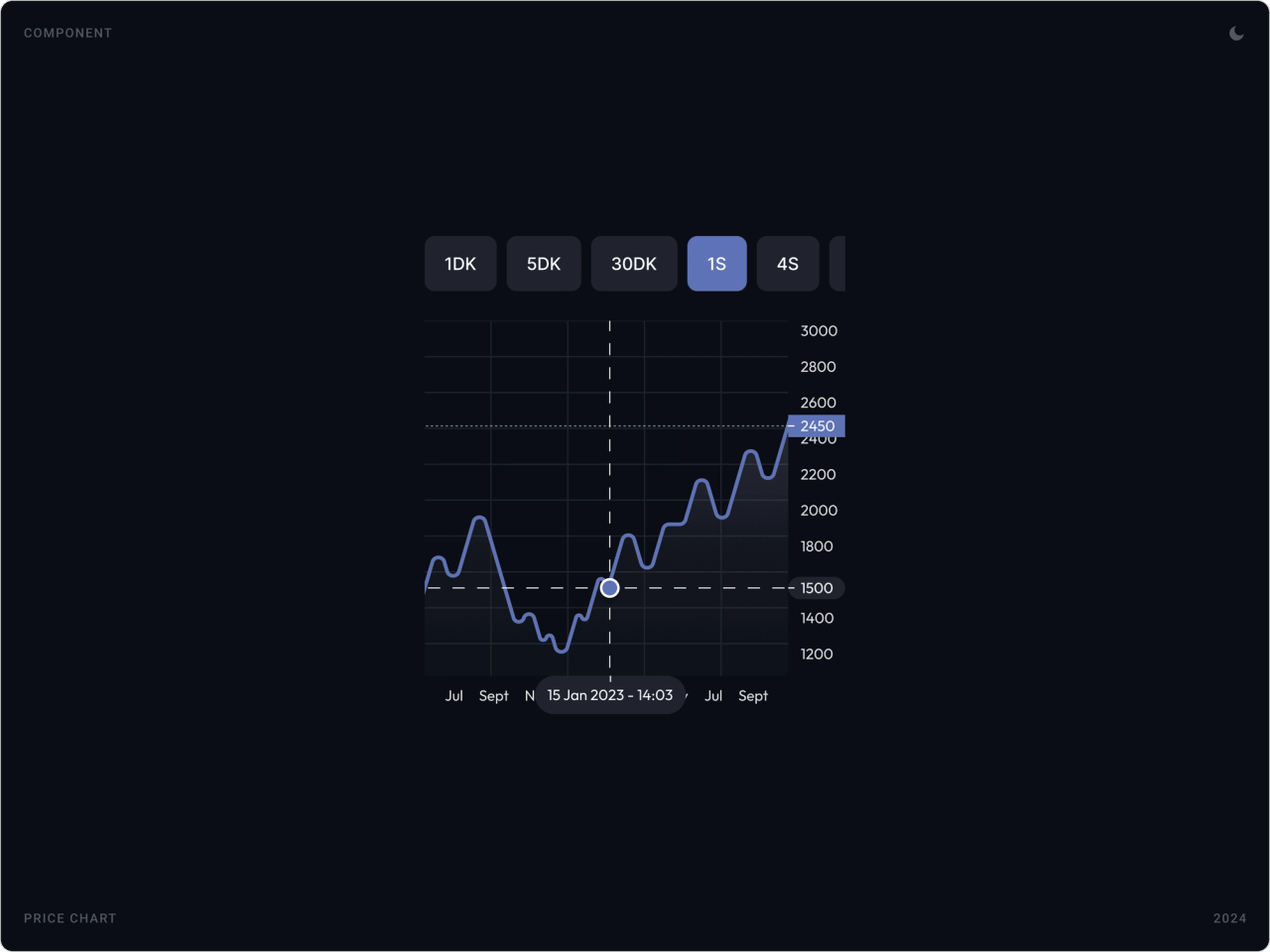
The home screen opens with total balance and a deposit button, quick links to transactions, traders and robots, and a live markets list. Trading pairs are grouped into BIST, forex and crypto tabs, and charts can be filtered by timeframe with a crosshair for exact prices.
Buy and sell execution
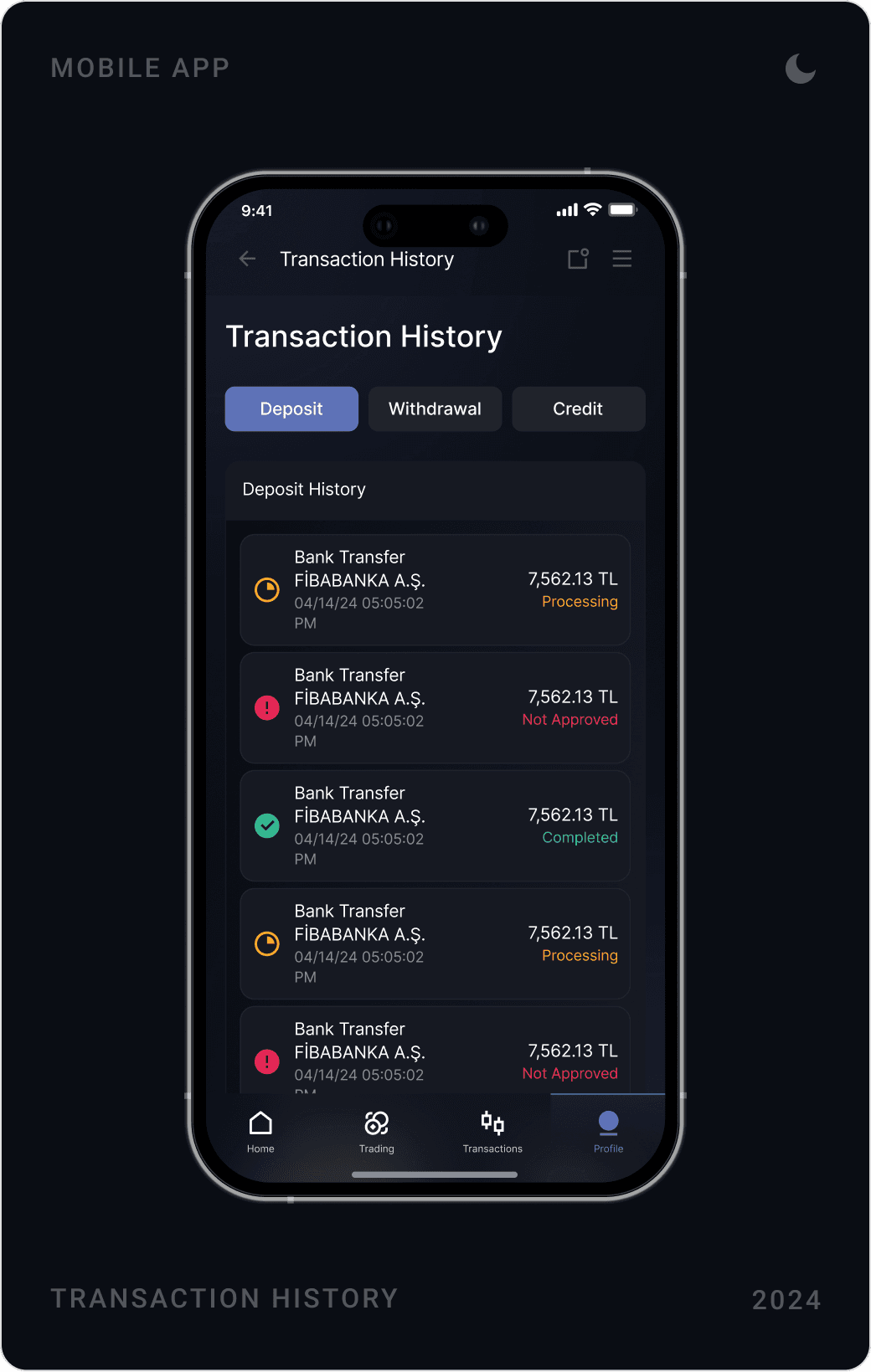
The order panel puts Sell and Buy with live prices on top, then position size in lots with a stepper and slider, then automatic orders: market limit, stop loss and take profit. A confirmation sheet summarises the trade before it is sent, and every completed transaction is kept in a clear history.
Portfolio, profile and affiliate
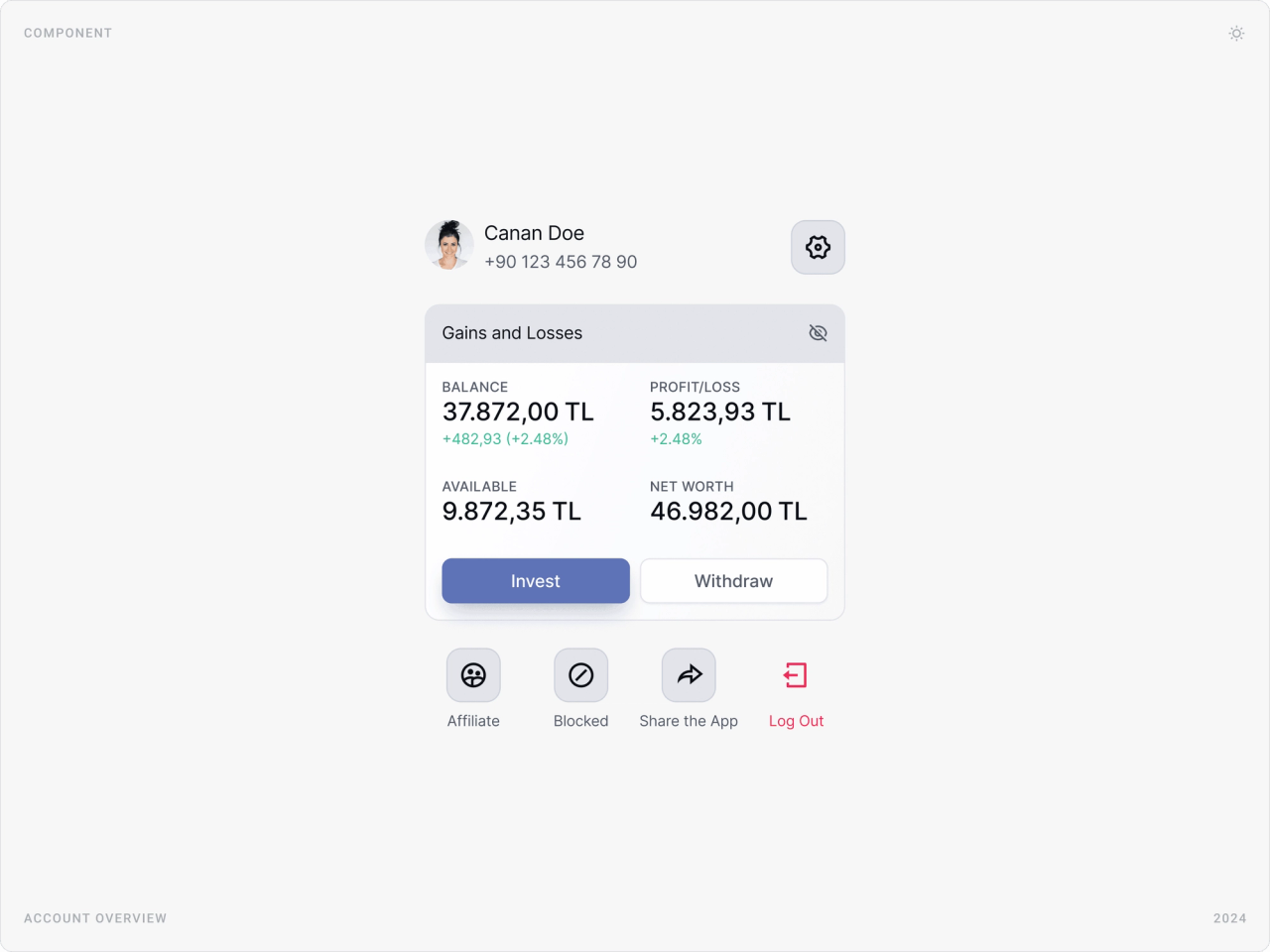
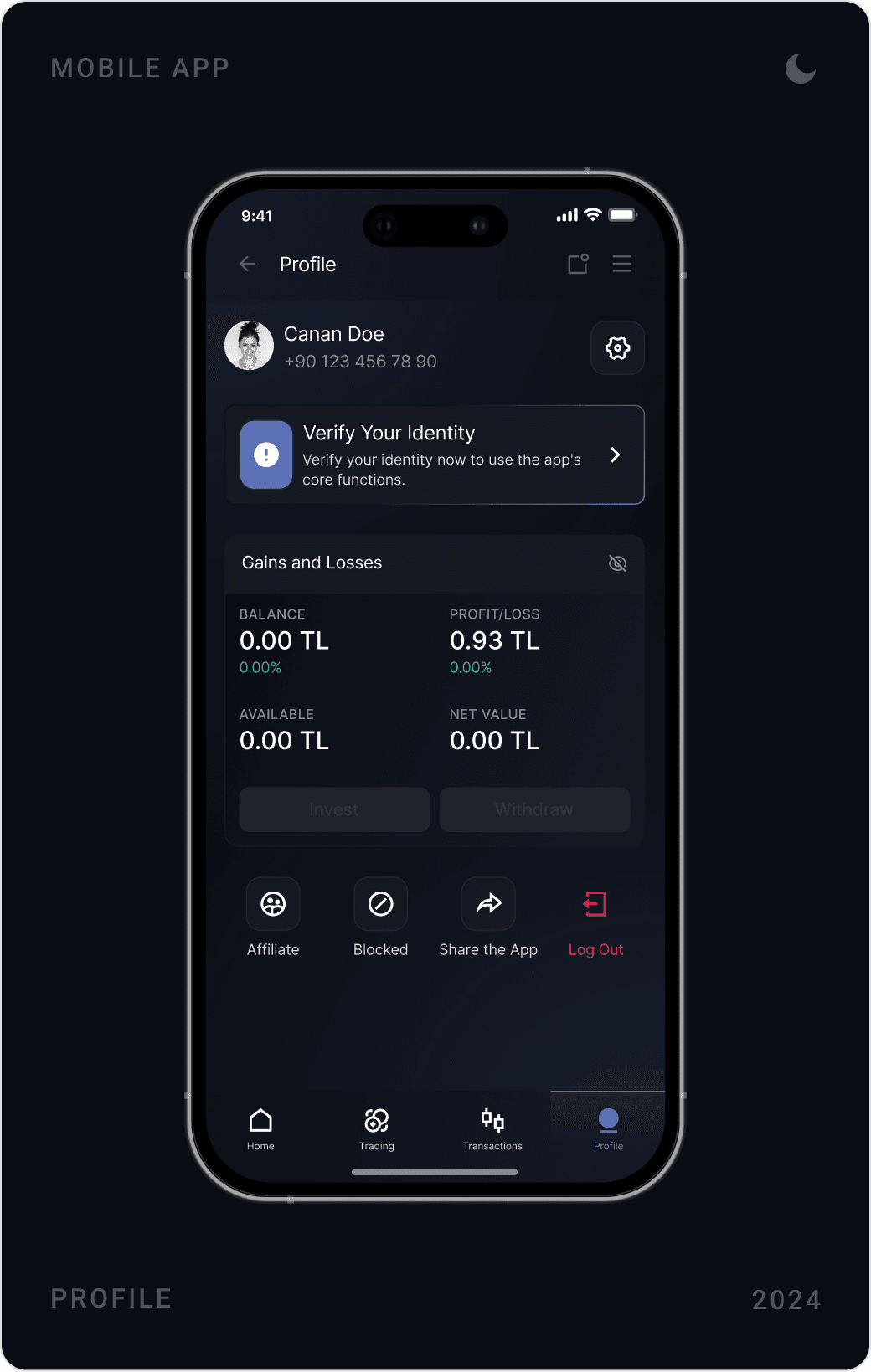
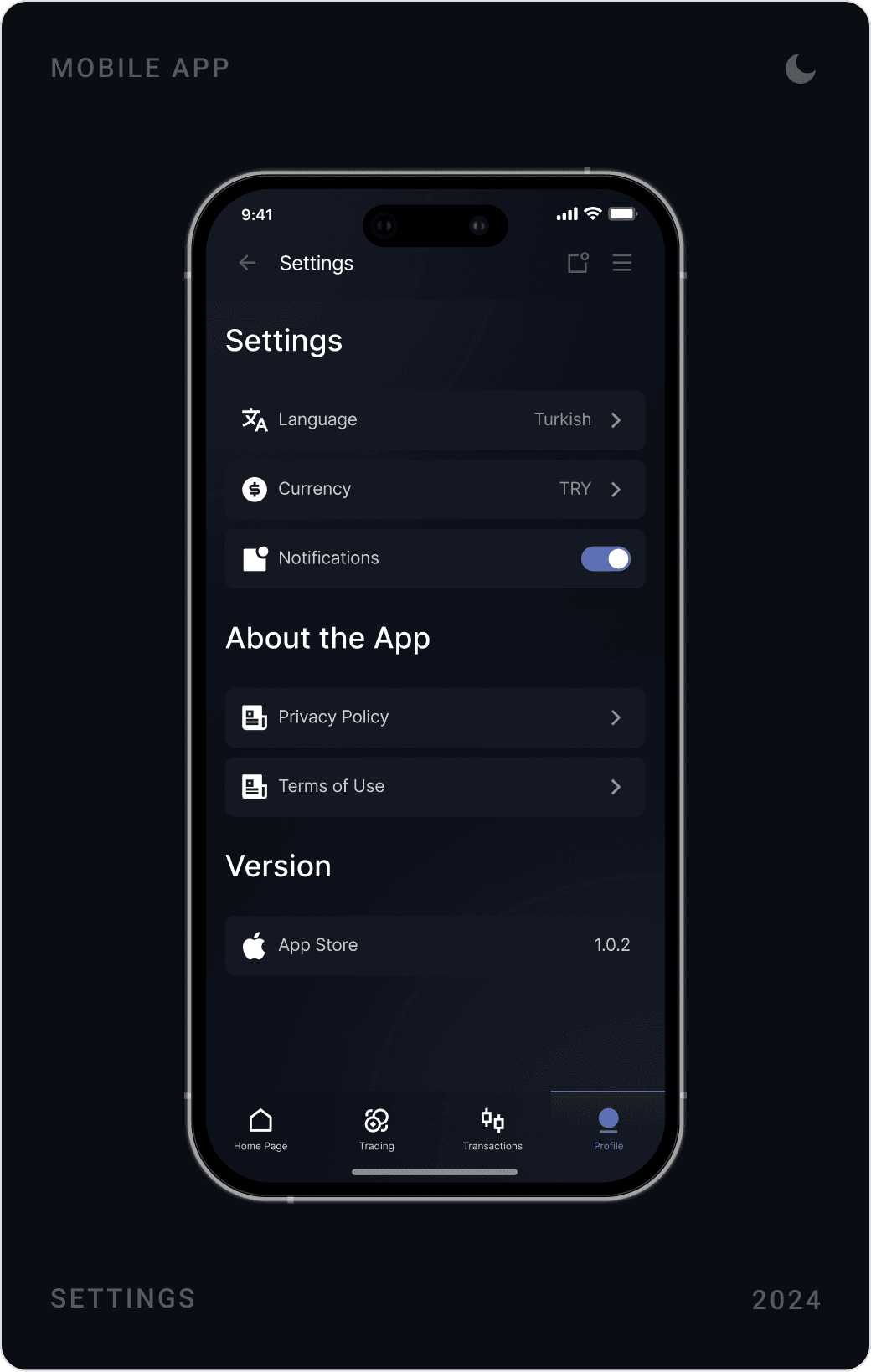
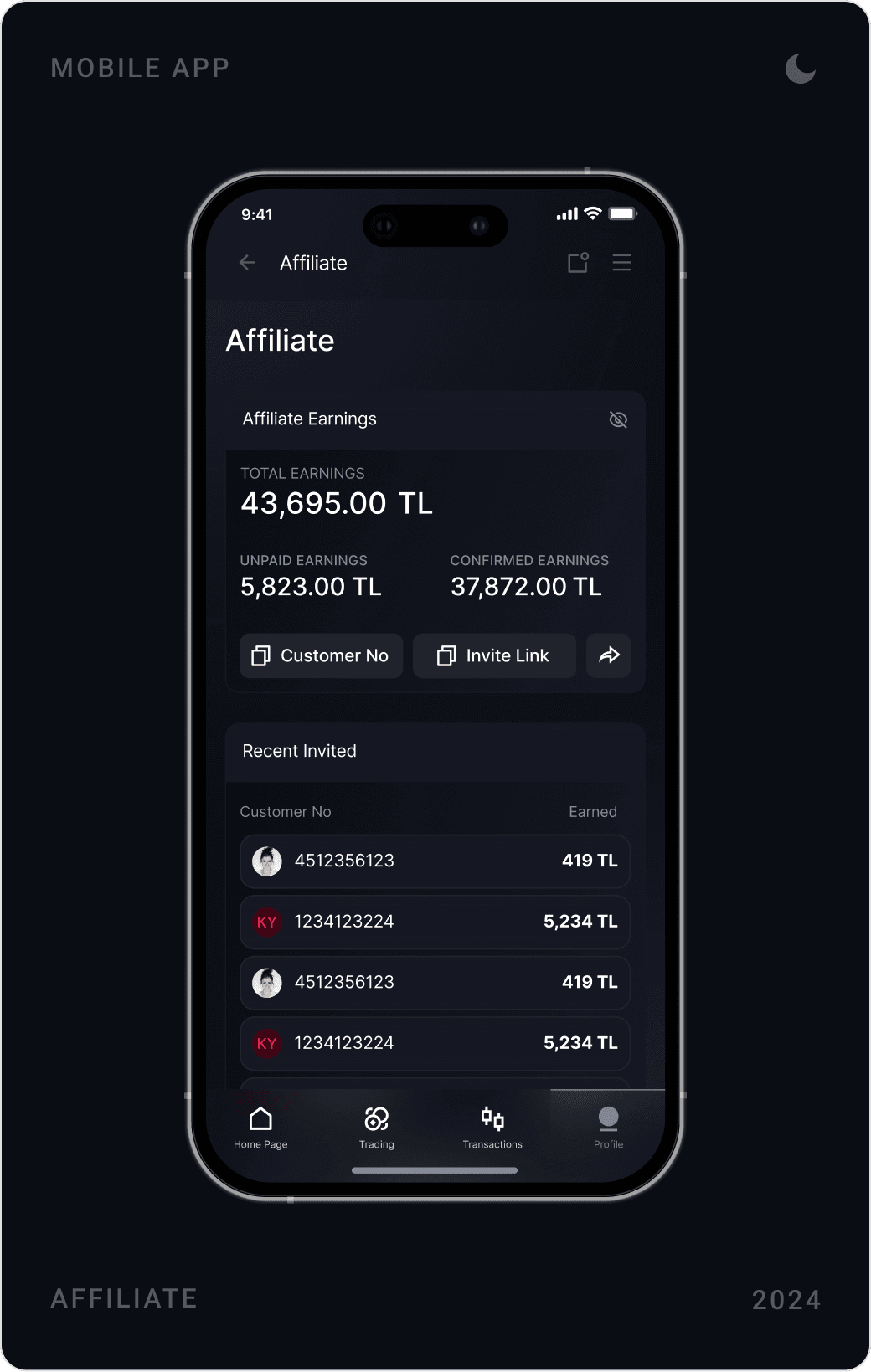
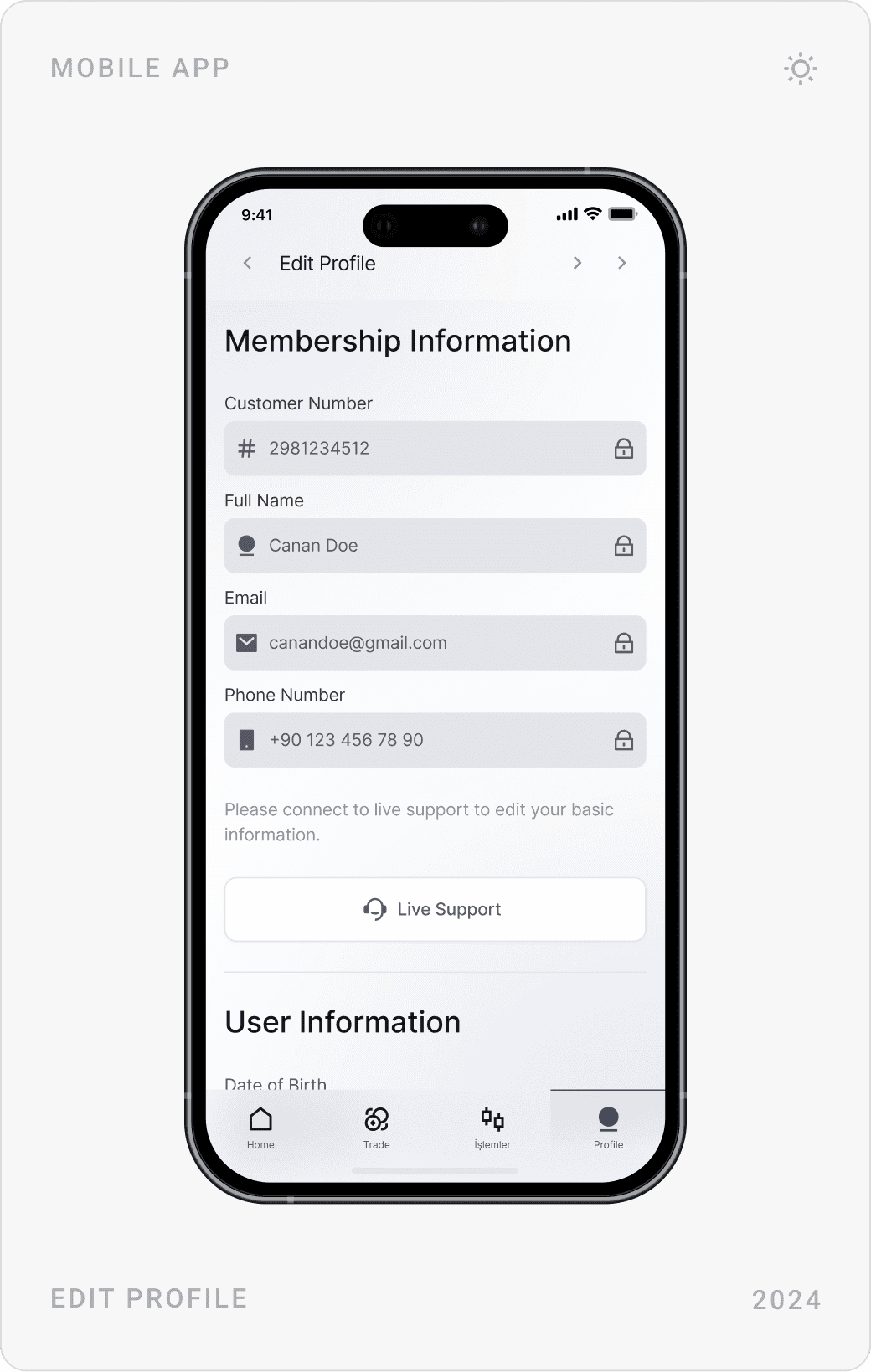
The account overview shows balance, profit/loss, available funds and net worth in one card, with a privacy toggle to hide the numbers. Profile, settings and the affiliate module, earnings, invite link and recently invited customers, follow the same card structure.
Sign-up and identity verification
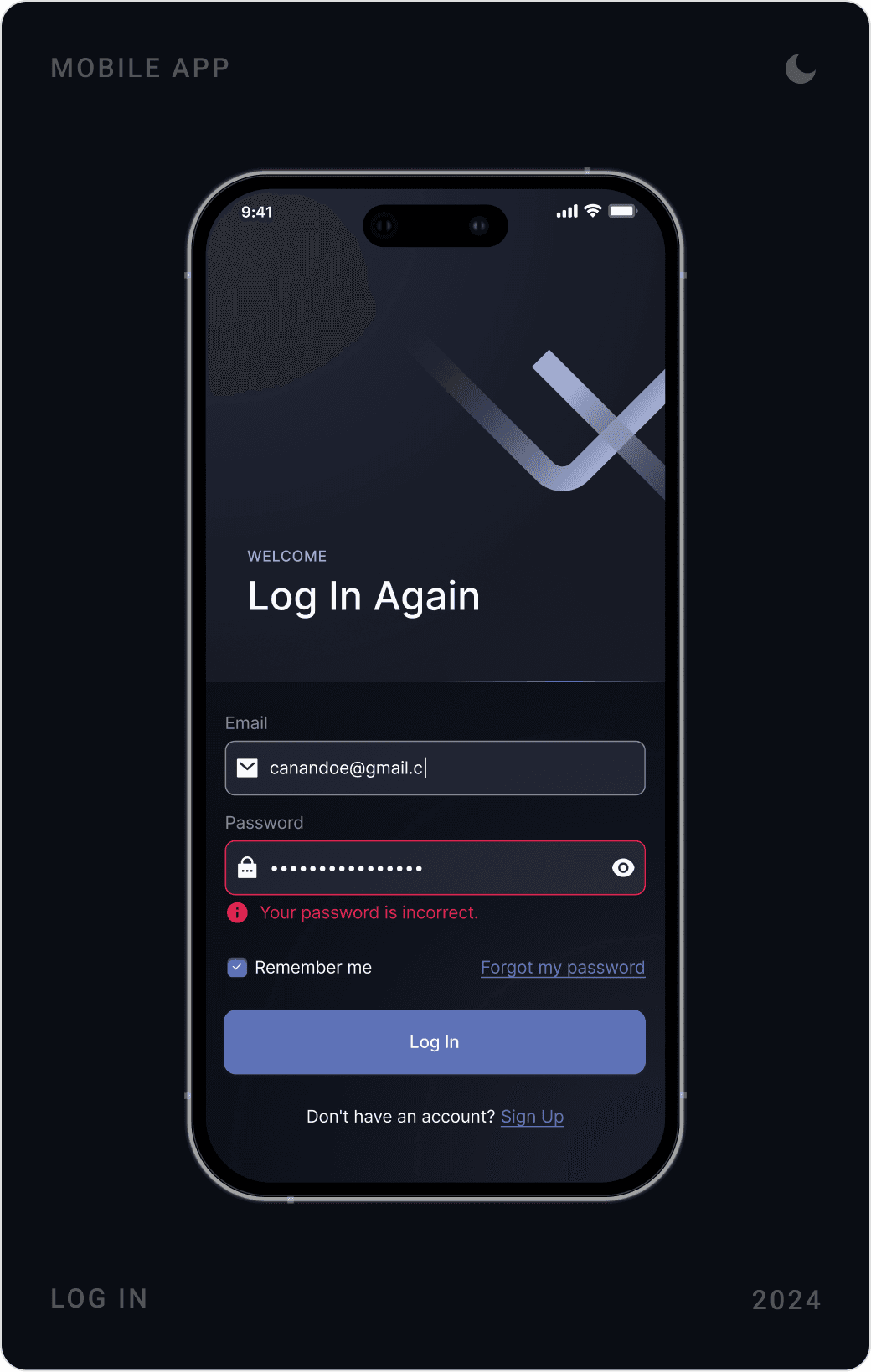
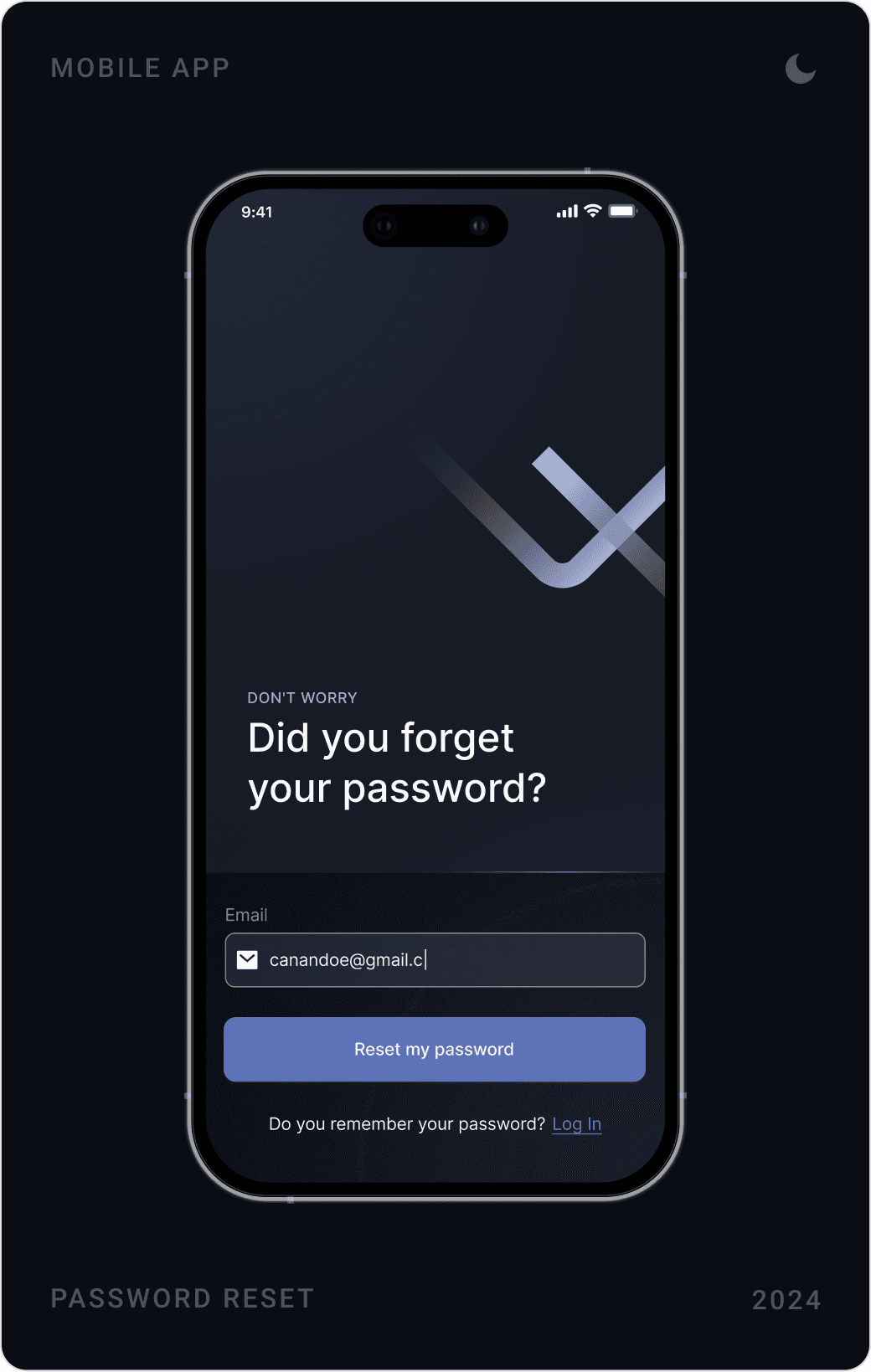
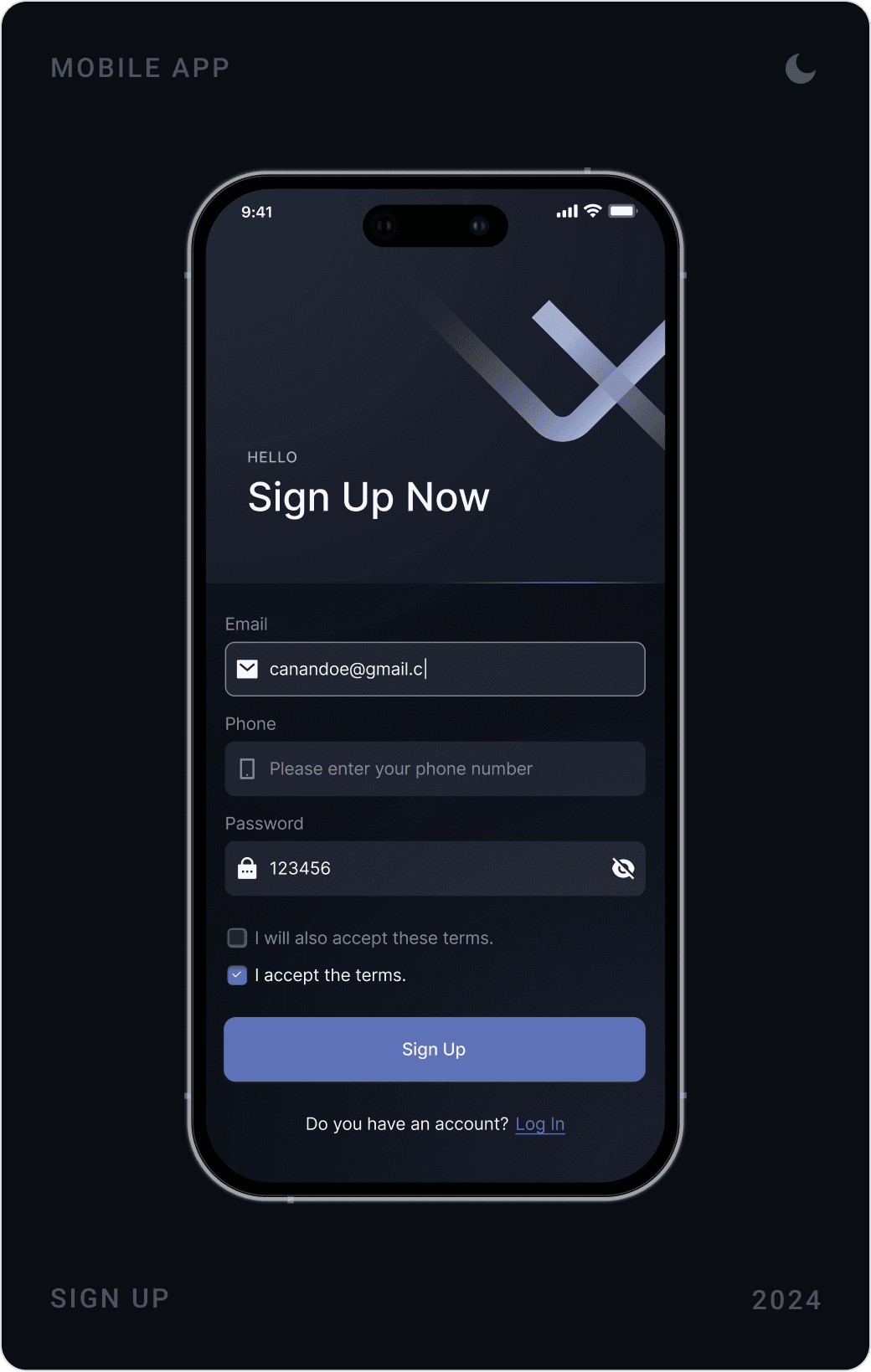
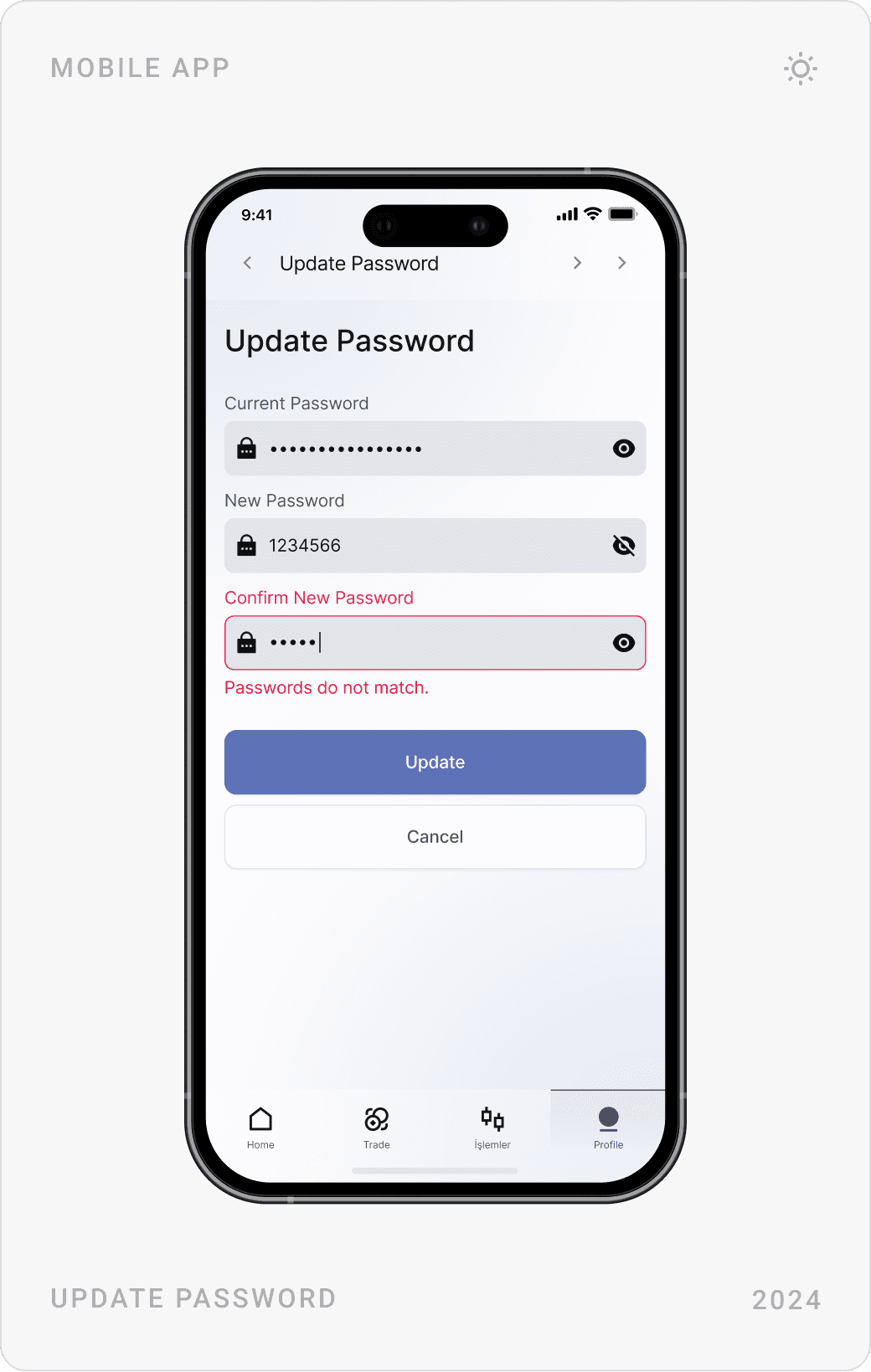
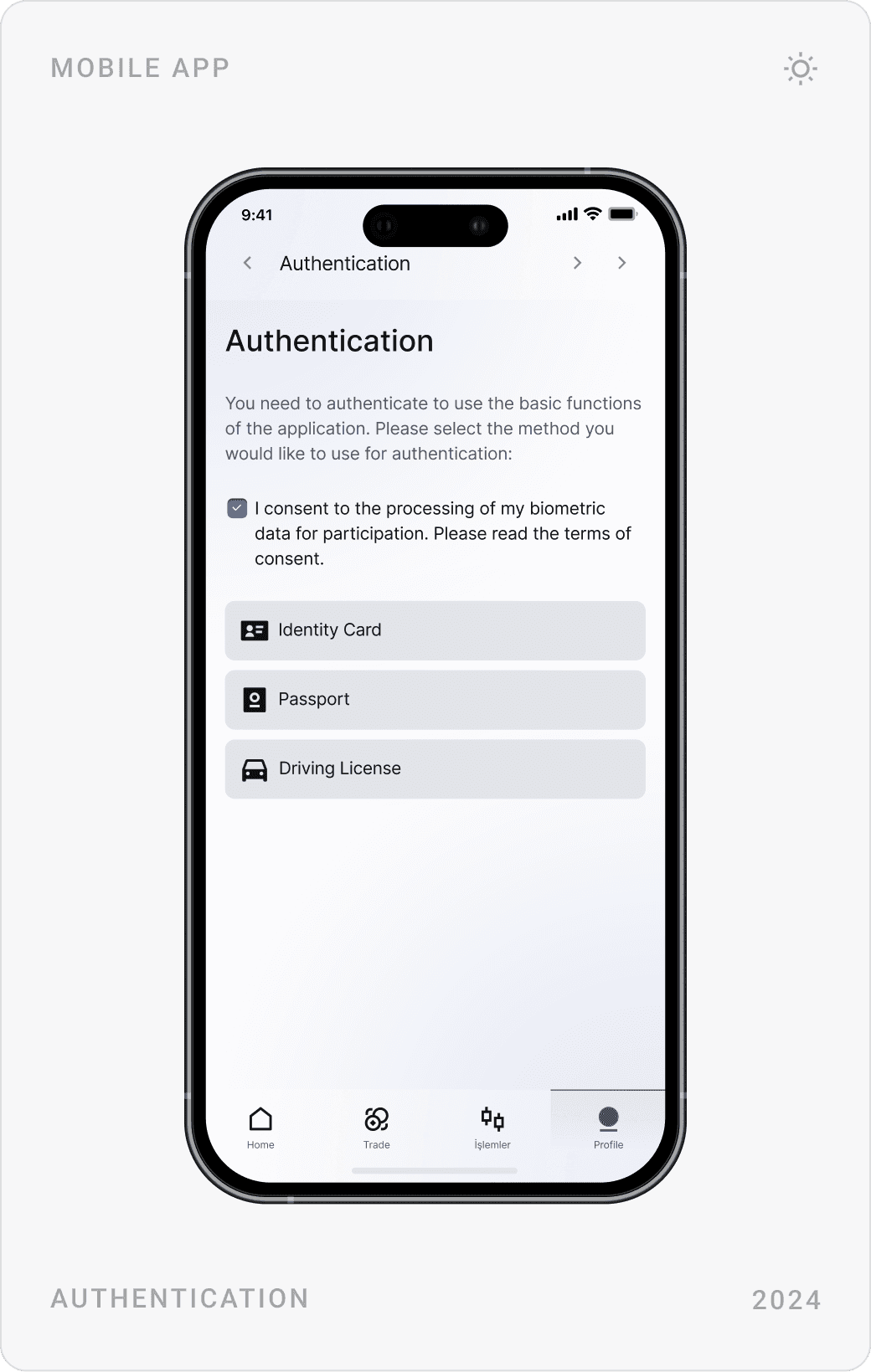
Log in, sign up and password reset are short, focused forms on a dark background marked by the Stock X “X”. Identity verification asks for consent first, then lets users choose an ID card, passport or driving licence.
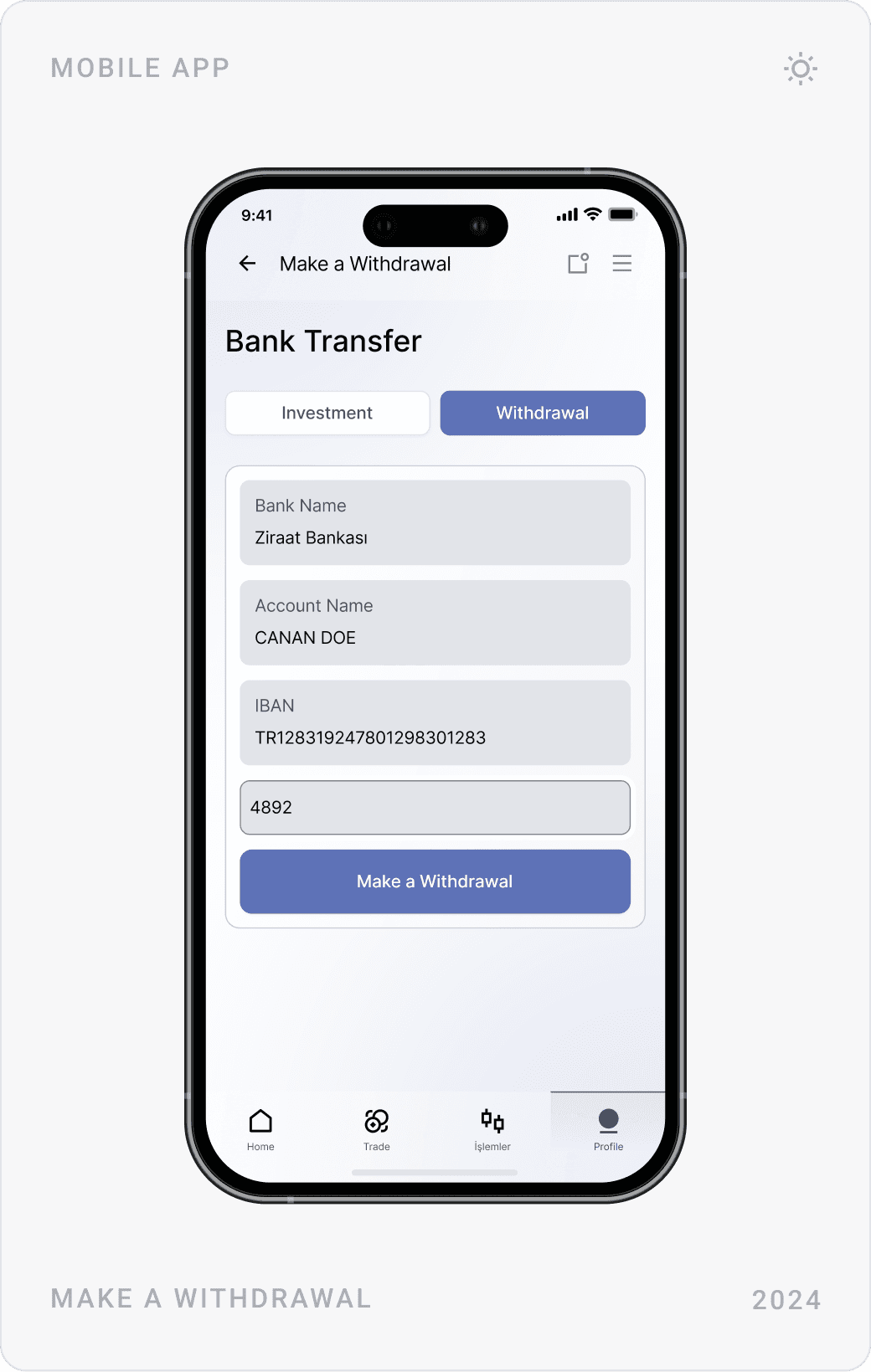
Deposits and withdrawals
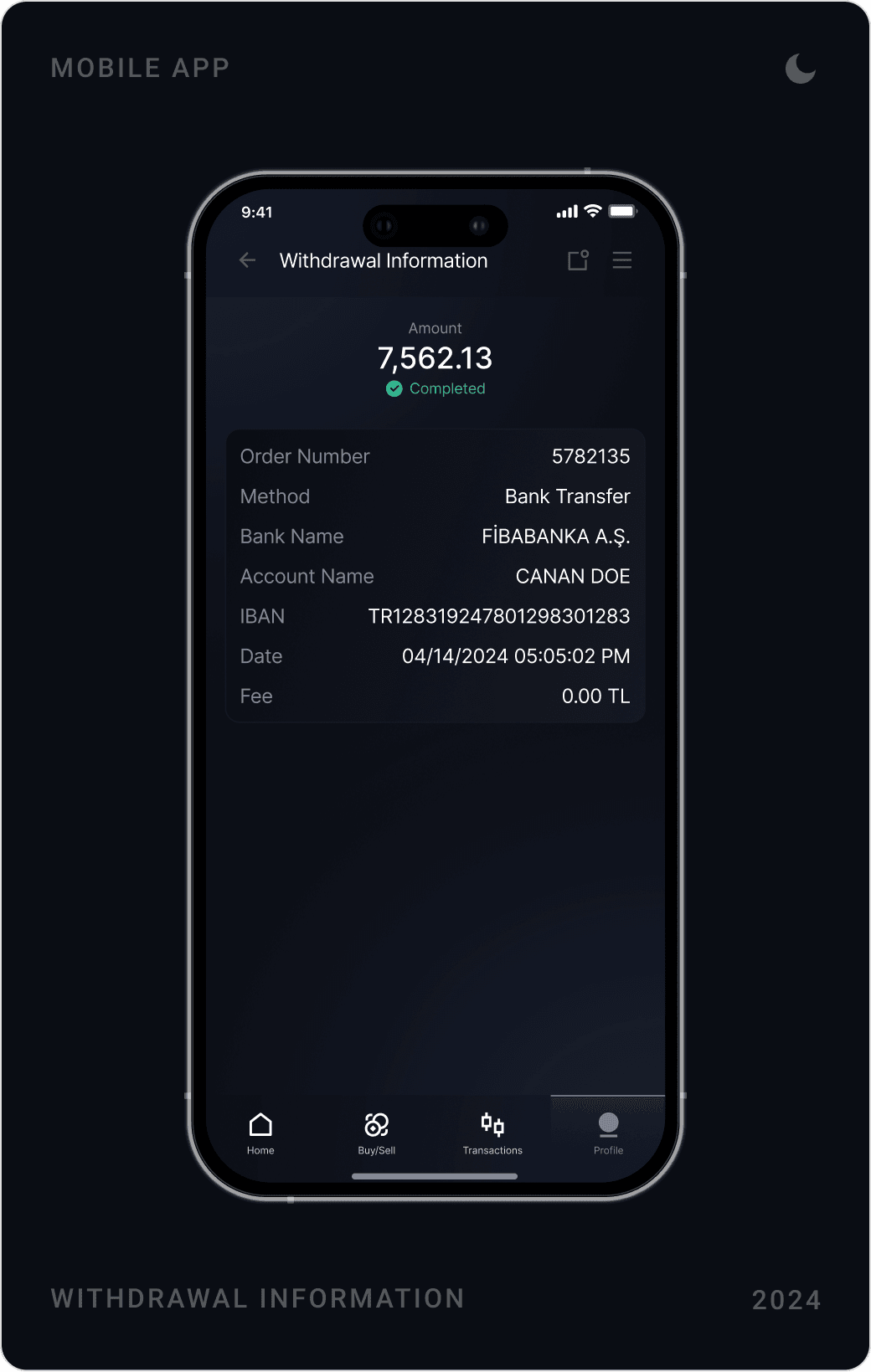
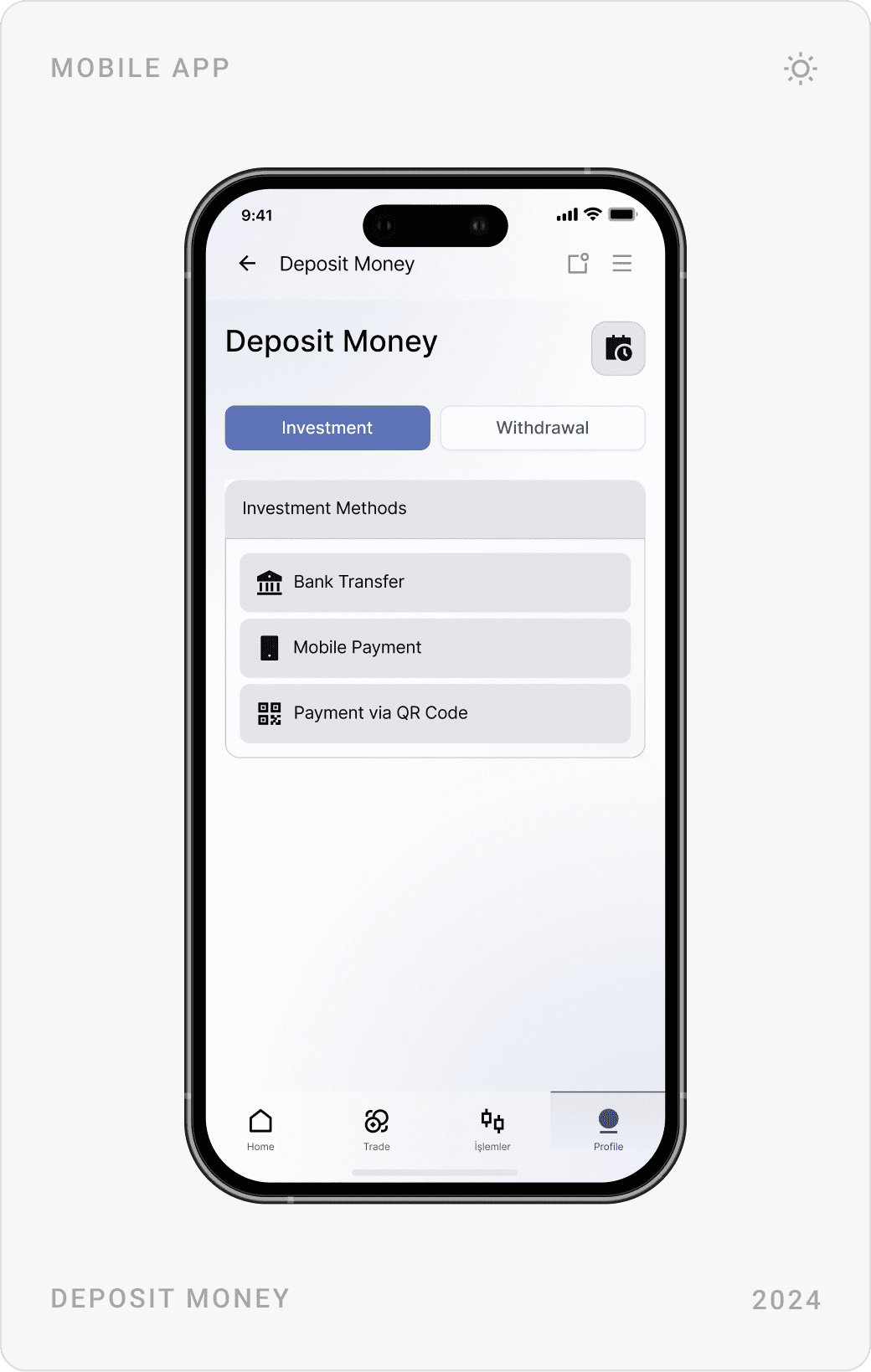
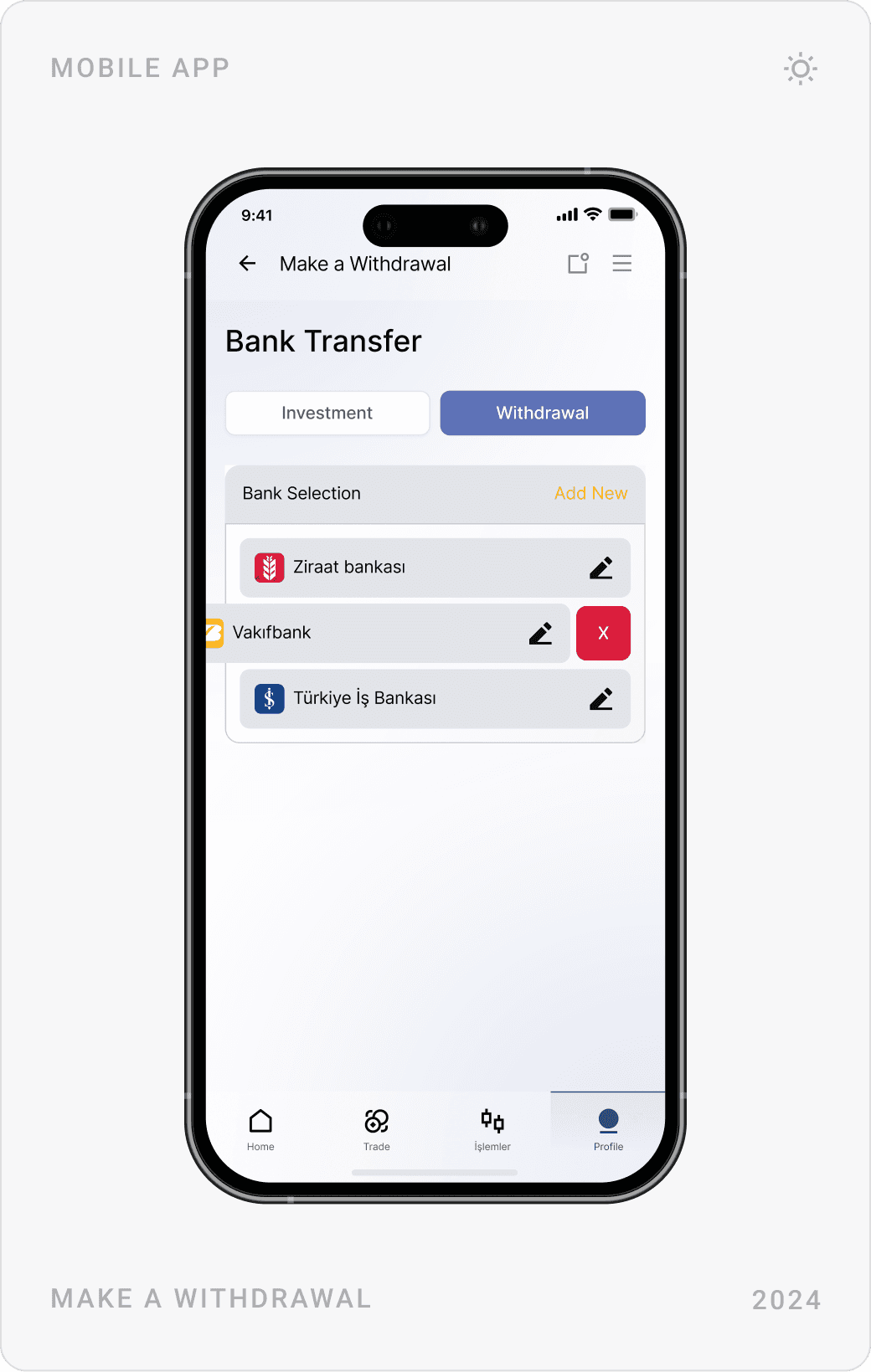
Moving money uses the same tabs for deposit and withdrawal. Users pick a method, choose or add a saved bank account and confirm, and each withdrawal gets a receipt-style detail screen with status, bank, IBAN, date and fee.
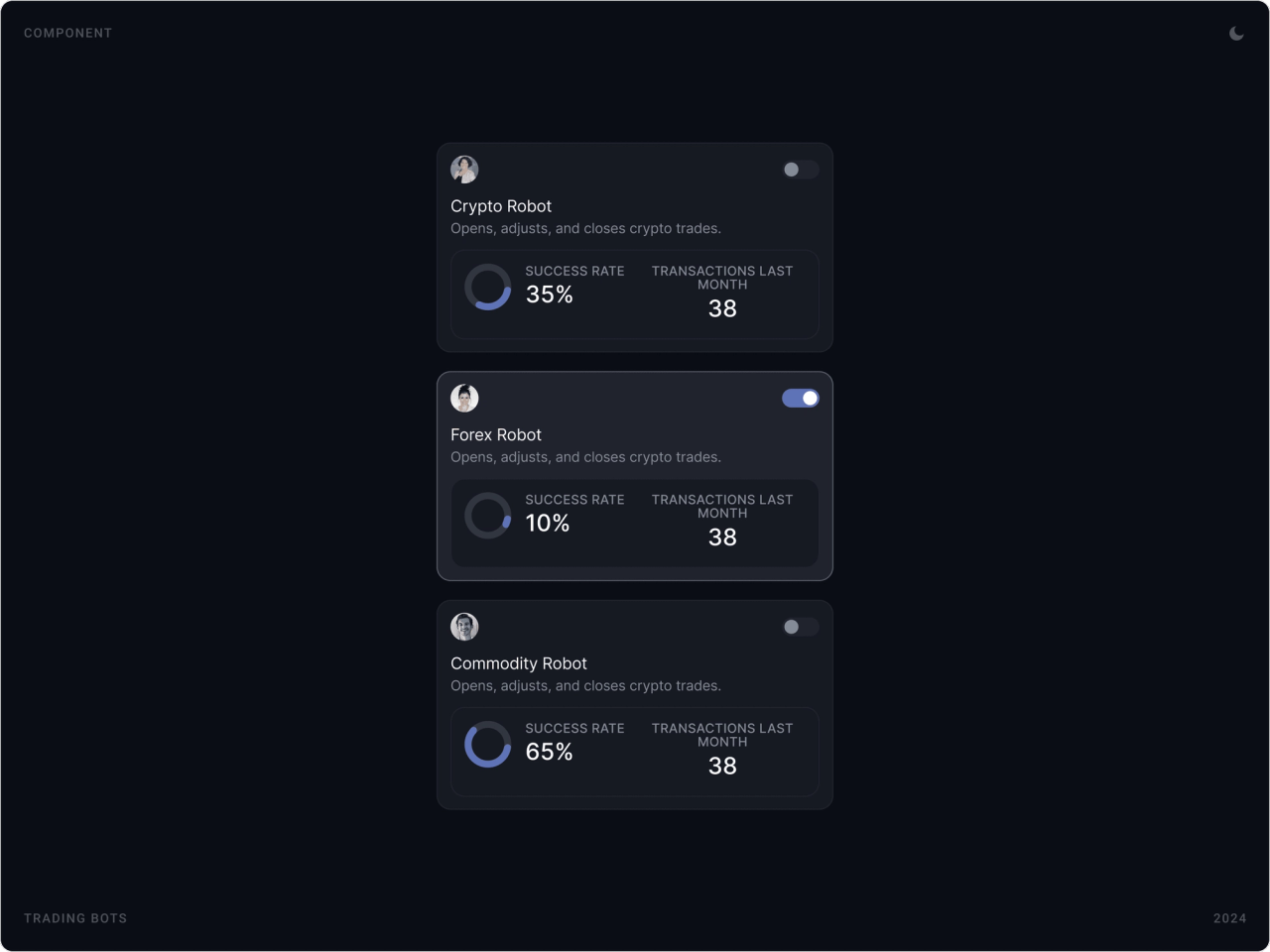
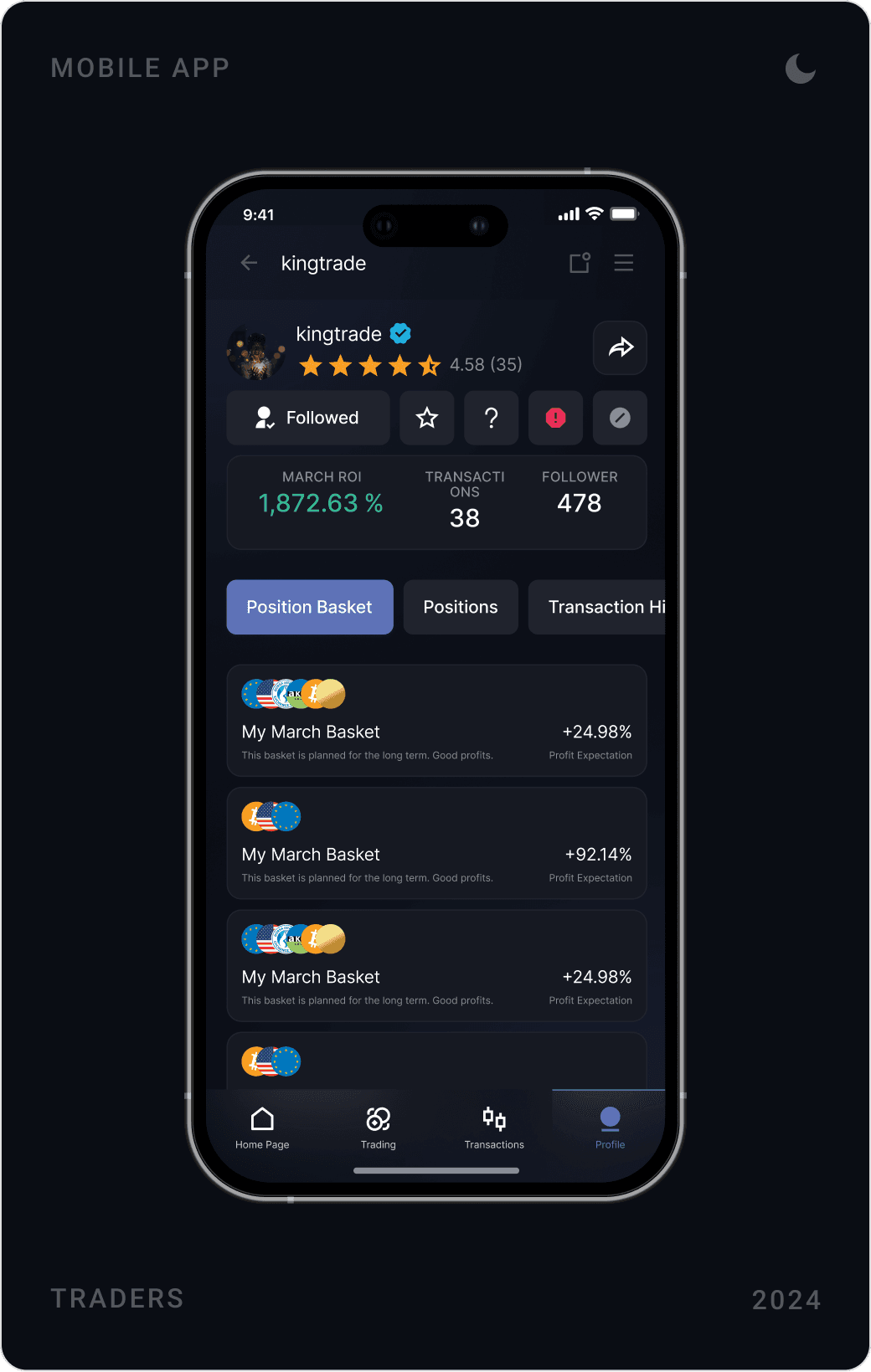
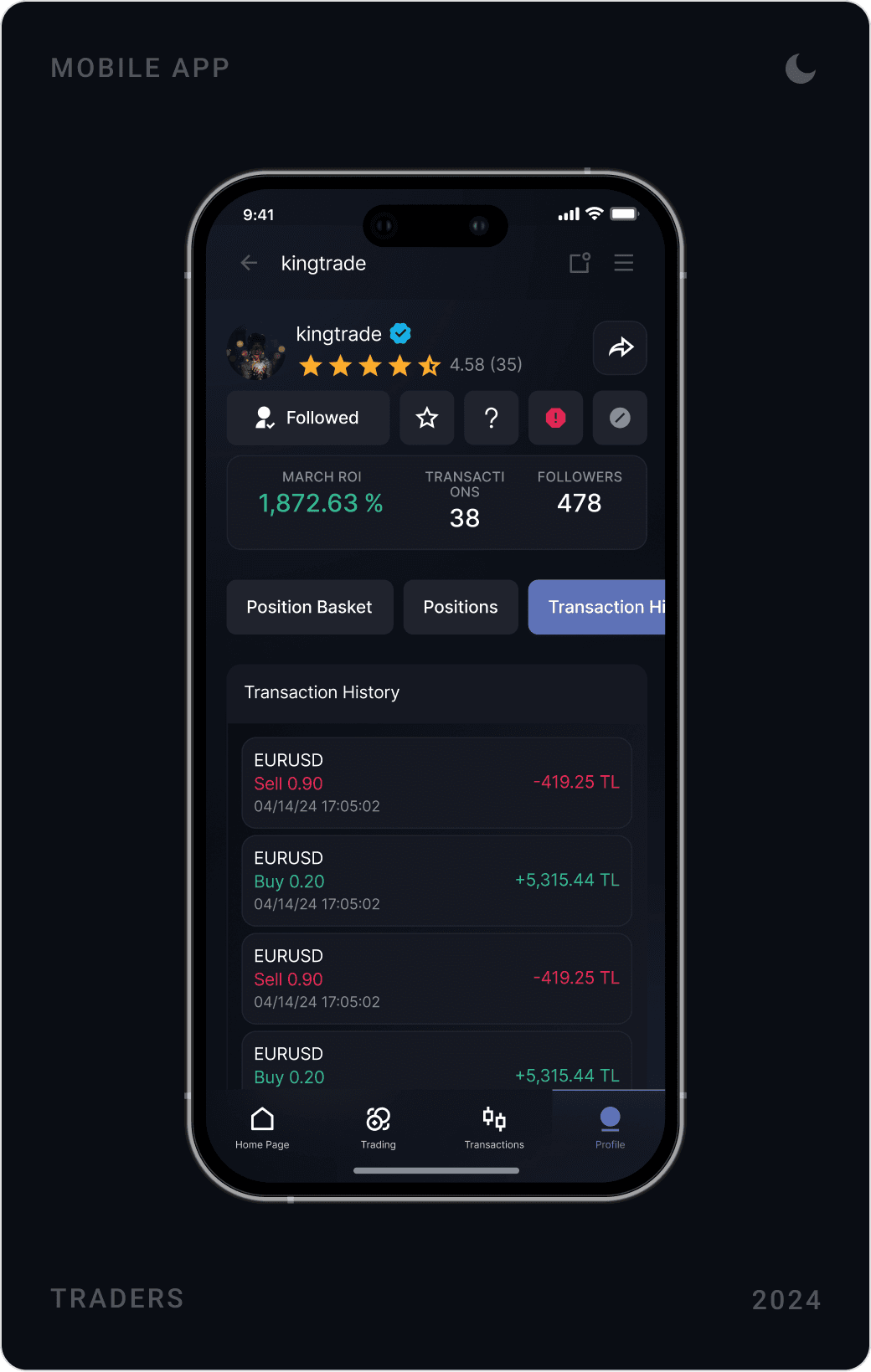
Trading bots and trader profiles
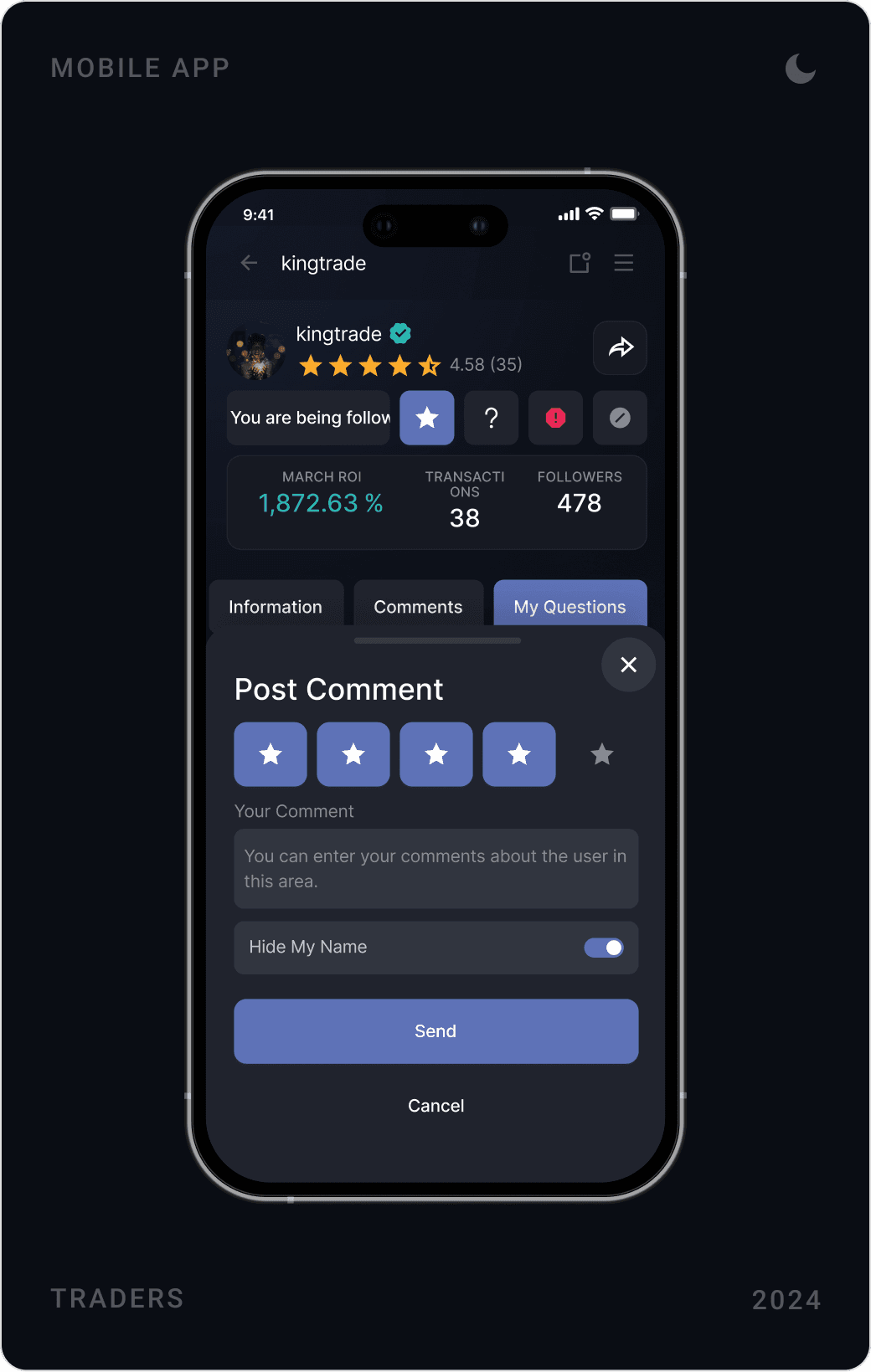
Robots for crypto, forex and commodities are cards with a description, success rate, recent activity and an on/off switch. Trader profiles show ratings, followers, position baskets and transaction history, and users can rate and comment on a trader.
Design system
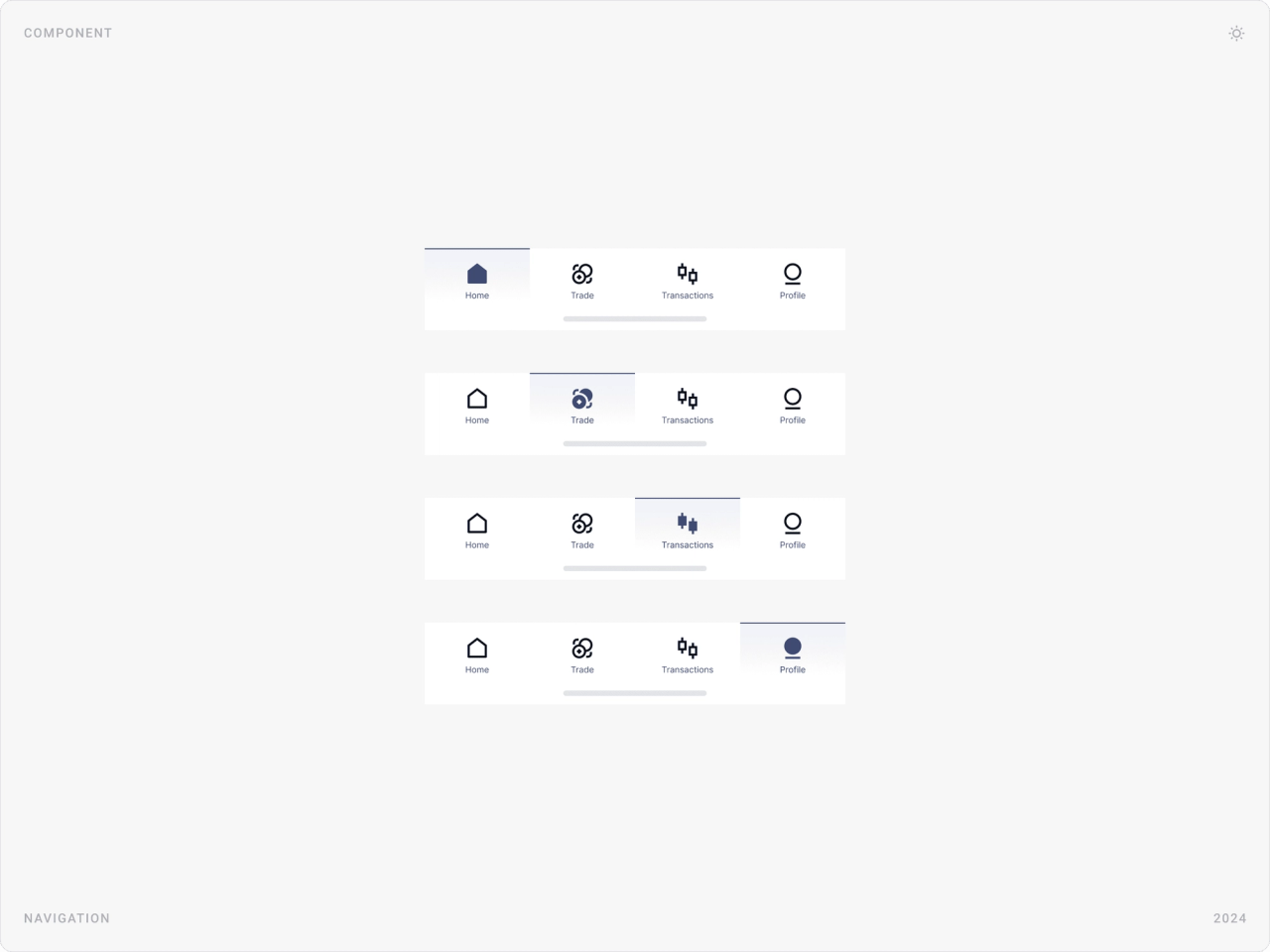
All screens share one set of components in dark and light themes, from the account card and order panel to the bottom navigation, designed in every active state, so new trading tools can be added without breaking the experience.
Results
- A structured, high-clarity mobile trading UI.
- Intuitive Buy/Sell flows with built-in risk control logic.
- A real-time portfolio and balance overview.
- Interactive chart components with timeframe filters.
- A professional, trust-driven dark financial interface.
- A scalable foundation for bots, affiliate and advanced trading tools.
Key takeaways
- In trading, hierarchy is safety: show the numbers that matter first.
- Speed and confirmation aren’t opposites; a good summary sheet gives you both.
- Direct controls beat typing when money is on the line.
- Design the system for the features that come next, not just today’s.
FAQ
What is Stock X?
Stock X is a mobile trading app designed for investors in Turkey. It brings BIST stocks, forex, crypto and commodities together in Turkish lira, with real-time charts, buy/sell execution, automatic orders, trading bots, trader profiles and bank-transfer deposits and withdrawals. It is not related to the StockX sneaker marketplace.
What did you design for Stock X?
The full mobile app: sign-up and identity verification, the trading dashboard and markets list, interactive charts, the buy/sell flow with market limit, stop loss and take profit orders, portfolio and account screens, deposits and withdrawals, trading bots, trader profiles and the affiliate module, on a design system in dark and light themes.
How long did the project take?
About 10–12 weeks in 2024, from UX research and the financial information architecture to the final UI and design system.
How do you design a trading app that is fast but safe to use?
Put balance and profit/loss first, keep Buy and Sell visually distinct, and let people set size with quick controls like steppers and sliders. Before any order goes through, show a short confirmation with lot, price, quantity and total, and make stop loss and take profit part of the same flow rather than a separate screen.
Can you design a fintech or trading app for my company?
Yes. I work with early-stage AI, SaaS, fintech and Web3 teams on websites, product UI and design systems. Book a call or send a message from the contact page.
Have a product to design?
I help teams turn complex products into websites and interfaces people understand in seconds. Tell me about yours.